AIClothSwap
Share
AIClothSwap
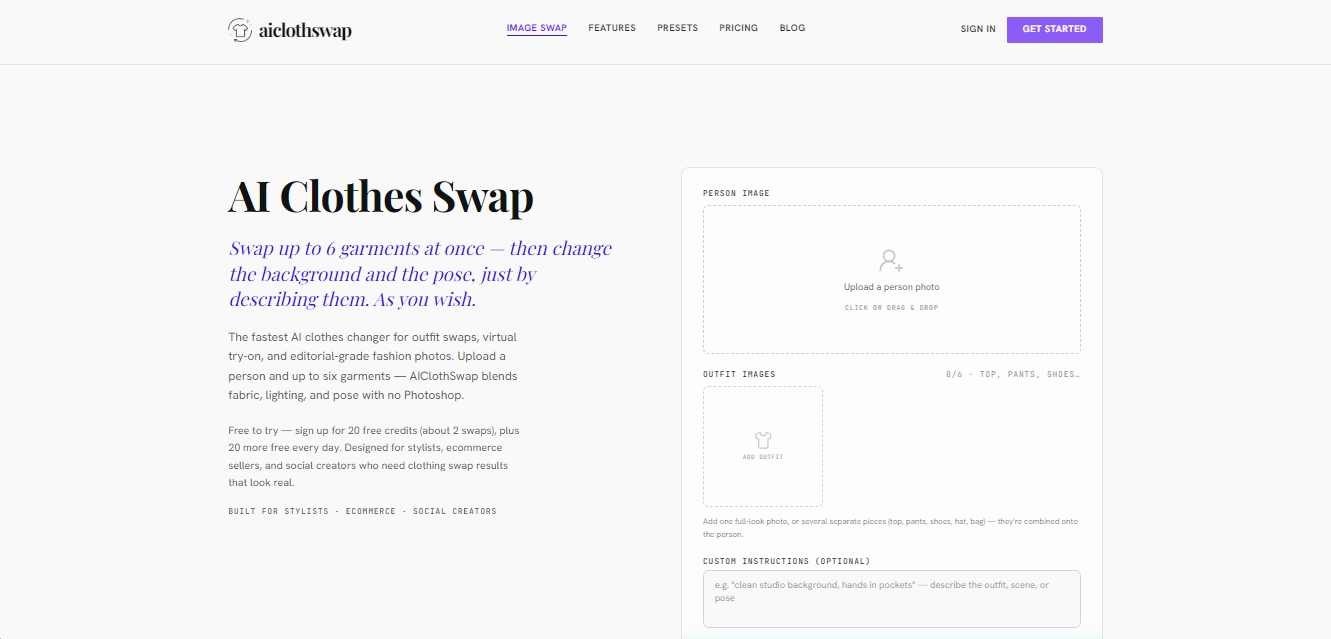
Realistically swap up to six garments in a photo. Adjust poses and backgrounds via text—ideal for virtual try-ons and fashion catalogs.
General Information about AIClothSwap
AIClothSwap is an advanced AI clothing swap tool designed for virtual try-ons and the automated generation of editorial-quality fashion photography. This application allows stylists, e-commerce sellers, and content creators to transform a model's attire in a digital image, replacing individual garments or entire outfits without the need for manual editing processes. Its primary goal is to facilitate the realistic visualization of apparel on people, optimizing the creation of catalogs and social media content.
AIClothSwap's operation is powered by intelligent body contour detection and clothing region technology. When uploading a photo from a computer or mobile device, the artificial intelligence analyzes the subject's anatomy to adjust the new garments while naturally maintaining proportions and volume. One of its most standout features is the ability to swap up to six garments at once, allowing for a complete look refresh—including footwear, pants, shirts, and accessories like hats or bags—in a single technical operation.
Among its most relevant features and practical benefits are:
Comprehensive outfit replacement: Combine multiple pieces to create a cohesive head-to-toe style in a single visual result.
Pose and environment control: Through optional text prompts, users can ask the AI to change the image background or modify the model's posture, such as "hands in pockets" or "looking to the side."
Realistic textures and folds: The system maintains the natural drape of the fabric, shadows, and original lighting, ensuring that skin and fabric integrate seamlessly.
Complex graphics processing: The tool is capable of rendering prints, logos, and detailed stitching without losing sharpness or creating distortions.
Flat-lay transformation: Convert photos of flat-lay clothing into images of models wearing the garment from various angles.
The process for using this AI outfit generator is straightforward: upload an image of the person and photos of the desired garments. The AIClothSwap engine automatically merges the elements, providing a preview before downloading. This technical solution eliminates the need for expensive photo shoots, allowing for the quick and efficient testing of infinite inventory combinations. It is worth highlighting its precision in edge detection, which ensures the virtual try-on is smooth and anatomically correct, even with complex textures. The system offers various output levels, reaching up to 4K resolution for high-end results.
Features and Use Cases of AIClothSwap
How AIClothSwap Works
Frequently Asked Questions about AIClothSwap
What is AIClothSwap and what is it used for?
AIClothSwap is an AI-powered tool that allows you to change a person's clothing in a photo, facilitating virtual try-ons and the creation of professional fashion content.
How many items of clothing can I change at once with AIClothSwap?
The system allows you to replace up to six items simultaneously, making it possible to refresh an entire outfit, including footwear, pants, tops, and accessories.
Can I try AIClothSwap for free?
Yes, when you sign up, you receive twenty free welcome credits, and the platform gives you an additional twenty credits every day you log in.
Can I modify the background or the model's pose in the photo?
Yes, using the custom prompt box, you can describe a new setting or a specific pose, and the AI will adjust the image according to your instructions.
What resolution and quality levels does AIClothSwap offer?
The tool features three quality levels: standard 1K, high-definition 2K, and professional 4K resolution.
Does AIClothSwap offer a commercial use license for the images?
Commercial use is included in the Pro and Studio paid plans, as well as the lifetime purchase option.
How does the tool ensure a realistic result when changing clothes?
The AI automatically detects body contours and adapts the textures, folds, and lighting of the new garments so they blend in naturally.
Do I need to know how to use Photoshop to use the platform?
No technical editing experience is required, as the process is automated and only requires you to upload photos of the person and the desired clothing items.
AIClothSwap Pricing
Starter
$0 / Forever
20 free credits upon sign-up and 20 additional credits every day you log in.
Standard (1K) and HD (2K) quality.
Consumes 10 credits per swap in 1K and 16 credits in 2K.
Limit of up to 6 garments per swap.
Access to all presets.
Pro
$14.99 / month
2,000 monthly credits (equivalent to about 200 swaps in 1K, 125 in 2K, or 83 in 4K).
Image quality up to 4K.
No watermarks.
Priority processing queue.
Commercial use license.
Allows up to 6 garments per swap.
Studio
$34.99 / month
Unlimited clothing swaps.
Access to all quality levels up to 4K.
No watermarks.
Priority processing queue.
Commercial use license.
Priority email support.
Lifetime
$200 (One-time payment)
60,000 included credits that never expire.
Access to all quality levels up to 4K.
No watermarks or recurring subscription fees.
Commercial use license and access to all future updates.
Pay as you go (Credit Packs)
Starting at $17.99 (One-time payment)
Credits with no expiration date, valid for any quality level.
2,000 credit pack: $17.99.
Creator Pack (5,000 credits): $44.97.
Scale Pack (10,000 credits): $89.94.
AIClothSwap Screenshots