
Share
What is AuthoredUp?
AuthoredUp is a content tool by AuthoredUp built as a LinkedIn creation studio: format posts, save drafts, schedule on a calendar and measure performance from a dashboard and Chrome extension.
What is AuthoredUp used for?
The editor applies bold, italics, bullets and emojis with a LinkedIn-true preview, plus 300+ hooks and post endings and a readability score. Drafts and snippets are reusable; the calendar groups published and scheduled items; history and analytics show what works by period. You can also save other people’s posts for inspiration.
How do you use it day to day?
Install the Chrome extension or open the web app, connect your profile and write in the editor. Check the preview, publish or schedule, then return to the dashboard to compare growth and top posts. Team mode supports multiple profiles, sub-accounts, draft collaboration and org analytics.
- Creators and founders who post on LinkedIn regularly.
- B2B marketing teams coordinating several brand voices.
- Agencies managing client profiles in one workflow.
Documentation and the dashboard help you track day-to-day usage without relying on external spreadsheets.
It is also worth checking the technical limits published on the official site before rolling it out in production.
Before rolling it out to the team, compare integrations, UI languages and technical limits described in the official docs, and run through a full workflow with a real day-to-day example to confirm it fits how you already work.
AuthoredUp pros and cons
Pros: a LinkedIn-aligned editor, ready-made hooks and analytics in one place. Cons: it focuses on LinkedIn (not a multi-network scheduler) and org features require connecting several profiles.
AuthoredUp features and use cases
How to use AuthoredUp
AuthoredUp FAQ
What is AuthoredUp?
It is an editor and analytics platform to create, schedule and measure LinkedIn posts, with a Chrome extension.
Is AuthoredUp free?
You can try it without a card; Individual and Business are paid tiers. See the pricing section.
Does it have an API?
The product site does not highlight a general public API; the main use is the web app and extension.
Does it work in Spanish?
You can write posts in Spanish; the marketing UI is in English.
Is it only for LinkedIn?
Yes. It is a LinkedIn-focused creation and analytics studio, not a multi-network scheduler.
Can I schedule posts?
Yes. The calendar lets you view and schedule posts and review history.
Is there a team mode?
Yes. Business supports multiple profiles, sub-accounts, draft collaboration and org analytics.
What are hooks?
Opening and closing templates (300+) to improve the first line of a post.
What are the alternatives to AuthoredUp?
On GptZone you can compare Buffer and other social tools; AuthoredUp specializes in LinkedIn.
AuthoredUp pricing and plans
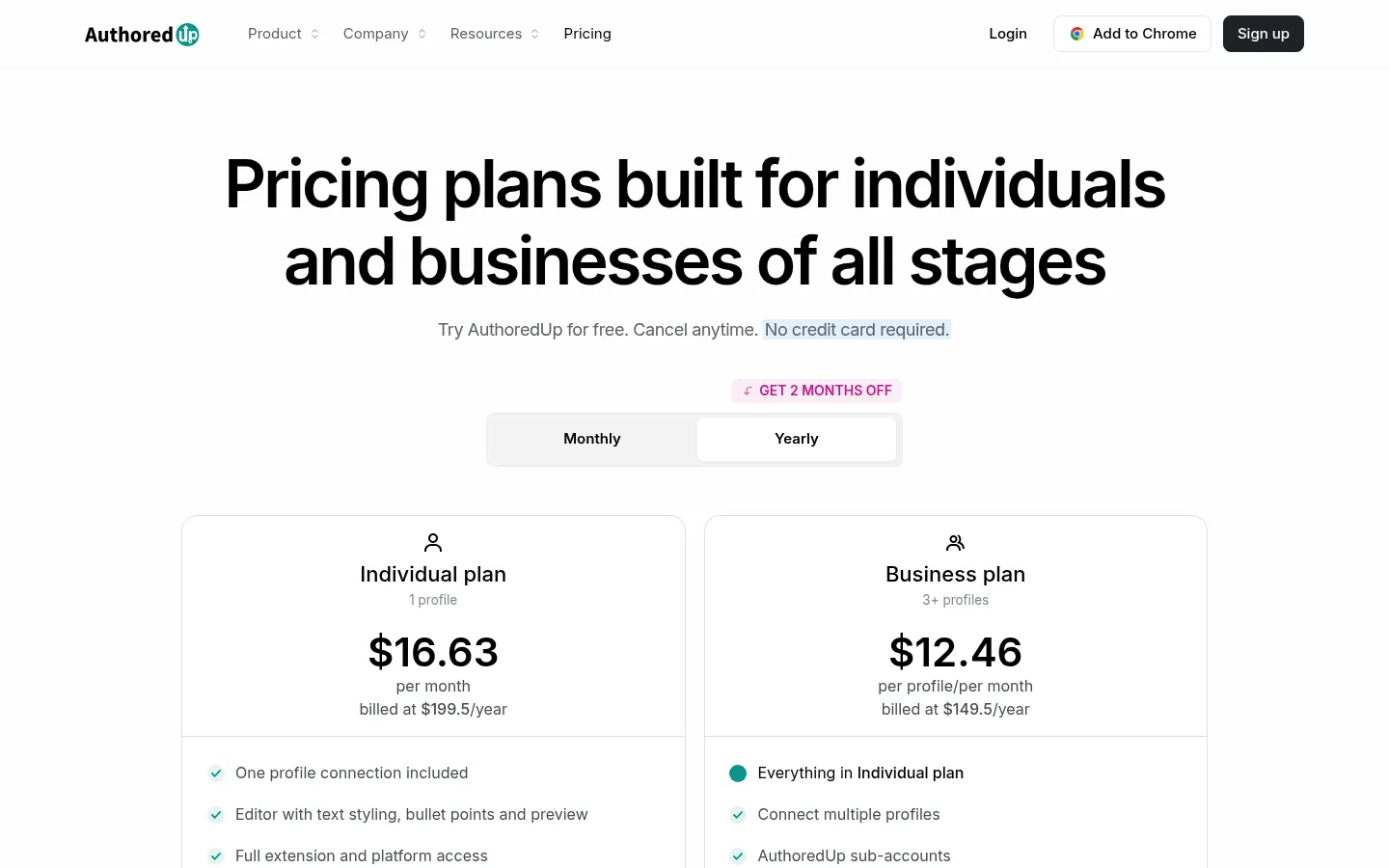
Reference price: 19.95 USD / month. Source · Verified: November 6, 2026
USD prices from the official page (Checked on: 06/11/2026). Trial with no credit card.
- Individual: $19.95/month for 1 profile ($16.63/month billed yearly at $199.5/year). Full editor, extension, unlimited drafts/snippets/company pages, 300+ hooks, reuse and analytics.
- Business: $14.95 per profile/month (min. 3 profiles); $12.46/profile/month yearly ($149/profile/year). Sub-accounts, org management, team analytics and draft collaboration.
- Custom Growth: custom (min. 10 profiles, yearly billing): onboarding, training and custom invoicing.
AuthoredUp Screenshots

AuthoredUp user reviews
Write a review
Checking your session...
AuthoredUp Reviews
Loading reviews...