
Automater Lite
Share
What is Automater Lite?
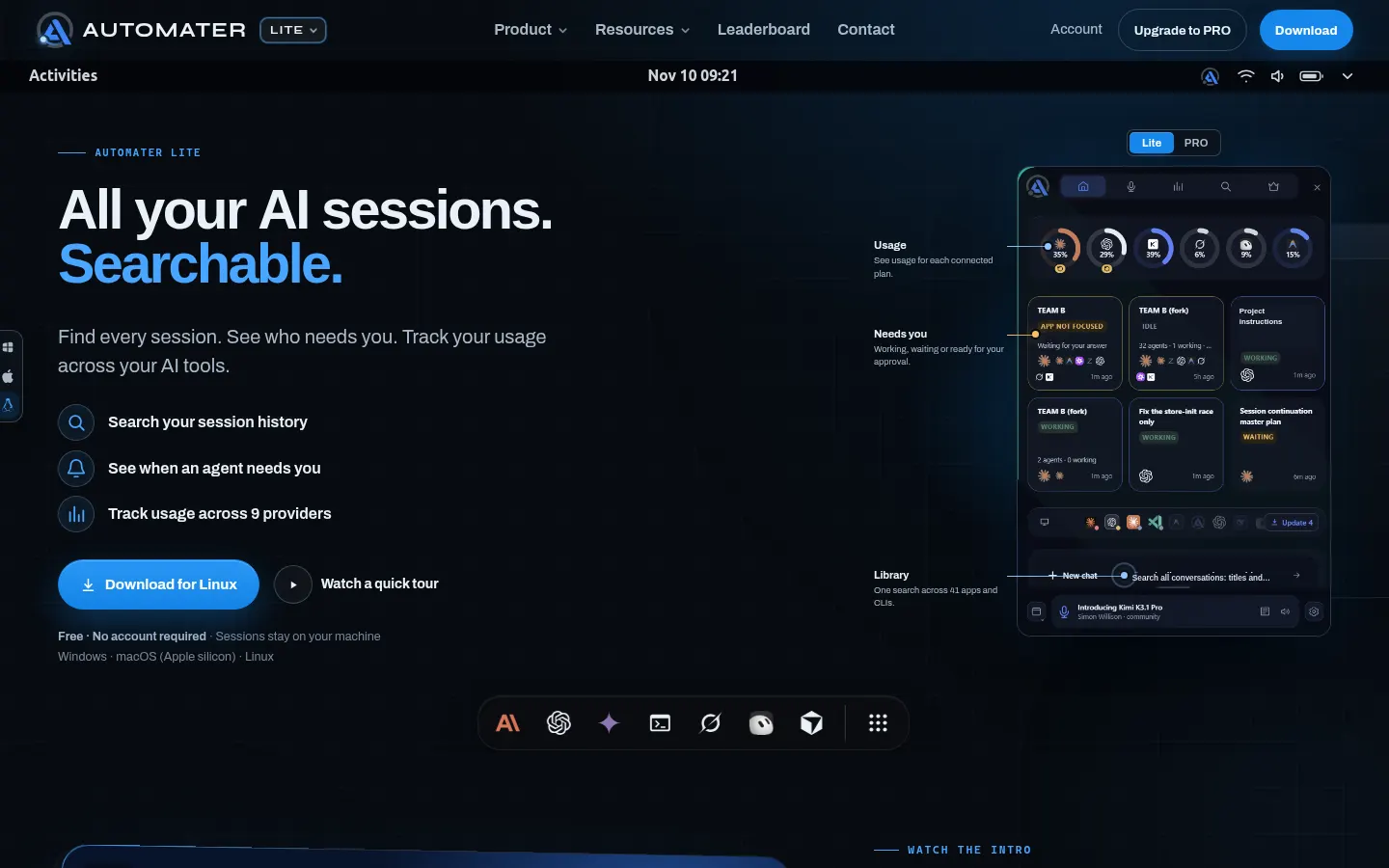
Automater Lite is a desktop app from Automater that brings sessions from AI coding agents such as Claude Code, Codex, Cursor or Gemini CLI into one system-tray panel. It solves a narrow but real problem for anyone running several assistants at once: scattered conversations, agents stuck waiting for permission, and usage limits spread across separate dashboards.
What is Automater Lite used for?
It keeps every agent in view. It reads the session files each tool already writes to your disk (45 formats from 41 apps and CLIs) and turns them into a local, searchable library. From there you can find an old conversation and, for eleven tools, resume it in its own CLI with one click. The Needs You flag shows which agent is waiting on an approval or an answer, and a single meter tracks usage and quota resets across nine providers.
How does Automater Lite work?
It installs from a signed installer on Windows, Apple-silicon macOS or Linux, with no account. It finds sessions on its own and indexes them on your machine; content stays on your disk. It includes local voice dictation that types your prompt into the focused window (on Windows) and can read Claude Code's status aloud. The PRO upgrade adds computer control with your permission, managed sessions to start, steer or stop agents, a built-in terminal, file browser and browser, and a fleet view.
Who is Automater Lite for?
- Developers running several coding agents in parallel who lose track of which one needs them.
- Anyone hunting for a fix from a session days ago without digging through each tool's folders.
- Teams watching usage limits on Anthropic, OpenAI or Gemini before a quota cuts them off.
Automater Lite pros and cons
Strong points are the local, no-signup approach, the long list of supported tools, and the fact that waiting-agent alerts are never gated. On the downside, there's no Intel Mac build, automatic paste for dictation works only on Windows, and anonymous usage statistics are on by default, though you can switch them off in Settings.
Automater Lite features and use cases
How to use Automater Lite
Automater Lite FAQ
What is Automater Lite?
It's a desktop app that brings your AI coding tool sessions into one panel, flags when an agent needs you and tracks your usage.
Is Automater Lite free?
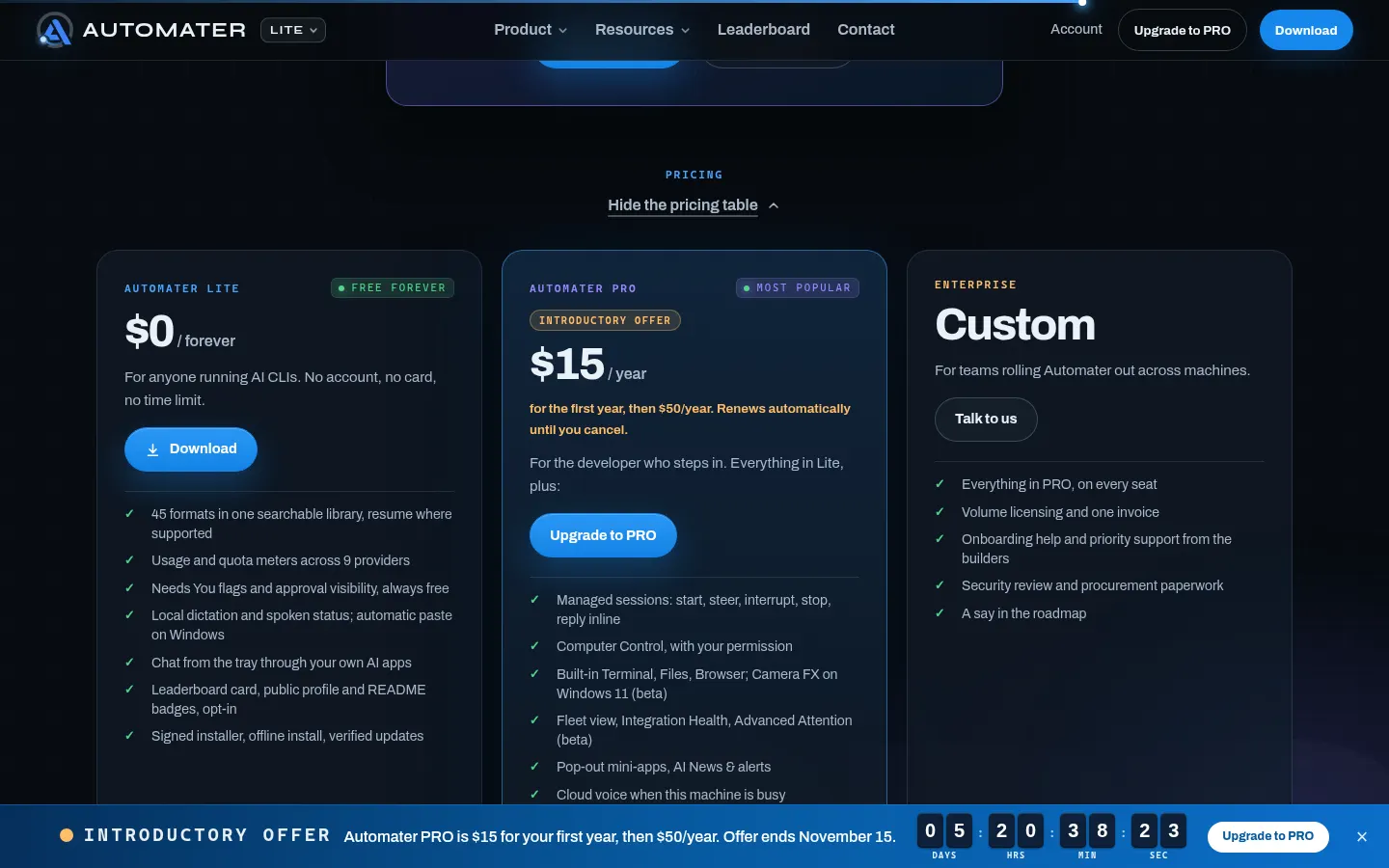
Yes, Lite is free and needs no signup; the PRO upgrade is optional and billed yearly, as shown in the pricing section.
Does Automater Lite have an API?
It doesn't offer a public API; it works as a local app that reads each tool's own session files.
Does Automater Lite work in Spanish?
The interface and site are in English, but it indexes and searches sessions in whatever language you used with your agents.
Which AI tools does it support?
It reads 41 apps and CLIs, including Claude Code, Codex, Cursor, Gemini, Grok, Copilot, Windsurf, Aider, Kimi, Qwen Code, OpenCode, VS Code and Warp.
Do my conversations leave my computer?
No. Session content stays on your disk; only anonymous usage counts are sent, and you can turn those off in Settings.
Which operating systems does it run on?
Windows x64, Apple-silicon macOS and Linux x86_64 as an AppImage or .deb; there's no Intel Mac build.
What does PRO add?
It adds the parts that act: computer control, managed sessions with inline replies, a fleet view, built-in tools and cloud voice.
What happens to my library if I stop paying for PRO?
It stays on your disk and remains searchable, and waiting-agent alerts are never locked either.
What are some Automater Lite alternatives?
There's no exact match in our directory; for working with agents from the terminal there's Warp, and for an AI desktop launcher there's Raycast.
Automater Lite pricing and plans
Reference price: 50 USD / year. Source · Verified: November 10, 2026
Prices in US dollars (USD) from the official site (Checked on: 10/11/2026).
- Automater Lite ($0, forever): session library, usage meters, Needs You flags, local dictation and chat from the tray. No account or card.
- Automater PRO ($50/year; introductory offer of $15 for the first year until 15/11/2026): everything in Lite plus managed sessions, computer control, built-in terminal, files and browser, fleet view, mini-apps and cloud voice. Renews automatically until you cancel.
- Enterprise (custom pricing): PRO on every seat, volume licensing, one invoice, onboarding help and security review.
If you stop paying, your local library stays on your disk and remains searchable.
Automater Lite Screenshots
Automater Lite user reviews
Write a review
Checking your session...
Automater Lite Reviews
Loading reviews...
Automater Lite alternatives

ClariLayer
ClariLayer is a memory layer for working with AI: it saves decisions and rules from your chats and applies them in new Claude Code, Cursor or Codex sessions.