

Share
What is Codex?
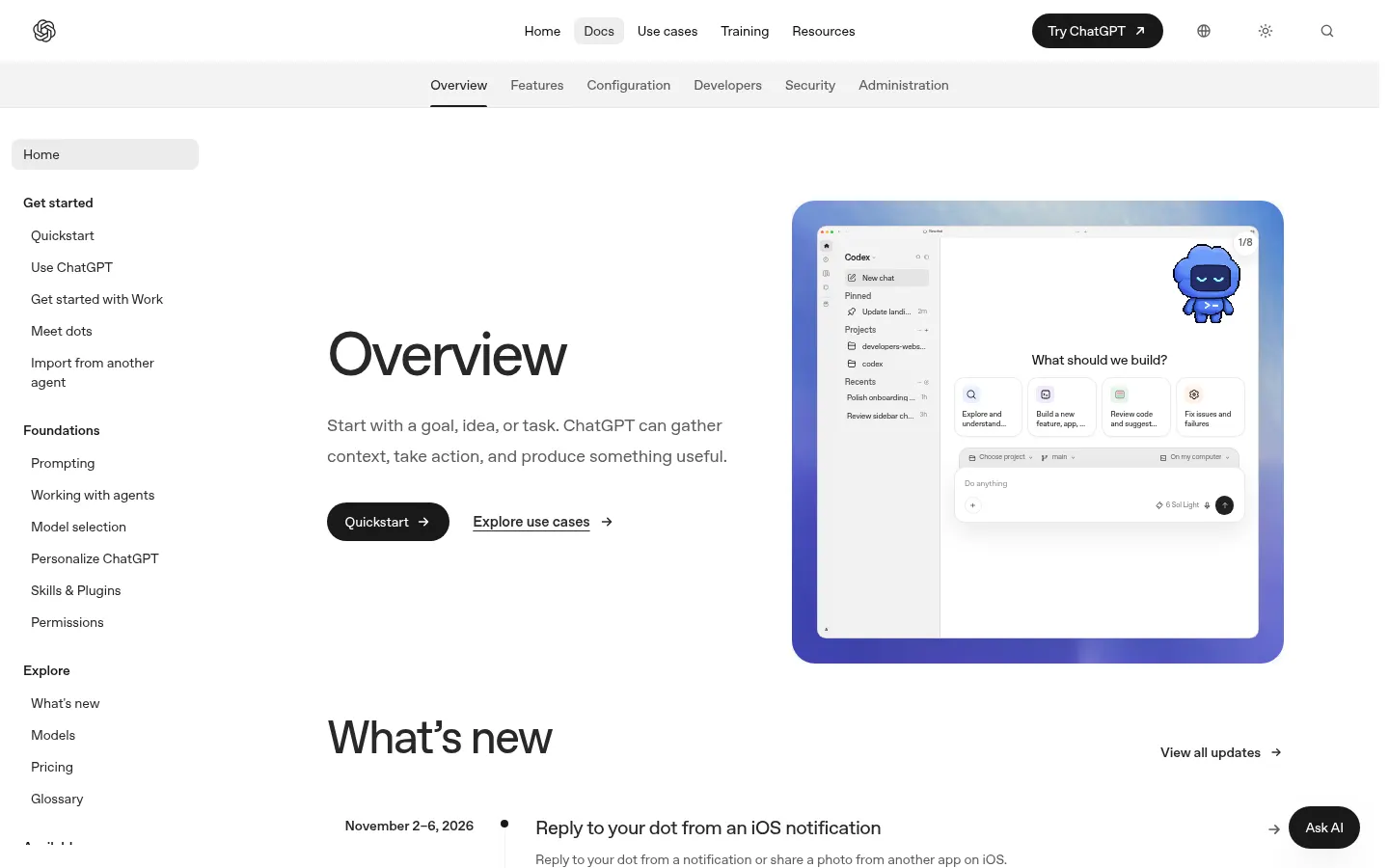
Codex is an AI coding agent by OpenAI that reads your repository, writes and edits code, runs commands and tests, and reviews changes for software developers and engineering teams. You can use it in the ChatGPT desktop app, on the web, in the terminal through Codex CLI, or inside your editor with the IDE extension, all tied to one ChatGPT account.
What is Codex used for?
It takes on real engineering work: tracking down a stubborn bug, running a large refactor, building a new feature, writing tests or walking you through an unfamiliar codebase. You describe the task in plain language and the agent explores the files, maps out the change, edits code and checks the result. You pick the model and reasoning effort, can attach an error screenshot or a diagram, and can turn on live web search when the job depends on current docs.
How does Codex work locally and in the cloud?
Locally it works in your project folder with the tools already on your machine, inside a sandbox with configurable permissions, so you decide when it may edit files or run commands without asking. With Codex cloud, tasks keep running in reusable per-repo environments after you close your laptop, and you can pick them up from another device. It supports parallel agents, Git worktrees, project instructions in an AGENTS.md file, skills, plugins and MCP servers, while codex exec and the SDK bring it into scripts and CI pipelines.
Who is Codex for?
- Developers who want an agent in the terminal or in VS Code, Cursor, Windsurf, Xcode or JetBrains IDEs.
- Teams that want automatic pull request reviews on GitHub or to hand off issues by tagging @codex.
- Companies that need SSO, access controls, audit logs and data residency.
Codex pros and cons
Pros: one agent across desktop, web, terminal, editor and iOS; an open-source CLI under Apache 2.0; and integrations with GitHub, Slack and Linear. Cons: usage is capped by five-hour and weekly windows that depend on your account and model; cloud features aren't available when you sign in with an API key; and computer use is limited to certain regions. OpenAI suggests creating Git checkpoints before and after each task so you can roll back changes.
Codex features and use cases
How to use Codex
Codex FAQ
What is OpenAI Codex?
It's OpenAI's coding agent: it understands a repository, writes and fixes code, runs tests and reviews changes from ChatGPT, the terminal or your editor.
Is Codex free?
There's basic access with a free ChatGPT account in the desktop app, using a lightweight model and usage limits. Cloud tasks, the CLI and the IDE extension with more capacity come with paid accounts; see the pricing section for details.
Does Codex have an API?
Yes. You can run Codex with an OpenAI API key in the CLI, the SDK and the IDE extension, and call it non-interactively with codex exec. With an API key you don't get cloud features such as GitHub code review.
Does Codex work in Spanish and other languages?
You can write tasks in Spanish or other languages and it usually replies in the same one. OpenAI says its models are optimized for English, so it's best to keep a single language per prompt.
What's the difference between Codex CLI, the IDE extension and Codex cloud?
The CLI works in your terminal on the local repo, the extension sits in your editor's sidebar using open files as context, and Codex cloud runs longer tasks in remote environments that keep going after you shut your laptop.
Can Codex review pull requests on GitHub?
Yes. Tag @codex on a pull request to request a review or turn on automatic reviews for the repository; you can also hand off GitHub issues to it.
Is Codex CLI open source?
Yes. The Codex CLI source code is on GitHub under the Apache 2.0 license, and you can install it with a script, npm or Homebrew.
Can Codex change my code without asking?
Only if you let it. The /permissions command sets when it may edit files or run commands without confirmation, and it runs inside a sandbox. OpenAI still recommends Git checkpoints before each task.
Which editors does Codex support?
The extension works in VS Code, VS Code Insiders, Cursor and Windsurf, and Xcode and JetBrains IDEs have their own integrations. In other editors you can run the CLI from the built-in terminal.
What are the best Codex alternatives?
Our directory lists Claude Code, Anthropic's terminal coding agent, Cursor, an AI code editor, and Devin Desktop. Compare them based on where you code and which integrations you need.
Codex pricing and plans
Reference price: 20 USD / month. Source · Verified: November 9, 2026
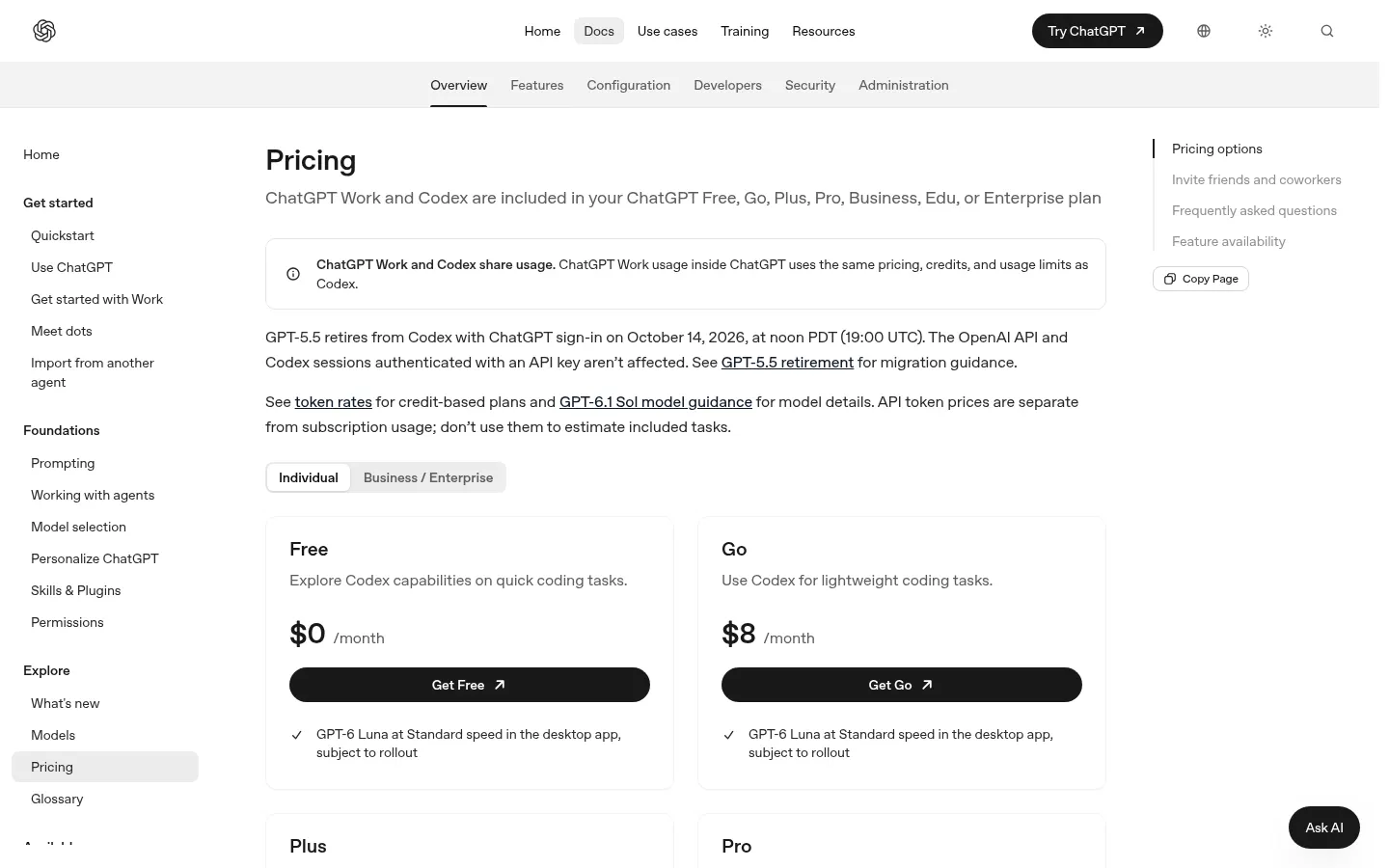
Prices in US dollars (USD) from the official Codex pricing page (Checked on: 09/11/2026). The page doesn't say whether taxes are included. Codex comes with ChatGPT accounts and shares usage limits with ChatGPT Work.
Free: $0/month
- Codex in the desktop app with GPT-6 Luna at Standard speed, subject to rollout.
Go: $8/month
- Meant for lightweight coding tasks; same desktop app access.
Plus: $20/month
- Codex on the web, in the CLI, in the IDE extension and on iOS.
- Cloud integrations such as automatic code review and Slack.
- GPT-6.1 Sol and GPT-6 Luna; usage can be extended with ChatGPT credits.
- Official estimate with GPT-6.1 Sol: 15–160 local messages per five hours; weekly limits may apply.
Pro: $100, $200 or $500/month
- Higher usage for full workdays; Ultrafast mode on the $500 tier only. Currently no five-hour limit.
Business: $20 per user/month billed annually (2+ users) or $25 per user/month billed monthly
- Workspace with SAML SSO, MFA and admin controls; no training on business data by default; extra credits available.
Enterprise & Edu: contact sales
- Priority processing, SCIM, EKM, RBAC, audit logs, data retention and residency controls.
API key: pay as you go at OpenAI API rates
- Codex in the CLI, SDK and IDE extension, without cloud features (GitHub review, Slack, etc.).
Codex Screenshots
Codex user reviews
Write a review
Checking your session...
Codex Reviews
Loading reviews...
Codex alternatives

AI CSS Animations
AI CSS Animations is an AI CSS animation generator: describe the effect, answer a few questions and get keyframe code with a live preview.




Factory AI
Factory AI is a platform of AI coding agents (Droids) that plan, build, review and validate software changes with enterprise-grade governance.

Open Interpreter
Open Interpreter is an open-source coding agent that lives in your terminal, reads and edits code and runs commands in a sandbox with the model of your choice.