
Share
What is Tempo?
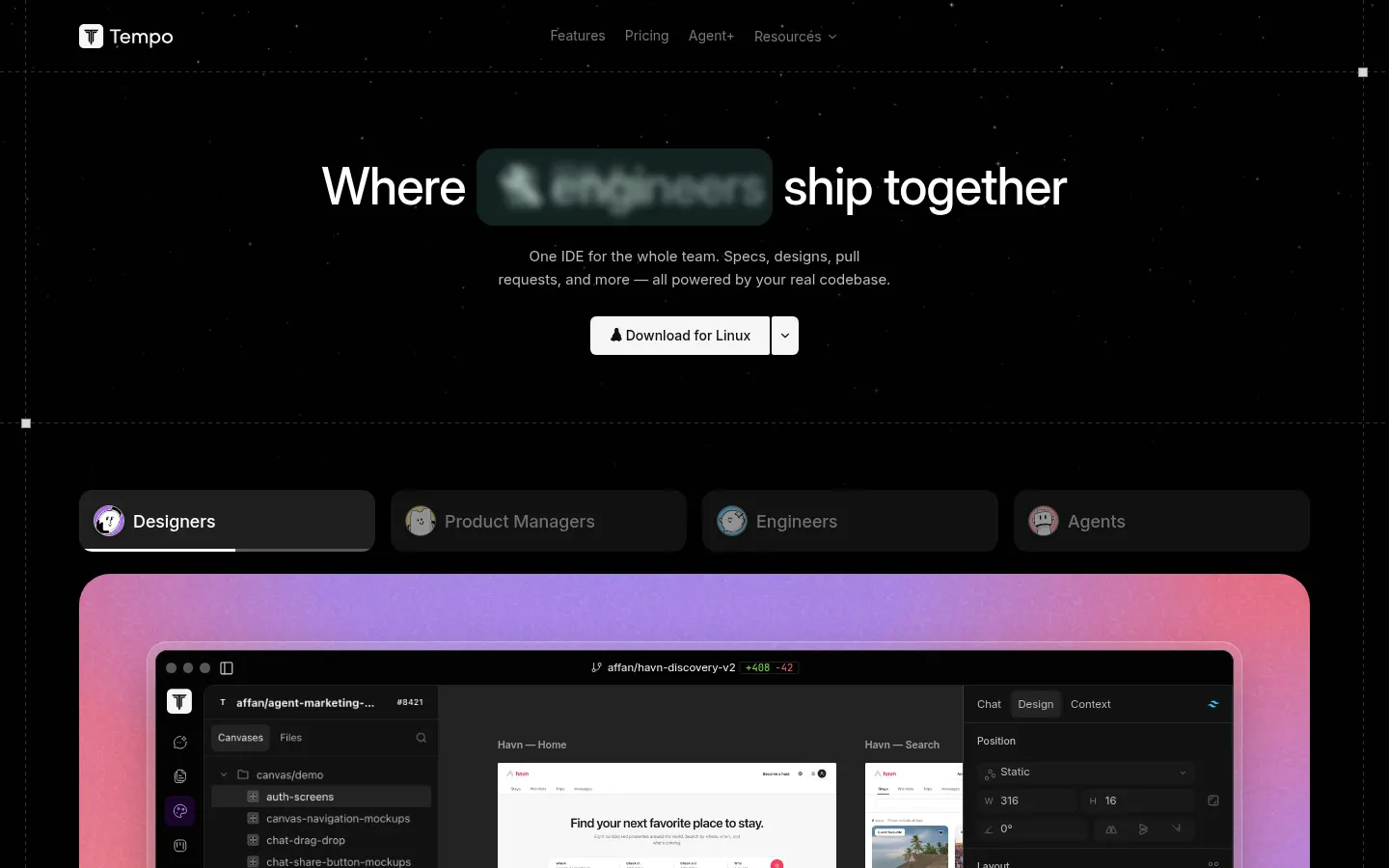
Tempo is an AI tool by Tempo Labs (Toronto, backed by Y Combinator) for designers, product managers and engineers who want to build software together on the real codebase: specs, designs and changes all end up as a pull request.
What makes Tempo different from other AI IDEs?
Its canvases are code in your repo, built from your real components and tokens. An agent drafts the first pass, then you tune every pixel by hand from design panels; because it was never a mockup, the result goes straight to the repository. PMs write specs and clickable prototypes on the codebase and follow each issue with its linked docs and designs.
Which agents are included?
- Triage Agent: turns feedback from your channels into prioritized issues.
- Spec and Design Agent: turns issues into PRDs and clickable designs.
- Bug Fixer Agent: reproduces the bug, finds the root cause and ships a tested fix.
- Feature Builder Agent: builds the feature on its own branch and opens the PR.
Coding agents run on Claude Code and Codex with your own account, in parallel and in separate worktrees, with PR and CI status in one view.
Tempo pros and cons
Pros: it removes the mockup-to-code handoff, lets non-technical roles contribute reviewable changes and coordinates many agents at once. Cons: it is a desktop app for macOS, Windows and Linux, it requires a repository and a pull request workflow, coding agents depend on external Claude Code or Codex accounts, and the interface and docs are in English.
Tempo features and use cases
How to use Tempo
Tempo FAQ
What is Tempo?
It is a desktop IDE with AI agents where designers, PMs and engineers build specs, designs and pull requests on the real codebase.
Is Tempo free?
It has a no-cost tier with limits on issues, docs and tests, plus paid options for more usage. See the pricing section.
Which operating systems does it support?
It is a desktop app for macOS (including Intel), Windows and Linux.
Which models power the coding agents?
Coding agents run on Claude Code and Codex, using your own account and setup for each one.
Does it work in Spanish?
The interface and docs are in English, though you can write issues, specs and prompts in Spanish.
Does it have an API?
The site does not advertise a public API; Tempo works on top of your repository and your Git, PR and CI workflow.
Is it useful for designers who do not code?
Yes, canvases let you visually edit real components, and changes ship as pull requests that the engineering team reviews.
Can I use my own infrastructure?
The Enterprise option supports bringing your own infra, with custom test volume and history with audit.
What are the best Tempo alternatives?
On GptZone you can compare Cursor, Windsurf Editor and v0 for coding and prototyping interfaces with AI.
Tempo pricing and plans
Reference price: 50 USD / month. Source · Verified: November 5, 2026
Information from the official site (Checked on: 05/11/2026). Currency: USD.
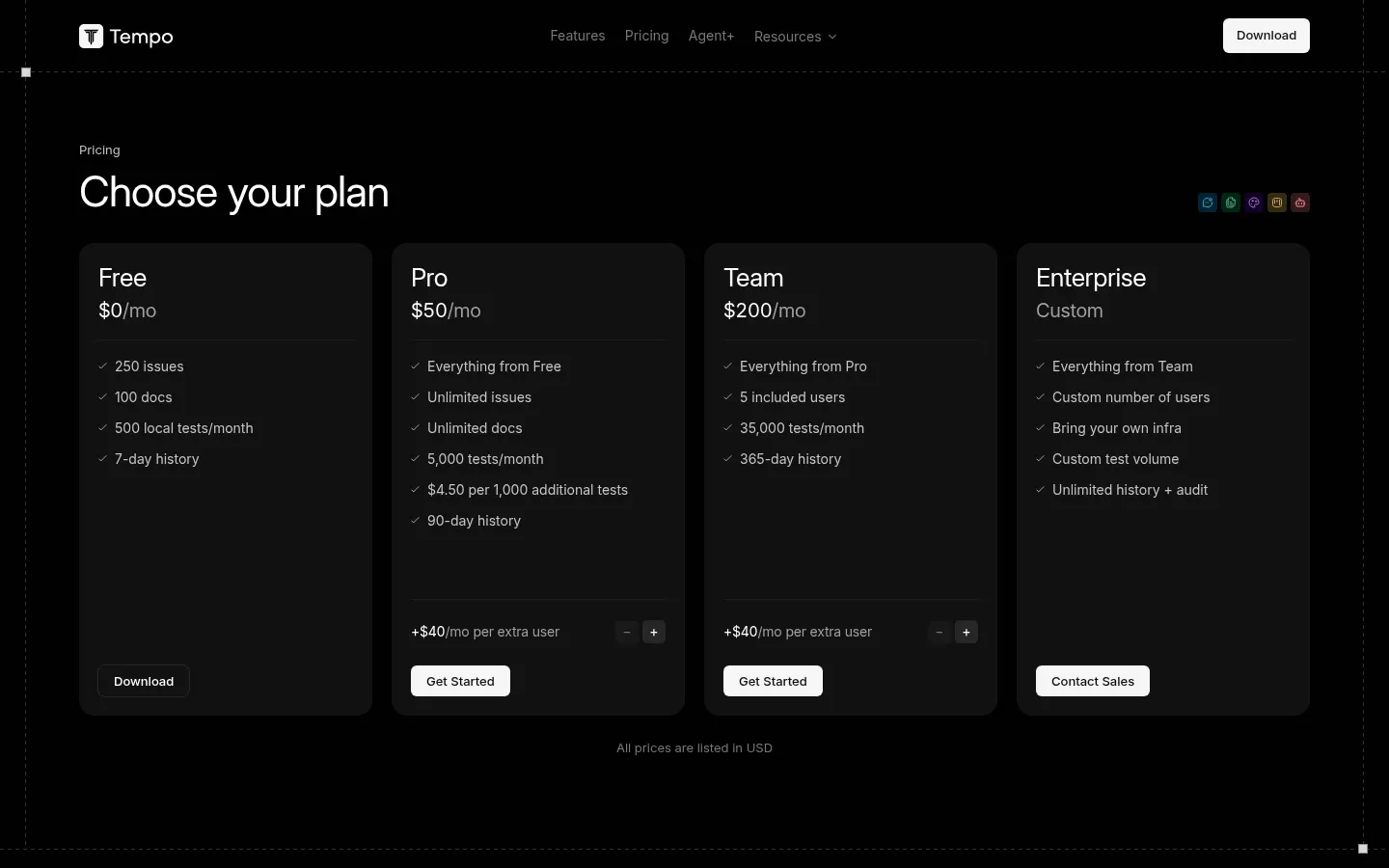
- Free: 0 USD; 250 issues, 100 docs, 500 local tests per month and 7-day history.
- Pro: 50 USD per month for 1 user (+40 USD per month per extra user); unlimited issues and docs, 5,000 tests per month (4.50 USD per 1,000 additional) and 90-day history.
- Team: 200 USD per month with 5 users (+40 USD per extra user); 35,000 tests per month and 365-day history.
- Enterprise: custom pricing; bring your own infra, custom test volume, unlimited history and audit.
Tempo Screenshots
Tempo user reviews
Write a review
Checking your session...
Tempo Reviews
Loading reviews...
Tempo alternatives

AI CSS Animations
AI CSS Animations is an AI CSS animation generator: describe the effect, answer a few questions and get keyframe code with a live preview.