
Share
What is Pieces?
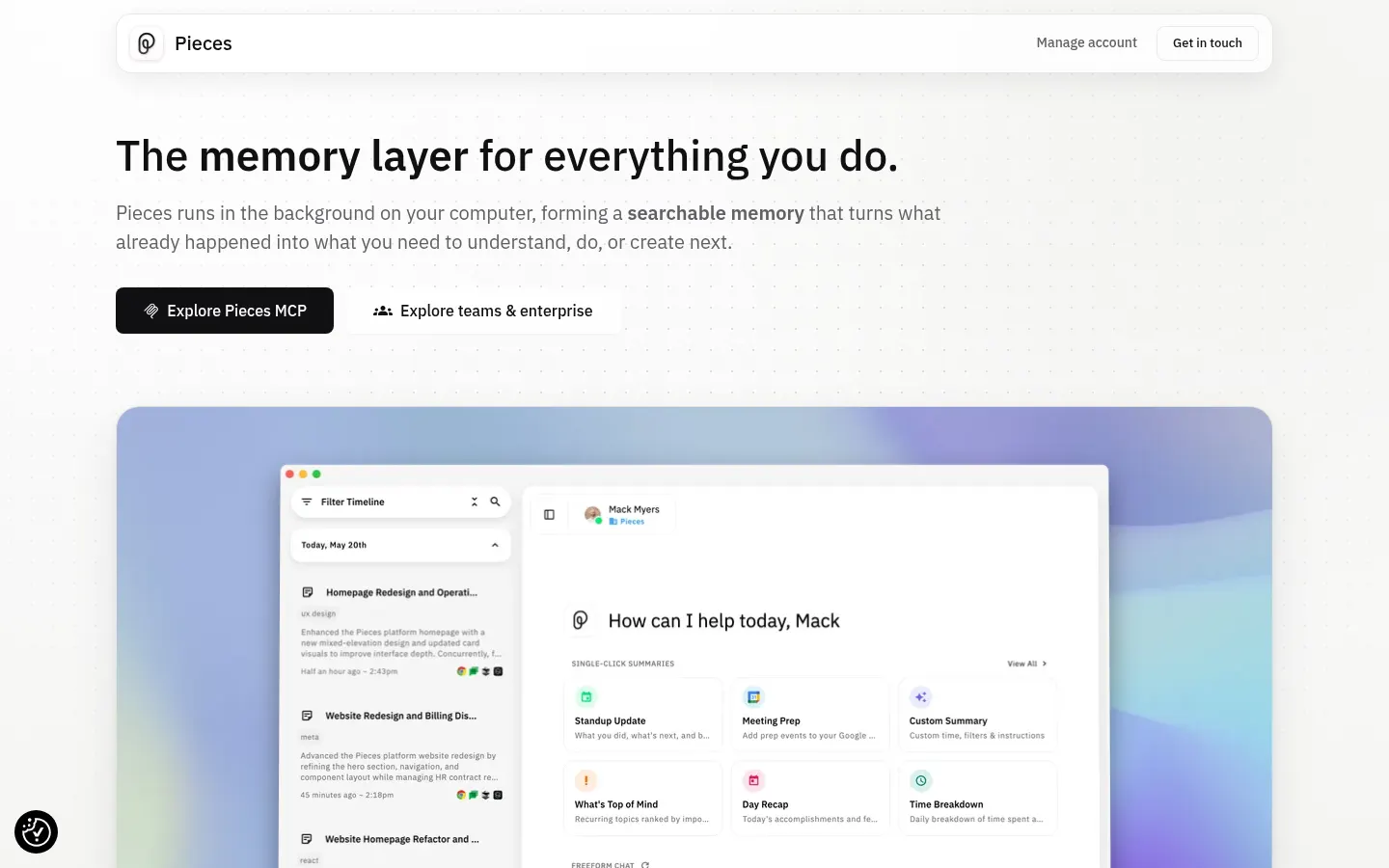
Pieces is an AI tool (by Mesh Intelligent Technologies) that records the context of your daily work on your own machine so developers and knowledge workers can recall any detail without hunting for it again. It acts as a working memory fed by the active app, the clipboard if you opt in, and meeting audio.
What does Pieces remember about your day?
Every few seconds it reads the window in focus and builds a searchable timeline. You can ask by date, topic, person or tool: what was decided on a Zoom call, which link you pasted into Slack or which error showed up in VS Code. It reads from Gmail, Outlook, Chrome, Arc, Safari, Teams, Discord, Google Meet, Google Docs, Notion, Figma, Cursor, JetBrains and Xcode, among others.
- Writes standups and daily recaps from what you actually did.
- Prepares meetings with related threads and documents.
- Gives you a morning brief of open and unfinished work.
How does it connect to other AI assistants?
The Pieces MCP server hands that history to Claude, Cursor, Codex, Antigravity and other compatible clients, so a coding agent or chat knows your real context without manual copy and paste. Inside the app you can pick Claude, Gemini or ChatGPT models, or run local models. It ships for macOS, Windows and Linux.
Pieces pros and cons
Privacy is the main strength: data stays on the device, and you can pause capture, exclude apps or sites and delete what was stored; the enterprise edition adds bring-your-own API keys and org policies. It also covers meetings, browser and IDE in one place. On the downside, every seat requires a paid license, continuous capture asks for trust and machine resources, and the official site and docs are English-only.
Pieces features and use cases
How to use Pieces
Pieces FAQ
What is Pieces?
Pieces is an AI memory layer that records your work context on your machine so you can search it, summarize it and share it with other assistants.
Is Pieces free?
There is no permanent free version, although it offers a 7-day trial with a card. Check the pricing section for current amounts.
Where is my data stored?
According to the official site, memory is stored on the device itself and you can pause capture, exclude apps or sites and delete stored data.
Does it have an API or developer integration?
It offers an MCP server that exposes your history to Claude, Cursor, Codex and other compatible clients, plus integrations with IDEs such as VS Code and JetBrains.
Does it work in Spanish?
The site and docs are in English, but it captures content in any language and the models you choose can answer questions in Spanish.
Which AI models does it use?
You can choose Claude, Gemini or ChatGPT models and also run local models on your machine if you prefer not to send queries out.
Which operating systems does it support?
There is a desktop app for macOS, Windows and Linux, and it works with browsers such as Chrome, Arc and Safari.
Can it remember my meetings?
Yes, it can record meeting audio from Zoom, Google Meet or Teams and later use it to prep meetings or answer questions.
What are the alternatives to Pieces?
Alternatives in the directory include Mem, for notes with AI memory, and Granola, focused on meeting notes.
Pieces pricing and plans
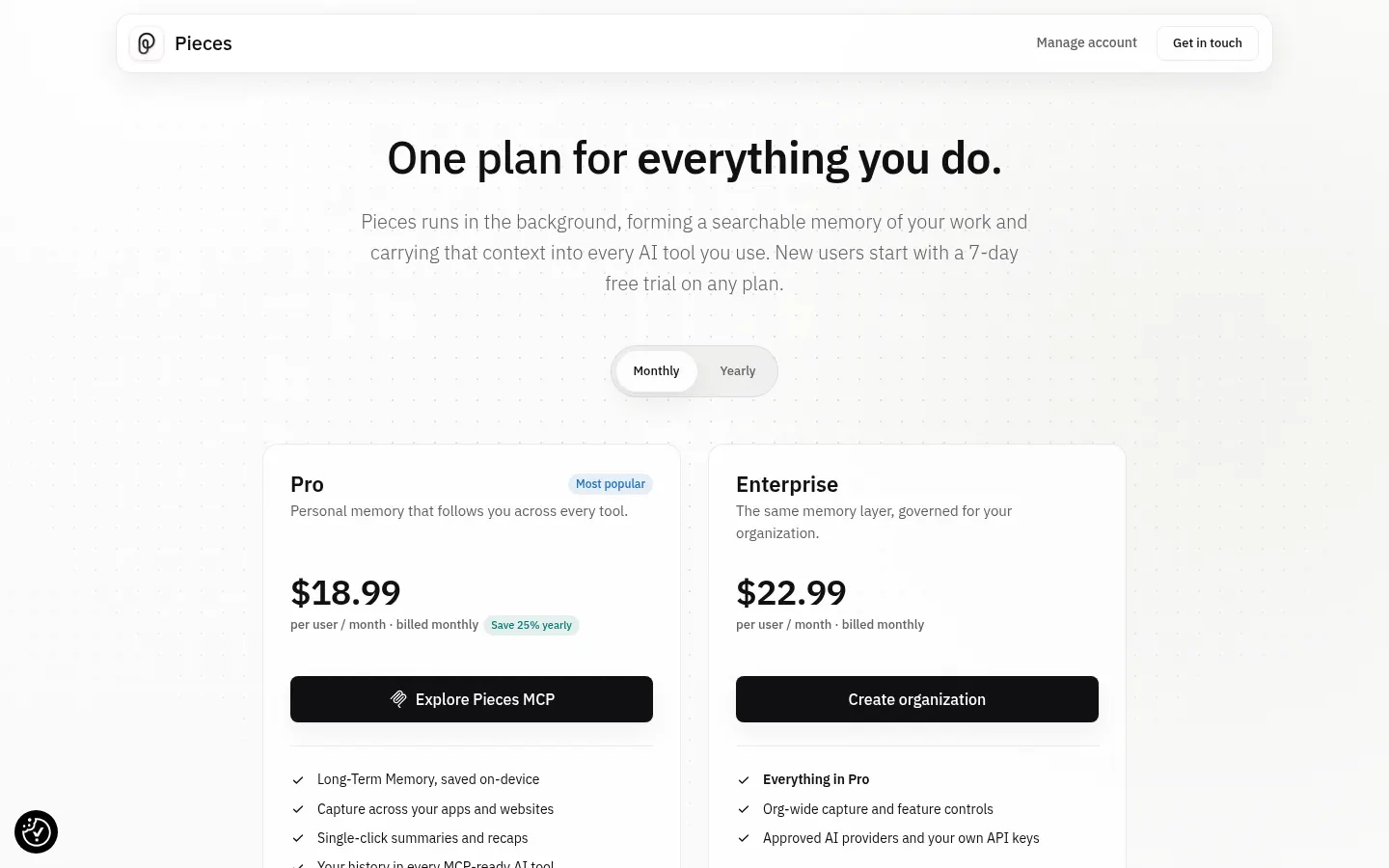
Reference price: 18.99 USD / month. Source · Verified: November 5, 2026
Information from the official site (Checked on: 05/11/2026). Reference currency: USD. There is no permanent free version; the 7-day trial requires a card and there is a 14-day money-back guarantee.
- Pro: 18.99 USD per user per month billed monthly (25% less billed yearly).
- Enterprise: 22.99 USD per user per month, or 69.99 USD per user per quarter; adds bring-your-own API keys and org policies.
Pieces Screenshots
Pieces user reviews
Write a review
Checking your session...
Pieces Reviews
Loading reviews...
Pieces alternatives

AI CSS Animations
AI CSS Animations is an AI CSS animation generator: describe the effect, answer a few questions and get keyframe code with a live preview.