Share
Automatically generate and publish faceless videos on social media. Create scripts, voices, and styles with AI for TikTok, YouTube, and Instagram channels.
What is AutoReels?
AutoReels is an artificial intelligence tool specialized in the creation and automation of faceless videos designed specifically for short-form platforms. Its primary function is to allow content creators, marketing agencies, and entrepreneurs to manage TikTok, YouTube Shorts, Instagram Reels, and Facebook channels in a fully automated way, eliminating the need to record live footage or perform complex manual editing.
The operation of AutoReels is backed by an advanced technological integration that utilizes models from OpenAI, Stability AI, and Assembly AI. The process begins when the user selects a theme or enters a specific prompt. From there, the generative AI handles writing the script, generating the voiceover with natural-sounding voices, adding background music, and creating unique visual elements. Thanks to this approach, the tool ensures that every video is original, avoiding duplicate content on social media.
Among the most prominent capabilities of this video marketing application are:
- Artistic Style Generation: Offers over 30 different visual styles, including Anime, Comic, Ghibli, Minecraft, and GTA V aesthetics.
- Scheduling and Auto-publishing: Allows users to connect social media accounts so the system can automatically publish content according to a predefined schedule.
- Full Customization: Users can edit AI-generated scripts, change the narrator, adjust subtitles, and select music before final publication.
- Multilingual Support: The platform generates content in various languages, including Spanish, English, French, German, and Italian, facilitating the creation of international channels.
- Flexible Formats: Allows choosing between 9:16 (vertical) and 16:9 (horizontal) aspect ratios, as well as adjusting video length to meet the requirements of each platform.
The practical utility of AutoReels lies in its ability to scale digital presence with minimal effort. It is ideal for users seeking social media monetization through trivia channels, horror stories, or educational content. By automating production, users can manage multiple video series from their computer, maintaining brand consistency and a posting frequency that would be difficult to achieve manually. Additionally, it offers the option to download files in high resolution for total control over the generated material.
AutoReels features and use cases
How to use AutoReels
AutoReels FAQ
What is AutoReels and what is it used for?
AutoReels is an AI-driven platform designed to create and schedule faceless videos for TikTok, YouTube, Instagram, and Facebook channels in a fully automated way.
Do I need to appear on camera to use this tool?
No, the tool specializes in faceless content where the artificial intelligence handles the visuals, the script, and the voiceover for you.
Which social media platforms can AutoReels post to automatically?
The system supports automatic posting to TikTok, YouTube Shorts, Instagram Reels, and Facebook Pages, and it also allows you to receive your videos via email.
What art styles does AutoReels offer for videos?
You can choose from over twelve different styles, including options like Anime, Ghibli, GTAV, Minecraft, or comic book style to give your content a unique look.
Can I edit the scripts or music after the video is generated?
Yes, you have full control to modify the script, change the background music, adjust the narrator's voice, or change the posting date before the content is uploaded.
Who owns the legal rights to the videos generated with AutoReels?
You are the sole owner of the videos you create, giving you full freedom to download them, use them on your channels, or even sell them if you wish.
Does AutoReels offer a free plan?
Yes, there is a free plan that allows you to create a test video in HD resolution with background music so you can see how the platform works.
Can I cancel my subscription at any time?
Yes, you can cancel your subscription whenever you like through the dashboard, and your plan will remain active until the end of the current billing cycle.
Why aren't refunds offered for subscriptions?
Due to the high GPU processing costs required to generate AI images and videos, we cannot offer refunds once the service has been purchased.
AutoReels pricing and plans
Free
Free. Try out the tool with the following features:
- Create 1 video.
- Limit of 1 video series per account.
- Video editing and preview.
- HD video resolution.
- Background music included.
- No watermark.
- Fast rendering and priority support.
Starter
19 $ per month (save approximately 30% with annual billing). Includes:
- Auto-post 3 videos per week.
- 1 video series.
- Video editing and preview.
- HD video resolution.
- Background music.
- No watermark.
- Fast rendering and priority support.
Daily
39 $ per month (save approximately 30% with annual billing). This is our most popular plan and includes:
- Auto-post 1 video per day.
- 1 video series.
- Video editing and preview.
- HD video resolution.
- Background music.
- No watermark.
- Fast rendering and priority support.
Hardcore
69 $ per month (save approximately 30% with annual billing). Designed for high frequency:
- Auto-post 2 videos per day.
- 1 video series.
- Video editing and preview.
- HD video resolution.
- Background music.
- No watermark.
- Fast rendering and priority support.
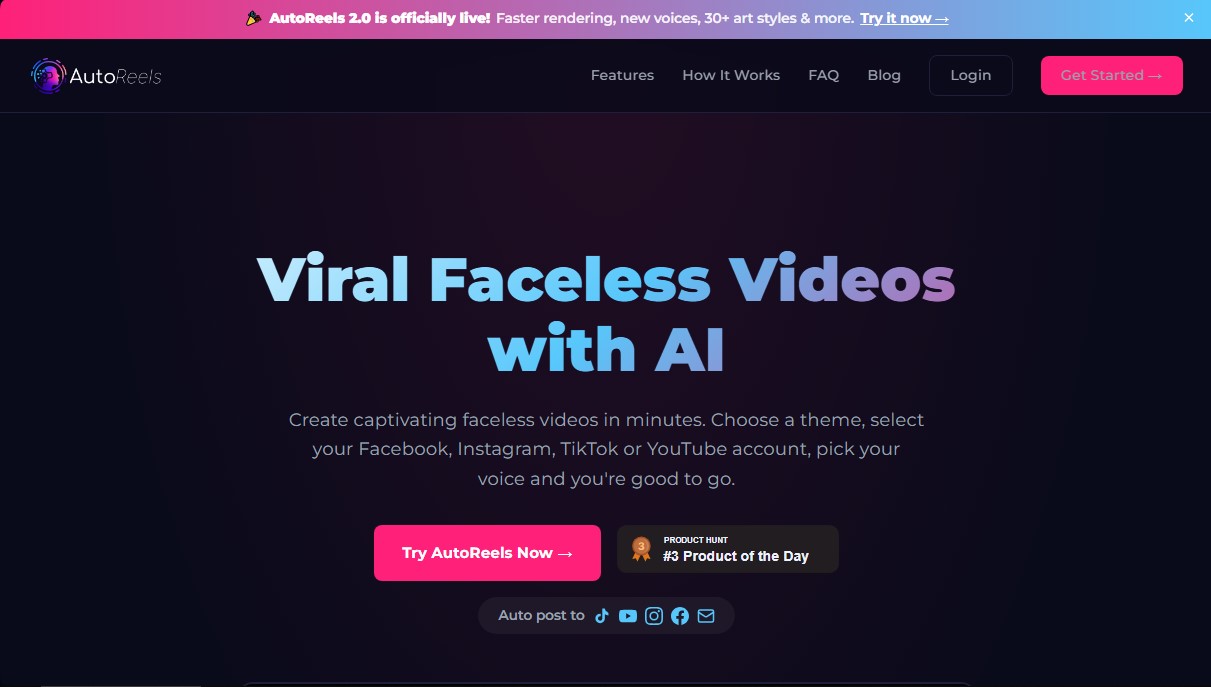
AutoReels Screenshots
AutoReels alternatives

Comik AI-Anime Character Creator
Design anime characters using text or images. Generate multi-view design sheets to ensure visual consistency across comics, manga, and animated videos.
AI Microdrama Generator by Picsart
Create vertical micro-drama series with consistent characters. Plan seasons, generate scripts, and produce AI-powered short episodes with cliffhangers.
DomoAI AI Drama Generator
Create AI vertical minidramas and short series. Use recurring characters and lip-synced dialogue to produce social media episodes in minutes.


Burning Bridges AI
Create custom videos by inserting your photos into preset scenes. Swap the lead and audience while keeping the original choreography and audio.