

Share
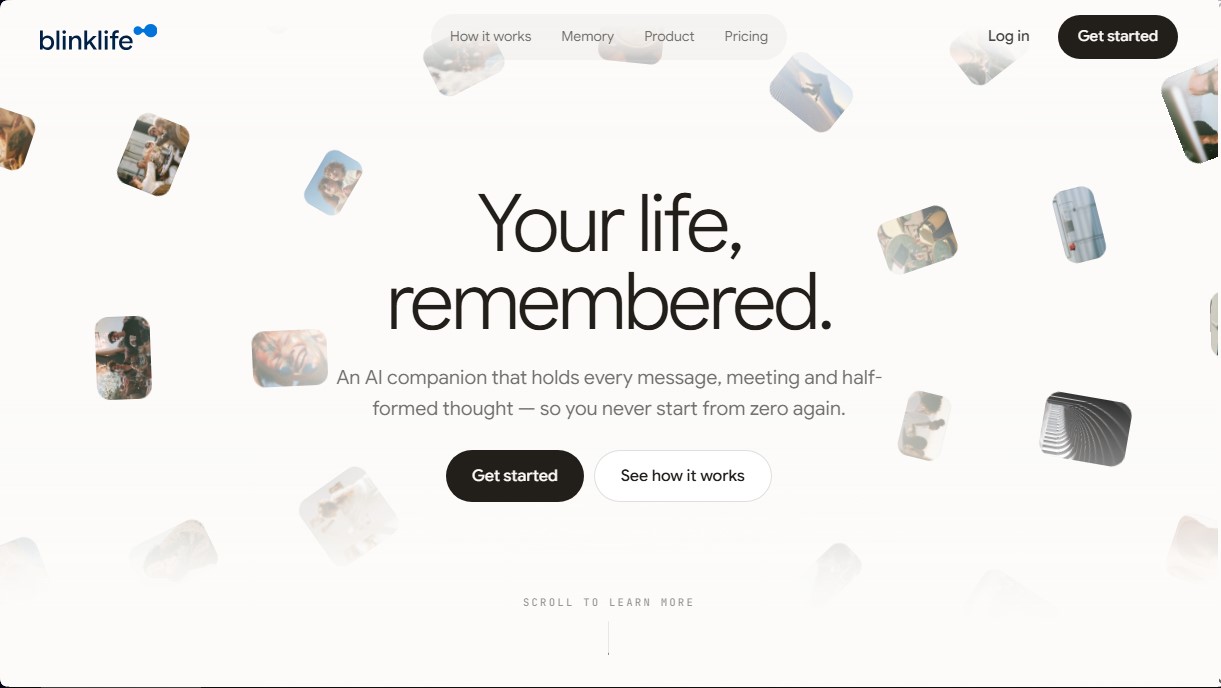
AI assistant that centralizes messages, meetings, and thoughts into one memory. Connect your info to manage your day without organizing anything or starting from scratch.
What is BlinkLife?
BlinkLife is an AI companion designed to function as a unified external memory that centralizes messages, meetings, notes, and thoughts. Unlike conventional assistants that operate in isolation during each session, this tool acts as a continuous information repository, preventing the user from having to start from scratch or re-explain context in every interaction. Its primary function is to mitigate the cognitive overload caused by using multiple scattered applications, integrating data from various sources into a single workflow.
The operation of BlinkLife is based on an entity graph that becomes smarter and more accurate over time. Unlike standard search technologies or RAG (Retrieval-Augmented Generation) that only locate documents, this AI builds connections between people, projects, decisions, and dates. This structure allows the system to understand patterns and the evolution of specific projects, offering a holistic view of the user's professional and personal life.
Key Capabilities and Benefits:
- Today Screen: Centralizes daily activity by prioritizing actual commitments extracted from calendars and conversations, rather than simply showing a chronological list of received messages.
- Voice Capture and Transcriptions: Allows users to record thoughts or meetings on the go. The AI processes the audio, transcribes it, and links key points directly to the relevant history, turning voice into searchable and retrievable data.
- AI Journal: Automatically generates a structured summary of the day, making it easy to track milestones and review past activities without manual effort.
- Adaptive Personalities: Users can choose from different interaction tones (such as mentor, friend, or coach) without affecting the shared knowledge base.
- Data Sovereignty: All stored information is inspectable and exportable, allowing users to maintain full control over their digital memory without platform lock-in.
This tool is ideal for professionals, creatives, and project managers who need an information management system that doesn't require manual organization. With BlinkLife, there is no need to create folders or tags; the artificial intelligence takes care of archiving and relating every piece of data automatically. Currently, it is accessible via the web and Telegram, facilitating the capture of ideas from both desktops and mobile devices, with native apps in development to optimize the experience on iOS and Android. By integrating the user's historical context, it becomes an assistant that truly knows the details of every workflow and personal relationship.
BlinkLife features and use cases
How to use BlinkLife
BlinkLife FAQ
What is BlinkLife and how can it help me in my day-to-day?
It's an AI companion that remembers all your messages, meetings, and ideas so you never have to start from scratch when you return to a task.
Do I need to organize my notes into folders within BlinkLife?
No, this tool eliminates the need for folders or tags because everything you share is automatically gathered into a single, connected memory.
How does BlinkLife’s memory work to connect my projects and tasks?
The platform creates an entity graph that links people, projects, and decisions over time, allowing the system to develop a deep understanding of your personal context.
Who has access to the information I save in my account?
Your data is private and only you can access it. You have the option to easily inspect, export, or delete any of your content at any time.
Can I change my BlinkLife companion’s personality after it’s been set up?
Yes, you can choose from five different tones and change your mind whenever you like; all previous learning remains intact regardless of the voice you select.
What happens when my seven-day free trial ends?
Once the trial is over, you can decide whether or not to subscribe to a plan. If you choose not to continue, your data will still be available to export with no strings attached.
What platforms or apps can I currently use BlinkLife on?
You can currently access it via the web and Telegram, with native mobile apps and WhatsApp integration coming soon.
Do I have to configure the system before I start using it?
No initial setup or workflow design is necessary. Just start talking to the tool, and it will begin remembering your information immediately.
BlinkLife pricing and plans
Starter Plan
$24.99 / mo (includes a 7-day free trial)
AI companion with a customizable personality.
Full memory with unlimited storage for everything remembered.
Access to "Brains" and "Skills," including the ability to create your own.
Today, chat, tasks, notes, and pages features.
Ability to share notes, pages, and projects.
Voice capture and transcription for recordings.
Access via Web and Telegram (mobile apps coming soon).
Pro Plan
$49.99 / mo (includes a 7-day free trial)
Includes all Starter plan features.
Substantially higher daily usage capacity for processing larger volumes of information.
Priority access to new features as they are released.
Priority technical support.
BlinkLife Screenshots
BlinkLife alternatives
PortuguesePal
Practice Brazilian or European Portuguese with an AI tutor. Improve your fluency and pronunciation with real conversations and instant corrections.




rabbit OS3
Agentic OS that automates tasks and manages files, connecting your computers with AI models to run workflows using natural language.

Agentkit: AI Automations
Automate customer support on Instagram, WhatsApp, and the web with AI agents trained on your content to answer questions and capture leads 24/7.