breme | AI Video Generator
Share
Generate and edit professional videos from text or images. Add synced audio, adjust formats, and upscale to 4K using cutting-edge AI models.
What is breme | AI Video Generator?
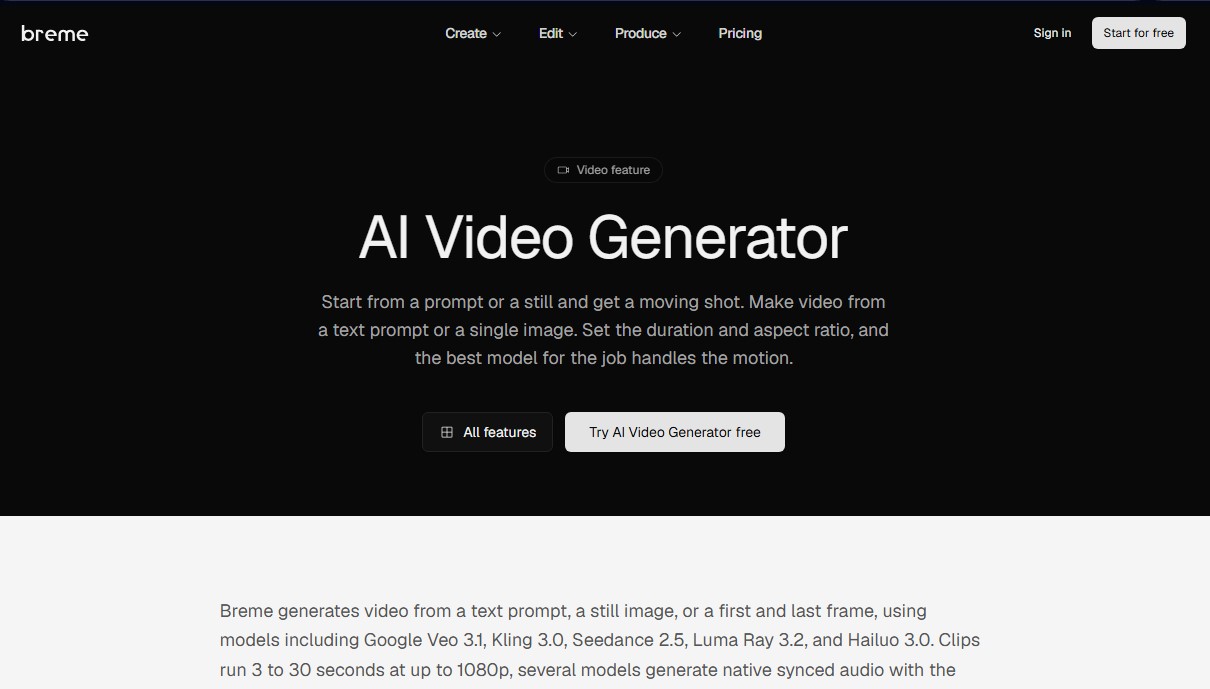
breme is an advanced AI video generation platform designed to centralize the market's most powerful models into a single professional workflow. This tool allows users to create audiovisual content from scratch using text prompts or transform static images into high-quality motion shots. Its technical architecture stands out by integrating multiple AI engines, such as Google Veo 3.1, Kling 3.0, Seedance 2.5, Luma Ray 3.2, and Hailuo 3.0, enabling users to select the most suitable model based on the type of movement, style, or duration their project requires.
The core functionality of breme ranges from creating short clips to extending existing footage. Users can generate videos between 3 and 30 seconds long, with native resolutions reaching 1080p and the ability to upscale to 4K using integrated post-production tools. Additionally, it offers total flexibility regarding formats, supporting aspect ratios ranging from vertical for mobile devices (9:21) to cinematic widescreen (21:9).
Key technical capabilities and practical benefits include:
- Versatile generation modes: Supports text-to-video, image-to-video, and interpolation techniques between the first and last frames for total motion control.
- Native synchronized audio: Specific models like Veo 3.1 and Kling 3.0 automatically generate sound effects and voiceovers synchronized with the action on screen.
- Character consistency: Facilitates the use of reference images to maintain a subject's visual identity across different clips—an essential feature for visual storytelling.
- Natural language editing: Its AI Video Editor allows users to modify clips by describing desired changes through text, removing complex technical barriers.
The workflow in breme is optimized for professionals seeking fast results from their computers without sacrificing creative control. The process is structured into three straightforward steps: describing the shot or uploading an image, configuring duration and format parameters, and final generation. Once the material is created, the platform allows users to expand clips or integrate them into a comprehensive workspace that includes storyboards, shot lists, and professional finishing tools.
This solution is ideal for content creators, advertising agencies, and filmmakers who require an AI video production tool that combines technical power and versatility. By integrating video upscaling and image generation features into the same ecosystem, breme positions itself as an all-in-one production hub for transforming ideas into finished audiovisual products.
breme | AI Video Generator features and use cases
How to use breme | AI Video Generator
breme | AI Video Generator FAQ
What is breme and what are its main features?
breme is an AI video generator that allows you to create, edit, and produce professional clips from text descriptions or static images.
What is the maximum length for videos generated on breme?
Clip duration varies between 3 and 30 seconds depending on the selected model, though the tool also allows you to extend previously created videos.
Do videos created with breme include native audio?
Yes, specific models such as Google Veo 3.1, Kling 3.0, and Seedance 2.5 automatically generate audio synced with the footage.
What resolutions and screen formats does the tool support?
You can generate content ranging from 480p to 1080p with aspect ratios from vertical 9:21 to widescreen 21:9, including a 4K upscaling option.
Can I use my own image to generate a video on breme?
Yes, you can upload a starting image or set a first and last frame so the AI can animate the transition and create movement.
Is it possible to edit a clip after it has been generated?
The platform includes an AI video editor that allows you to modify clips by describing the desired changes using text prompts.
Does breme offer a free option to try the service?
There is a free plan designed for exploring ideas that resets its credits weekly and provides access to basic generation features.
Do I have commercial use rights for the videos I produce?
Commercial licensing is included exclusively in paid plans, which also prevent your content from being used for model training.
Which AI models does breme use for content creation?
The tool integrates several advanced models, including Google Veo 3.1, Kling 3.0, Seedance 2.5, Luma Ray 3.2, and Hailuo 3.0, to adapt to different creative needs.
How can I improve the quality of a video I have already created?
You can use the video upscaling feature to increase the resolution to 4K and achieve smoother, more defined frames.
breme | AI Video Generator pricing and plans
Free – $0/mo
Workspace for scripts and production bibles.
Shot lists and storyboards.
Access to select image, audio, and editing models.
Editing and finishing tools.
Limit: 1 concurrent generation.
Restrictions: Credits reset weekly and generated content is used for AI training.
Basic – $10/mo ($8 for the first month or $6.40/mo billed annually)
Workspace for scripts, production bibles, and storyboards.
Access to GPT Image 2.5 and most image, video, and audio models.
Commercial license and AI training opt-out.
Professional editing and finishing tools.
Limit: 1 concurrent generation.
Estimated capacity: ~6 Seedance 2.0 videos, ~77 Nano Banana 2 images, or ~100 script drafts. Pay-as-you-go available after reaching the quota.
Pro – $35/mo ($28 for the first month or $22.40/mo billed annually)
Access to all available image, video, and audio models, including GPT Image 2.5.
All production management and editing tools.
Commercial license and data privacy (AI training opt-out).
Limit: 2 concurrent generations.
Estimated capacity: ~22 Seedance 2.0 videos, ~278 Nano Banana 2 images, or ~358 script drafts. Pay-as-you-go available after reaching the quota.
Max – $60/mo ($48 for the first month or $38.40/mo billed annually)
Designed for high-volume productions with all Pro plan features.
Full access to all platform models and tools.
Commercial license and AI training opt-out.
Limit: 3 concurrent generations.
Estimated capacity: ~39 Seedance 2.0 videos, ~489 Nano Banana 2 images, or ~630 script drafts. Pay-as-you-go available after reaching the quota.
breme | AI Video Generator Screenshots
breme | AI Video Generator alternatives

VideoWeb Video Generator
Generate professional AI videos from text or images. Features realistic avatars, automated scripts, and optimized formats for marketing and social media.

Motion Transfer AI Video Generator
Animate character photos using reference videos. Precisely transfer gestures, dances, and body movements from a clip to an image for realistic results.

AlreadyRan
AlreadyRan brings dozens of AI image, video and audio models into one web studio with a single credit balance and the cost shown before every generation.


Vidverse AI
Vidverse AI brings several AI video, image and voice models into one web and mobile app, so you can turn text or photos into clips, images and voiceovers.