Canvora
Share
Canvora
Turn text and links into visual content for social media or presentations. Create branded carousels and infographics instantly with AI.
General Information about Canvora
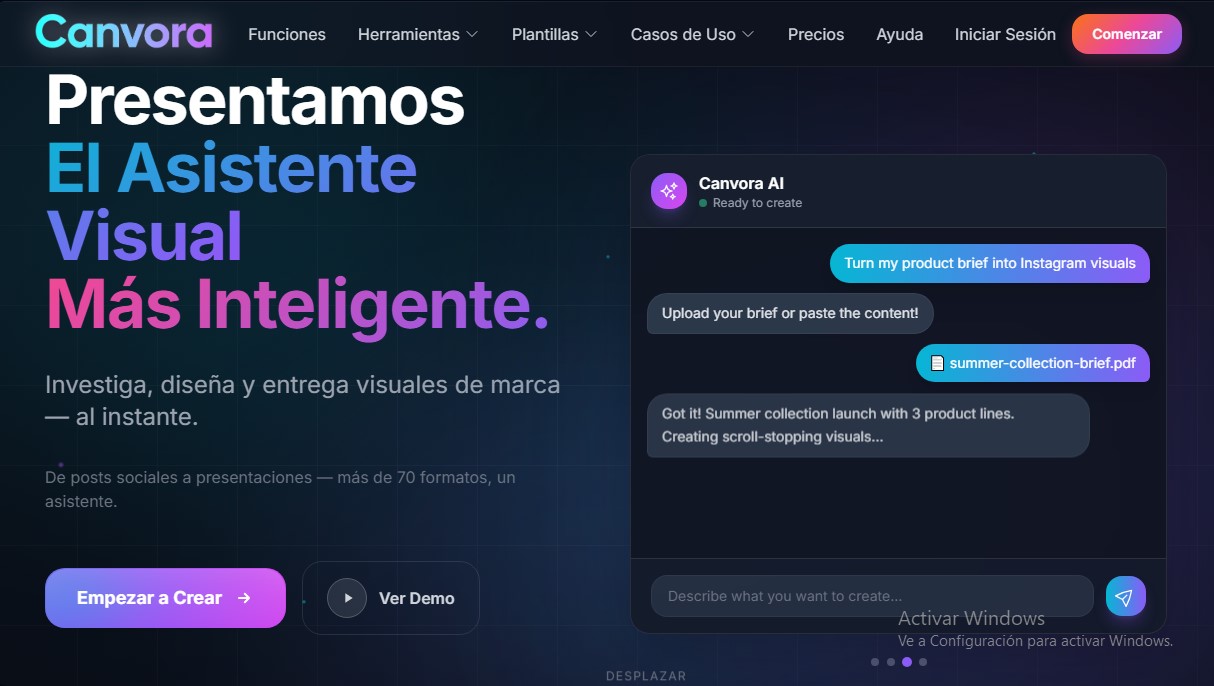
Canvora is an AI visual assistant designed to instantly research, design, and generate branded graphic content. Unlike traditional design tools that require manual template editing, this platform automates the entire creative workflow. It allows you to transform an idea, text, or document into more than 70 visual formats in less than a minute, optimizing content production for various digital channels from your computer or any device.
The tool’s functionality is based on AI's ability to interpret context and generate professional results without the need for technical skills. Users can interact with Canvora in three main ways:
- Direct description: Writing a simple prompt about what you want to create, such as a LinkedIn carousel on productivity tips.
- Content transformation: Uploading PDFs, text documents, or pasting a URL so the AI can extract key points and convert them into graphics.
- Autonomous research: If no prior content is available, the AI researches the topic, writes the copy, and designs the visuals from scratch.
This solution is ideal for content marketers, social media managers, and startup founders who need to maintain a professional social media presence without relying on a designer. It is also useful for coaches and consultants looking to turn their expertise into shareable content, as well as e-commerce businesses that require product visuals for various marketplaces.
Among its technical capabilities, natural language editing stands out, allowing you to refine designs simply by typing commands like "make it more professional" or "change to blue tones." Additionally, Canvora integrates brand kits that automatically apply corporate logos, fonts, and colors to every creation, ensuring visual consistency. The platform supports over 50 languages, generating content natively (including support for right-to-left languages like Arabic), which avoids common machine translation errors.
Regarding output versatility, the tool covers a wide range of needs:
- Social Media: Instagram posts, X threads, Facebook banners, and TikTok covers.
- Presentations: Sales decks, training slides, and business presentations.
- Marketing and Sales: Infographics, email headers, testimonial cards, and comparison tables.
Final files can be exported in high-quality formats such as PNG, JPG, PDF, WebP, and PPTX, with resolutions reaching 4K. By automatically managing visual hierarchy, typography, and color theory, the application guarantees aesthetic and functional results in seconds, allowing any professional to efficiently scale their visual content production.
Features and Use Cases of Canvora
How Canvora Works
Frequently Asked Questions about Canvora
What exactly is Canvora and how can it help me?
Canvora is an AI-powered visual assistant that instantly transforms your ideas, text, or documents into over seventy professional design formats.
Do I need prior design knowledge to use Canvora?
You don't need any technical skills because the tool handles typography, color, and visual hierarchy based solely on your text descriptions.
How is Canvora different from traditional tools like Canva?
Unlike other options where you have to drag and drop elements and design manually, Canvora generates the entire content for you in seconds from a simple idea.
What kind of files can I upload for the AI to transform?
You can paste a URL, upload PDF files, or upload text documents, and the assistant will extract the key information and convert it into visuals.
How does the platform's credit system work?
Each design or edit consumes one credit from your account, while multi-slide formats deduct one credit for each individual page generated.
Can I use Canvora creations for commercial purposes?
Yes, you have full commercial rights to all the content you generate, allowing you to use it for ads, social media, or client projects without needing attribution.
What file formats can I export my final designs in?
The platform allows you to download your creations in PNG, JPG, PDF, WebP, and PowerPoint formats with up to 4K resolution.
Does Canvora support creating content directly in Spanish?
The tool automatically detects the language and generates native content in over fifty languages, including Spanish, without relying on low-quality machine translations.
Can I edit the results if I'm not happy with the first design?
You can make changes directly on the canvas or chat with the AI to request specific adjustments, such as using warmer tones or a more professional style.
What happens if I use up all the credits in my monthly plan?
You have the option to upgrade your subscription at any time or purchase additional credit packs that never expire, so you can keep creating without interruptions.
Canvora Pricing
Free
$0 / forever
- Free credits upon sign-up (10 initial credits).
- Access to all output formats.
- 2K output resolution.
- Downloads include watermarks.
- Does not include brand kits or style presets.
Starter
$19 / month
- 100 credits per month.
- No watermarks on downloads.
- 4K output resolution.
- 1 brand kit and 1 style preset.
- Includes Landing Page kit and image editing tools.
Pro
$49 / month
- 300 credits per month.
- Includes all Starter plan features.
- 5 brand kits and 5 style presets.
- Priority processing for requests.
- Email technical support.
Business
$99 / month
- 750 credits per month.
- Includes all Pro plan features.
- Unlimited brand kits and style presets.
- API access (coming soon).
- Priority technical support.
Additional credit packs (one-time payment)
- 50 credits: $12.
- 150 credits: $29.
- 400 credits: $59.
- Additional credits do not expire and are added to your monthly allowance.
- Usage: 1 credit equals 1 visual or edit; multi-slide formats consume 1 credit per slide.
Canvora Screenshots