

Share
Create posters and social media graphics with AI. Turn text into designs, apply styles, and use the built-in editor to customize your results.
What is Poster.sh?
Poster.sh is an advanced artificial intelligence platform designed for the automated creation of posters and graphics for social media, digital marketing, and events. Its primary function is to transform text descriptions or creative briefs into finished visual concepts, eliminating the need for complex design software during the initial creation phases. This tool is ideal for content managers, marketing departments, and creative professionals who require high-quality visual material quickly and efficiently.
The tool's operation is based on a structured workflow that begins with an initial idea. Poster.sh features a Smart Prompt Optimizer, which uses AI algorithms to enrich simple descriptions and convert them into detailed instructions, significantly improving the composition and artistic finish of the output. Users can choose from various generation modes, ranging from direct control over parameters to an assisted mode that boosts visual creativity.
Among the technical capabilities of Poster.sh, its versatility in formats and styles stands out. The application allows for generating designs in multiple aspect ratios, including 9:16 for Stories, 1:1 for Instagram posts, as well as 2:3, 16:9, and 4:5 formats. Regarding aesthetics, the platform integrates a vast library of styles ranging from minimalism and pop art to more specific trends like cyberpunk, constructivism, or Memphis style, ensuring every poster aligns with the project's visual identity.
A standout feature is its integrated poster editor. After AI generation, the user can open the design on an editing canvas to make manual adjustments. From a desktop, users have access to a full toolkit to modify text, reposition elements, add shapes, and upload their own images, such as logos or photographs. When accessed from a mobile device, the tool allows for light text editing and file uploads, facilitating quick changes on the go.
Key features of Poster.sh include:
- Rapid concept generation from simple text descriptions.
- AI-driven prompt optimization to maximize design quality.
- Full canvas editor to customize layout, typography, and graphic elements.
- PNG export, ensuring compatibility for both print and digital use.
- Inspiration gallery categorized by sectors such as education, business, art, and entertainment.
This tool centralizes the entire design process, from ideation to final export, integrating additional utilities for image compression and resizing. Poster.sh positions itself as a practical solution for those seeking professional results in AI poster creation, significantly optimizing graphic production times.
Poster.sh features and use cases
How to use Poster.sh
Poster.sh FAQ
What is Poster.sh and what is it used for?
It is an artificial intelligence platform designed to quickly create posters and social media graphics from text descriptions.
Can I use Poster.sh for free?
Yes, new users receive five free credits to try out the tool and generate images in standard resolution.
Can I edit designs after they have been generated by AI?
Yes, the app features a built-in editor to modify text, add your own images, and adjust the poster's layout.
What is the difference between using Poster.sh on a mobile device versus a computer?
The desktop version allows for full canvas editing, while the mobile version is limited to making minor text changes.
What format are the finished posters downloaded in?
All completed designs are exported as high-quality PNG files, ready for digital use or printing.
How does AI optimization help with poster creation?
This feature transforms a simple idea into a detailed prompt to automatically enhance the design's visual quality and style.
What canvas sizes does the tool offer?
You can choose from several aspect ratios, including 1:1, 2:3, 9:16, 16:9, and 4:5.
Poster.sh pricing and plans
Free Plan
Price: $0
5 credits for new users.
Standard resolution (1080p).
Download in PNG and JPG formats.
Community support.
Starter Plan
Price: $9.90 per month (or $95.00 per year)
200 credits per month (approx. 100 generations).
High-resolution downloads (4K).
PNG, JPG, and PDF formats.
Brand colors and custom fonts.
Priority generation queue.
Commercial usage rights.
Pro Plan
Price: $29.90 per month (or $287.00 per year)
700 credits per month (approx. 350 generations).
Includes all Starter plan features.
Quota for 4K upscaling and background removal.
Team workflows.
API-ready content rights.
Priority support.
Credit Packs (One-time payment, no subscription)
Trial Pack: $4.90 for 60 credits.
Basic Pack: $19.90 for 300 credits.
Standard Pack: $49.90 for 800 credits.
Pro Pack: $99.90 for 1,800 credits.
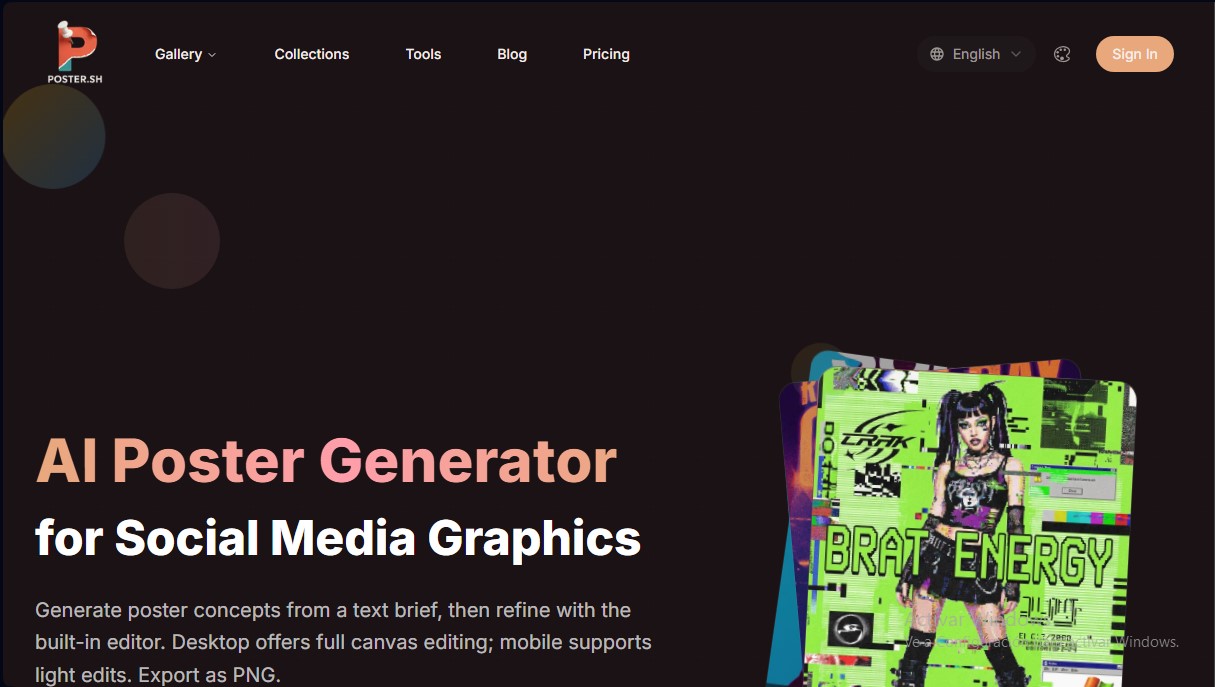
Poster.sh Screenshots
Poster.sh user reviews
Write a review
Checking your session...
Poster.sh Reviews
Loading reviews...
Poster.sh alternatives


AppLaunchFlow
Generate screenshots, ASO copy, icons, videos, and mockups for app stores. Includes localization, social graphics, and app ranking tracking.



utilz Background Remover
Remove image backgrounds for free with total privacy in your browser. Create transparent or colored backgrounds without uploading files while maintaining original resolution.
