
Cleanup.pictures
Share
What is Cleanup.pictures?
Cleanup.pictures is an AI tool by Clipdrop (now part of Jasper) that removes unwanted elements from a photo for photographers, agencies, real estate teams and online stores: brush over the area and its inpainting model rebuilds the background convincingly.
What is Cleanup.pictures and what can it remove?
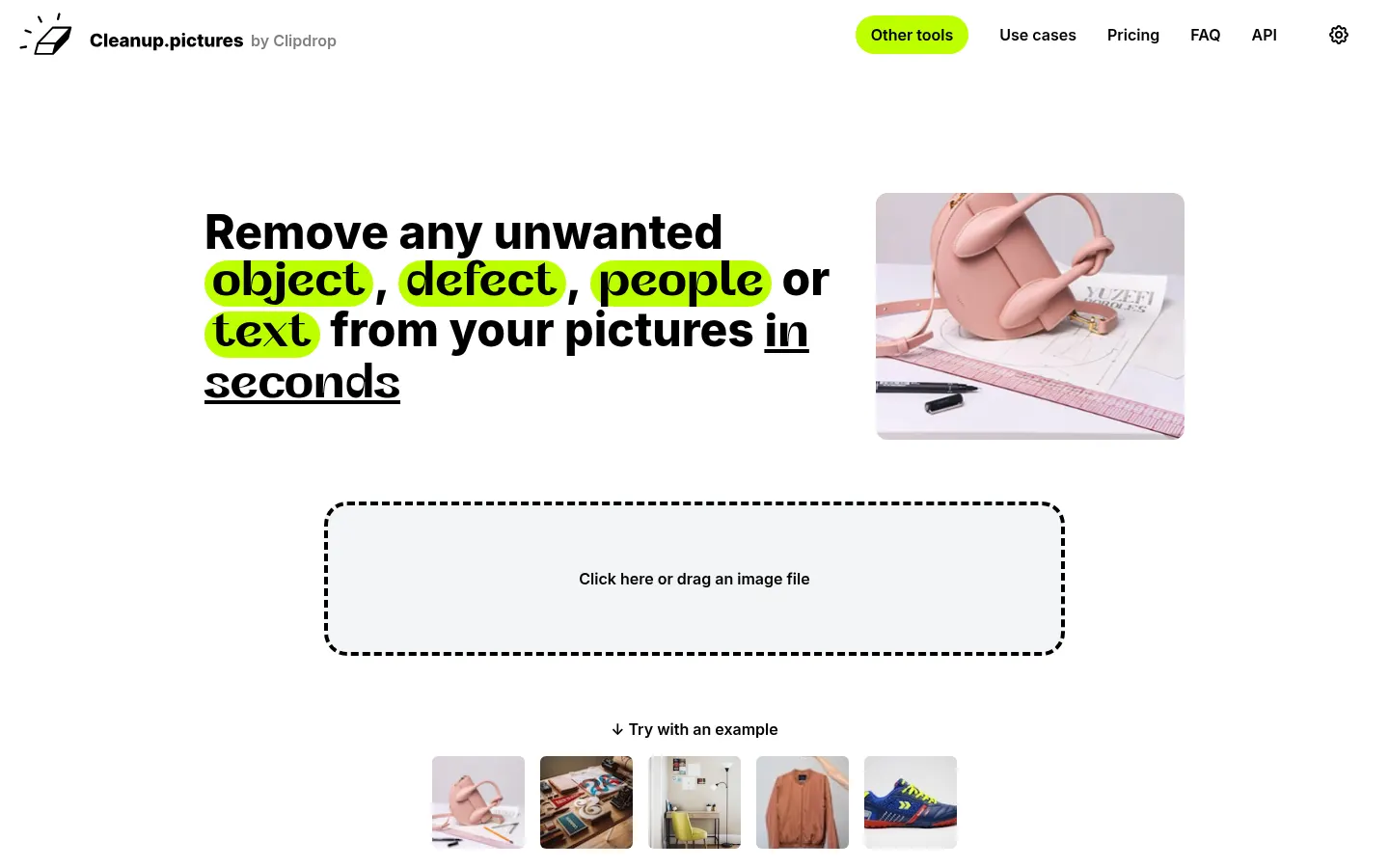
It is a smart eraser that runs in the browser with nothing to install. Use it to remove tourists from a travel shot, wires and lamp posts from a landscape, date stamps from old prints, cracks, spots or wrinkles in a portrait, as well as text, logos and watermarks. You download the result right away and can repeat the process area by area until the image is clean.
How is it used day to day?
- Photography: retouch shoots and trips without opening a pro editor.
- Real estate: remove furniture, personal items or cars from a facade before listing.
- E-commerce: clean product photos and erase tags or distracting elements.
- Agencies and creatives: prepare visuals from stock or client images.
For developers there is an inpainting API usable from Node.js, SwiftUI or Kotlin, documented on Clipdrop and metered by usage.
Cleanup.pictures pros and cons
Pros: there is almost no learning curve, it handles an unlimited number of images and it is fast even on a phone. Cons: the basic version exports at 720 pixels, it focuses on a single task (for background removal or uncrop you need other Clipdrop tools), the interface is English only, and on very busy backgrounds the fill can leave repeated textures worth checking.
Cleanup.pictures features and use cases
How to use Cleanup.pictures
Cleanup.pictures FAQ
What is Cleanup.pictures?
It is an AI web editor that removes objects, people, text and defects from a photo when you paint over them with a brush.
Is Cleanup.pictures free?
Yes, you can use it for free with unlimited images, but export is limited to 720 px. See the pricing section.
Can Cleanup.pictures remove watermarks?
Technically it can erase text, logos and watermarks; only use it on images you have the rights to.
Does it work on mobile?
Yes, it works in mobile and desktop browsers, and a Pro account covers both devices.
Does it work in Spanish?
The interface is in English, but it is very visual: upload the photo, paint and download the result.
Does it have an API?
Yes, it offers a usage-based inpainting API, documented on Clipdrop and usable from Node.js, SwiftUI or Kotlin.
How is it related to Clipdrop?
Cleanup.pictures belongs to Clipdrop, which is part of Jasper; accounts and payments are handled through Clipdrop.
Can it restore old photos?
It helps remove date stamps, cracks and spots, but it does not colorize or rebuild damaged faces like a dedicated restorer.
What are the best Cleanup.pictures alternatives?
On GptZone you can compare Clipdrop, Photoroom and PXDMD Magic Eraser for AI object removal and photo editing.
Cleanup.pictures pricing and plans
Reference price: 5 USD / month. Source · Verified: November 5, 2026
Information from the official site (Checked on: 05/11/2026). Currency: USD. Payment is handled through Clipdrop.
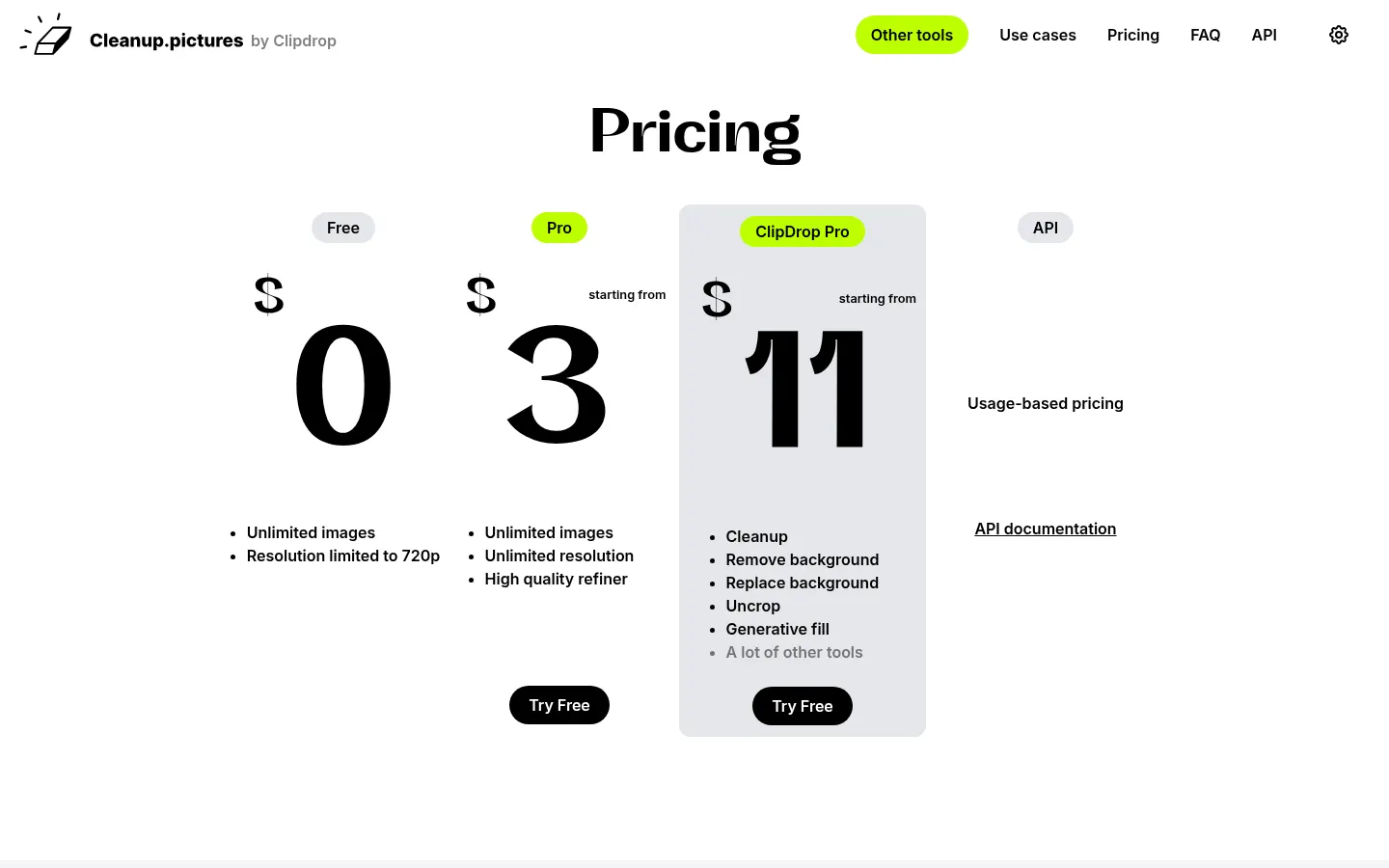
- Free: 0 USD; unlimited images with export limited to 720 px.
- Pro: 5 USD per month or 36 USD per year (3 USD/month); unlimited resolution and high-quality refiner; 1 user per account.
- ClipDrop Pro: from 11 USD per month; adds background removal and replacement, uncrop and generative fill.
- API: usage-based pricing.
Full refund within the first 14 days; prorated afterwards.
Cleanup.pictures Screenshots
Cleanup.pictures user reviews
Write a review
Checking your session...
Cleanup.pictures Reviews
Loading reviews...
Cleanup.pictures alternatives



BeautyPlus
BeautyPlus is an AI photo editor for web and mobile that retouches portraits, sharpens photos, removes backgrounds and objects, tries on hairstyles and makes images.