

SparkPix
Share
What is SparkPix?
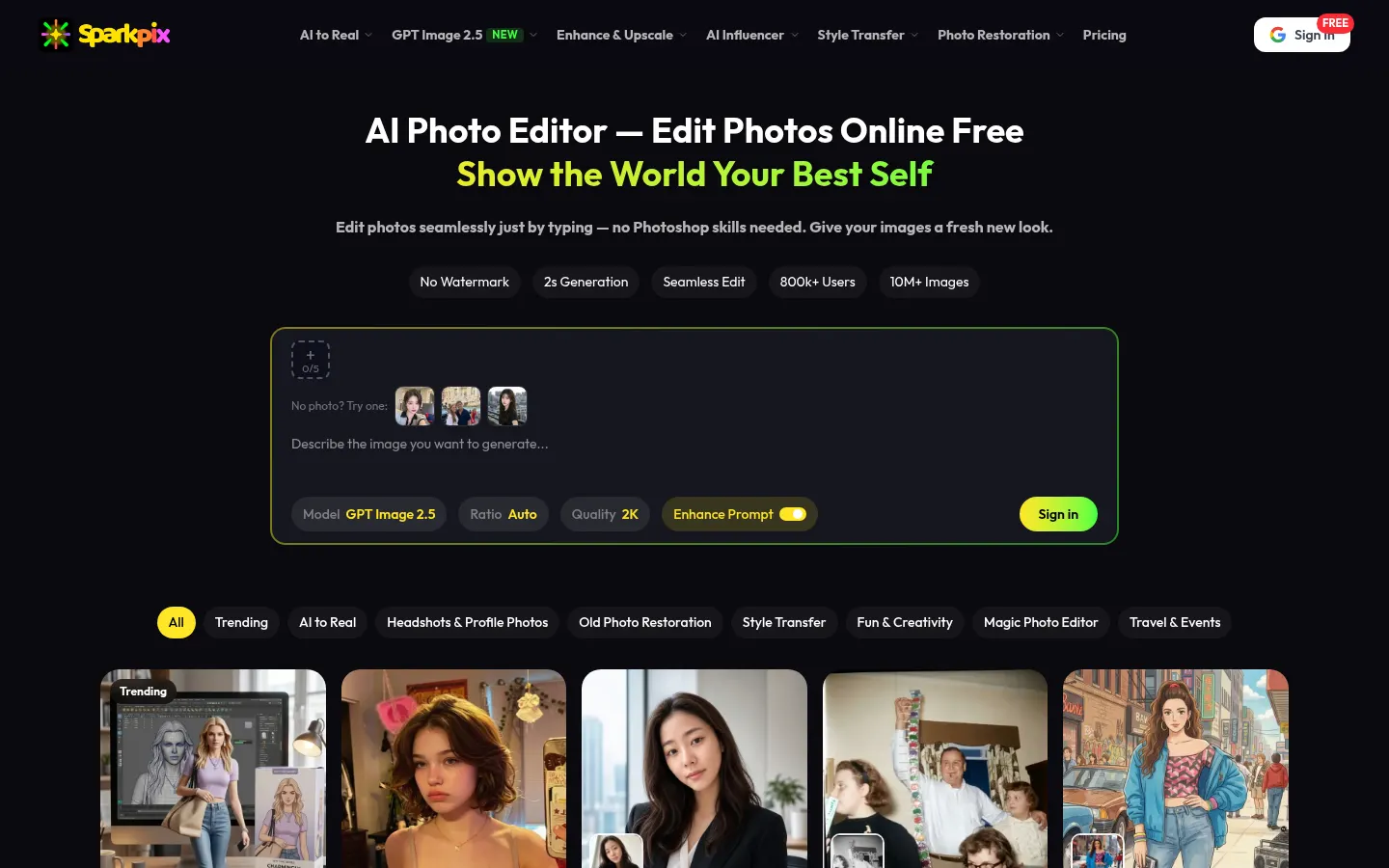
SparkPix is an AI photo editor by PIXLUME LLC that runs in the browser and lets everyday users, photographers, online sellers and creators edit images by typing: upload a picture, write what you want ("remove the people in the background", "restore this old photo") and download the result seconds later, with no Photoshop skills or software to install.
What is SparkPix used for?
Behind a single text box sit 100+ AI photo tools grouped into five jobs: restore and enhance (repair old prints, upscale, unblur, sharpen), clean up and replace (erase people, objects, text or reflections), background removal or swapping, restyling (anime, Ghibli, oil painting, watercolor, comic) and text-to-image generation. It also ships an AI image detector and an "AI to real" set that makes generated images look like ordinary photos with natural skin and light.
How does the SparkPix AI photo editor work?
It accepts JPG, PNG or WebP files up to 20 MB. You can describe the edit in your own words, paint over the area to change (inpainting) or start from a themed template. The model picker includes GPT Image 2 and 2.5, NanoBanana, Seedream and Grok Imagine alongside SparkPix's own model. The site quotes roughly two seconds per edit and full-resolution downloads.
Who is SparkPix for?
- Families bringing scratched, creased or faded prints back to life.
- Photographers batch-retouching whole shoots in SparkPix Studio.
- E-commerce sellers who need clean product shots at scale.
- Creators restyling photos for thumbnails, social posts and ads.
SparkPix pros and cons
On the plus side, it covers a wide range of edits in one place and works on desktop, iPhone and Android with nothing to install. On the downside, every edit uses credits, premium models use more per image, and badly damaged photos may take a few attempts to get right.
SparkPix features and use cases
How to use SparkPix
SparkPix FAQ
What is SparkPix?
SparkPix is a browser-based AI photo editor that restores, upscales, cleans up and restyles images from typed instructions.
Is SparkPix free?
You can try it with 5 credits on sign-up and 2 free HD upscales per day; beyond that you buy credit packs, listed in the pricing section.
Does SparkPix have an API?
The site does not offer a public SparkPix API; it links to apimodels.app, a separate project from the same team.
Does SparkPix work in Spanish?
Yes, the interface is available in Spanish as well as English, Portuguese, German, French, Japanese, Chinese and Indonesian.
Can SparkPix restore old photos?
Yes, it has tools to remove scratches, creases, water stains and yellowing, plus colorization for black-and-white photos.
Which file formats does SparkPix accept?
It accepts JPG, PNG and WebP files up to 20 MB and exports results at full resolution.
Can I use SparkPix images commercially?
According to the site, paid packs include commercial use and remove the watermark.
Does SparkPix work on mobile?
Yes, it runs in the browser on desktop, iPhone and Android with no app to install.
What happens if an edit fails?
SparkPix says credits are only spent on successful results and failed generations are refunded automatically.
What are the best SparkPix alternatives?
On GptZone you can compare Fotor, Photoroom and Restore Old Photos.pro for AI photo editing and restoration.
SparkPix pricing and plans
Reference price: 9.99 USD · one-time payment. Source · Verified: November 4, 2026
Prices in USD from the official site (Checked on: 04/11/2026).
Free: 0 USD. 5 credits on sign-up (≈1 image), 2 free HD upscales per day, no card required.
Basic Package: 9.99 USD one-time. 350 credits (≈70 images), no watermark, commercial use, credits valid for 1 year.
Pro Package: 29.99 USD one-time. 1,200 credits (≈240 images), priority processing.
Monthly plan: 19.99 USD/month. 1,000 credits per month (≈200 images); unused credits roll over.
- Most edits use about 5 credits; premium models and headshot tools use more.
- Failed generations are refunded.
- Card, Apple Pay, Google Pay or PayPal accepted.
SparkPix Screenshots

SparkPix user reviews
Write a review
Checking your session...
SparkPix Reviews
Loading reviews...
SparkPix alternatives

FoodShot AI
FoodShot AI is an AI food photography tool that turns a phone photo of a dish into a studio-quality image for menus, delivery apps and social media.

ShimmerPic
ShimmerPic is an AI image generator and editor that runs GPT Image 2.5 Flare and Sunburst to create images from text or edit your photos up to 4K.



FaceTouchUp
AI-powered cosmetic surgery simulator to visualize facial and body enhancements. Streamline consultations and help patients preview their final look.

utilz Background Remover
Remove image backgrounds for free with total privacy in your browser. Create transparent or colored backgrounds without uploading files while maintaining original resolution.