Share
What is FoodShot AI?
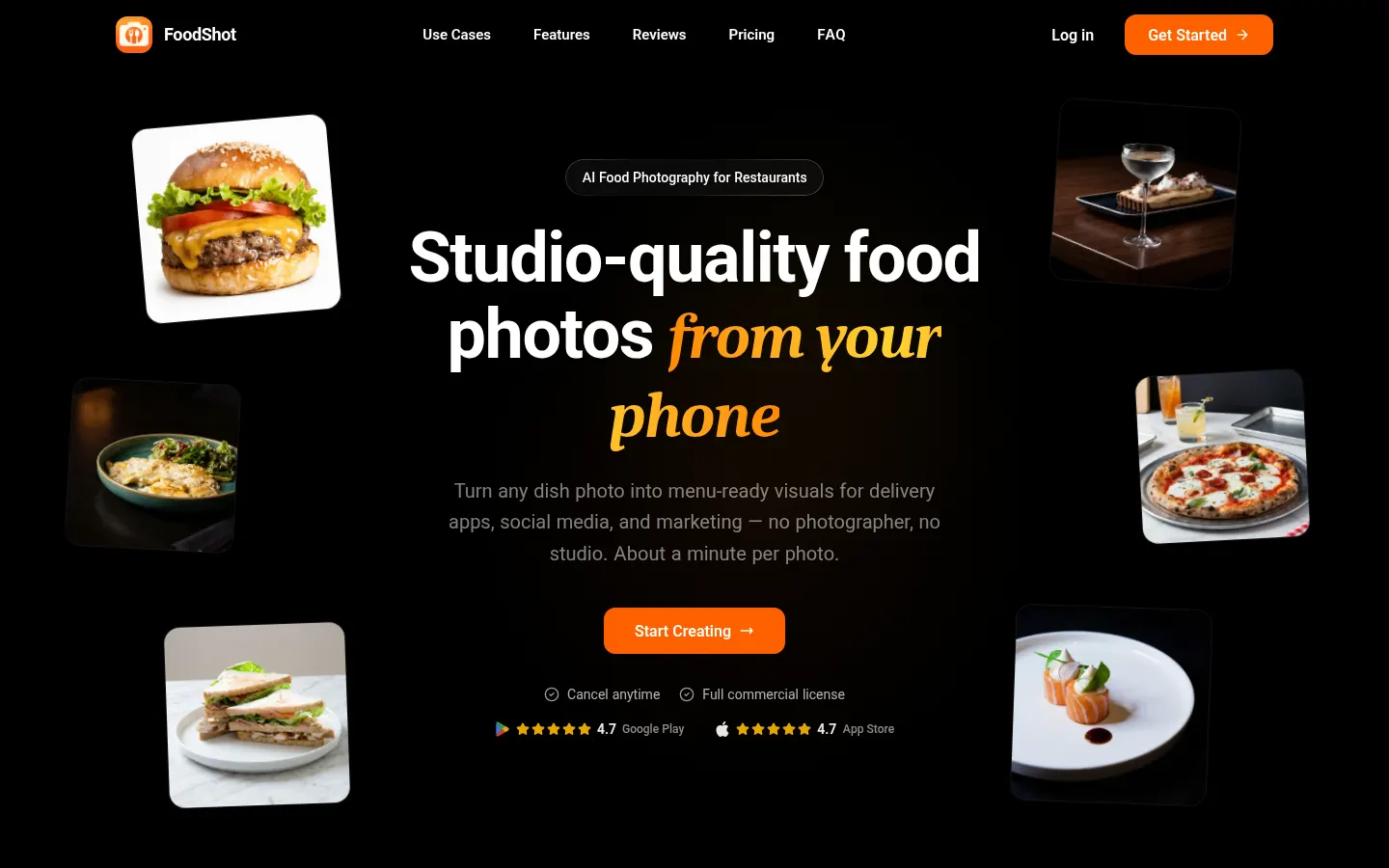
FoodShot AI is an AI food photography tool for restaurants, cafés, bakeries, hotels and food brands: upload a phone photo of a dish, pick a style and in about a minute you get a studio-style image ready for your menu, DoorDash, Uber Eats or Instagram, with no photographer or shoot.
What is FoodShot AI used for?
It is a food photo editor on the web and in iPhone and Android apps. It always starts from a real photo of your dish, so the result shows your food rather than a generic recreation. The site reports 100,000+ photos generated and output up to 4K (4096 × 4096 px for a square image), with a 2× upscale for print.
How does FoodShot AI create restaurant photos?
- 200+ styles across Delivery, Menu and Fine Dining categories, or a custom prompt.
- Builder Mode: combines a background, plate style and your food into one consistent image.
- My Styles: upload existing menu photos as references so every new dish matches the same lighting, angle and mood.
- Text-based edits to swap plates, lighting or props, multiple variations per upload and Poster Mode for marketing designs.
Which food businesses use FoodShot AI?
It fits restaurants refreshing their menu, kitchens selling through delivery apps, bars that want moody cocktail shots, bakeries building a catalog and online food stores that need images meeting Amazon's requirements.
FoodShot AI pros and cons
Pros: it is built specifically for food and drink, keeps a whole menu visually consistent and includes a commercial license. Cons: there is no permanent unpaid access, unused credits don't roll over, and results depend on the source photo showing the dish clearly.
FoodShot AI features and use cases
How to use FoodShot AI
FoodShot AI FAQ
What is FoodShot AI?
FoodShot AI is an AI food photography tool that turns a phone photo of a dish into a studio-quality image for menus, delivery apps and social media.
Is FoodShot AI free?
There is no permanent no-cost access; it runs on monthly or annual credit tiers, listed in the pricing section.
Does FoodShot AI have an API?
Yes, API access is part of the Enterprise tier, aimed at agencies and high-volume teams.
Does FoodShot AI work in Spanish?
Yes, the website is translated into Spanish and many other languages, and there are mobile apps too.
Will the final photo show my actual dish?
Yes, FoodShot starts from the photo you upload and changes the background, lighting and styling while keeping your food.
What resolution are FoodShot images?
It outputs 4K images (4096 × 4096 px for a square photo) with a 2× upscale available for print.
Can I use the photos on my menu and delivery apps?
Yes, paid tiers include a commercial license covering menus, delivery apps, campaigns and social media.
How long does FoodShot take per photo?
According to the site, each photo takes about a minute on average.
Does FoodShot have an affiliate program?
Yes, FoodShot runs an affiliate program with recurring commission, tracked through Referral Rocket and Stripe.
What are the best FoodShot AI alternatives?
On GptZone you can compare AI Menu Photo, Photoroom and AI Product Photography.app for AI product and food photos.
FoodShot AI pricing and plans
Reference price: 15 USD / month. Source · Verified: November 4, 2026
Prices in USD from the official site (Checked on: 04/11/2026).
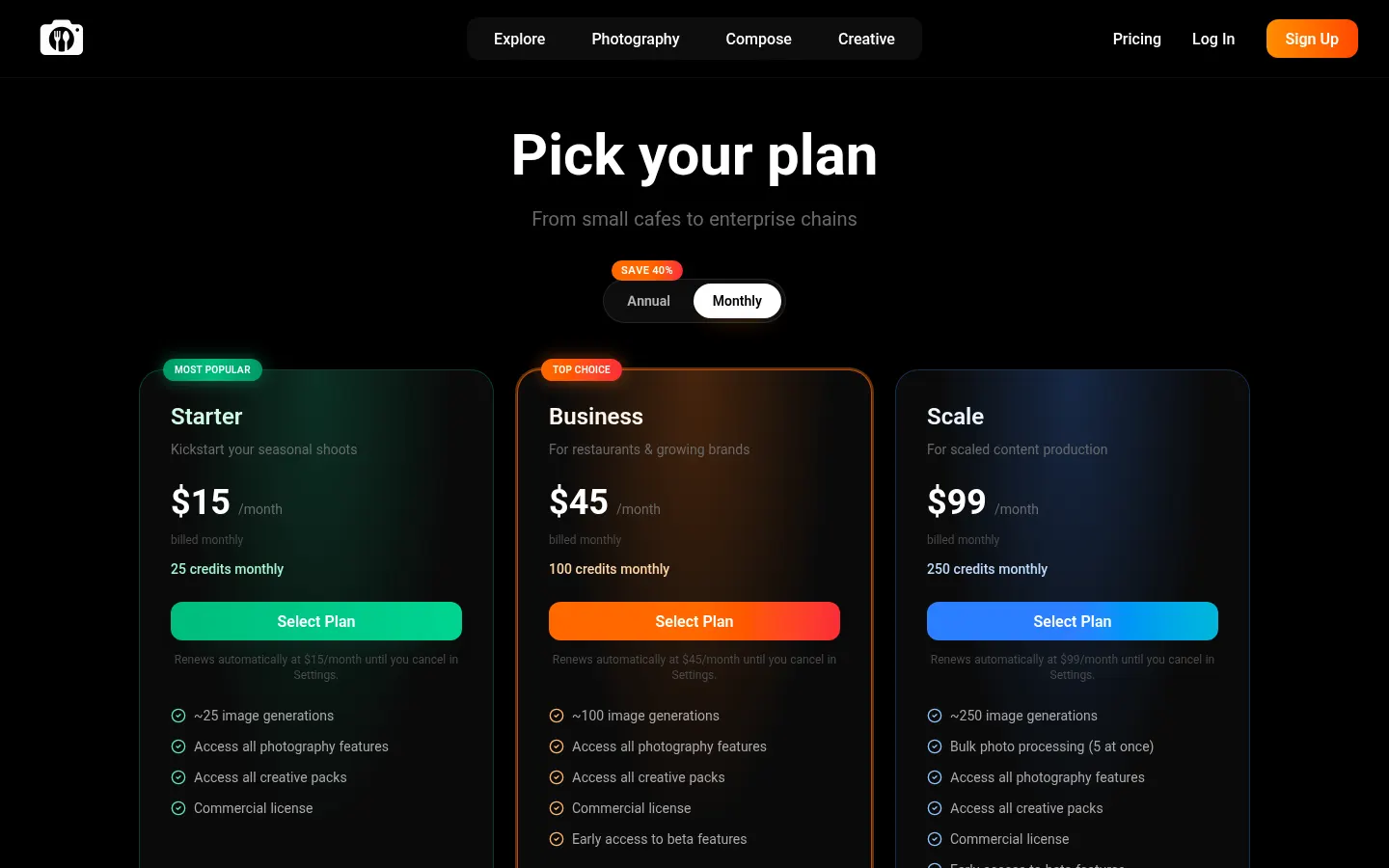
Starter: 15 USD/month. 25 credits per month (≈25 images).
Business: 45 USD/month. 100 credits per month (≈100 images) and early access to beta features.
Scale: 99 USD/month. 250 credits per month (≈250 images) and 5-photo batch processing.
Enterprise: custom pricing with API access, resale license and dedicated support.
- Annual billing saves 40%.
- All tiers include a commercial license and every photography feature.
- Unused credits do not roll over.
- Full refund within 7 days if no credits were used.
FoodShot AI Screenshots
FoodShot AI user reviews
Write a review
Checking your session...
FoodShot AI Reviews
Loading reviews...