
Share
What is Photoroom?
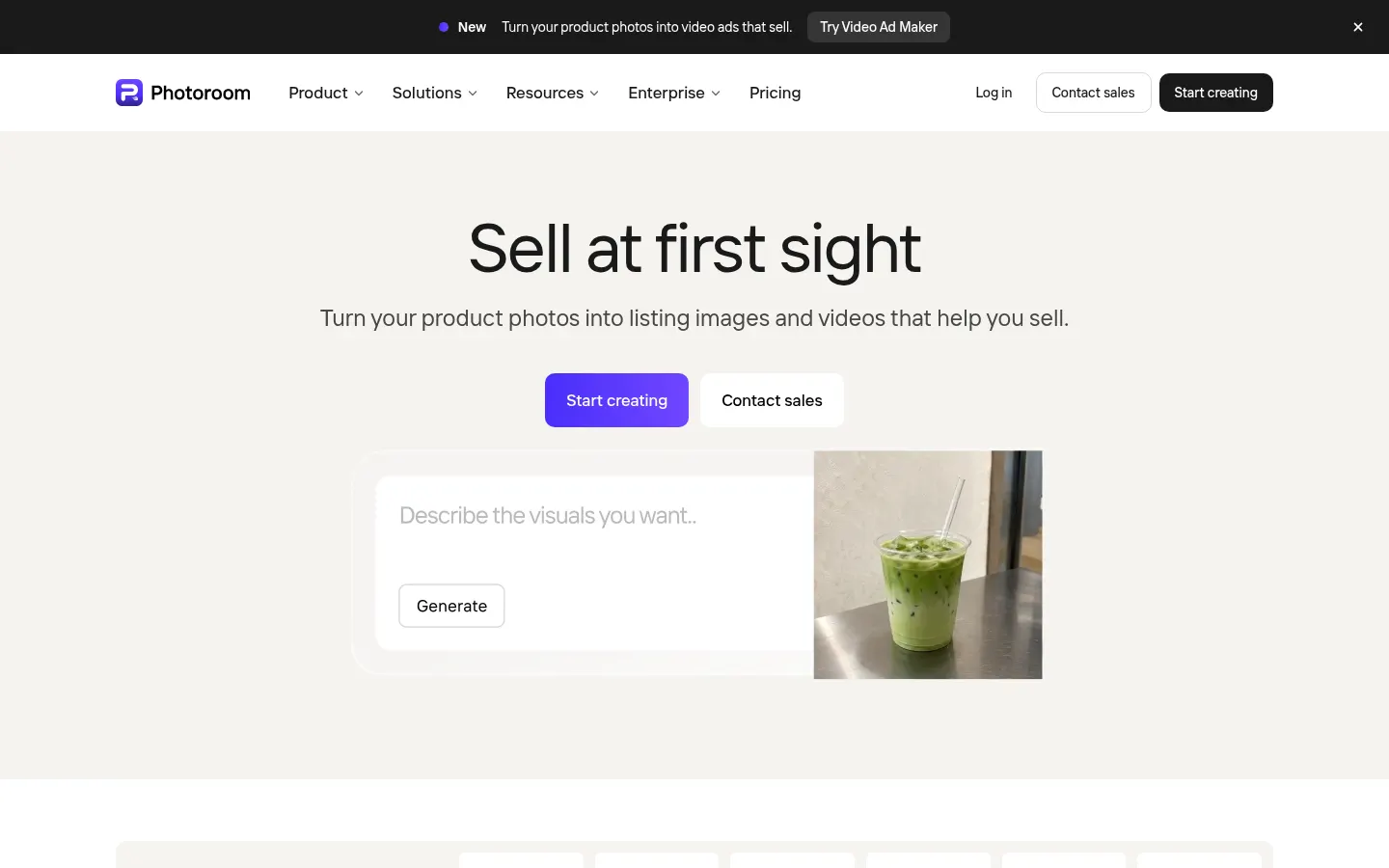
Photoroom is an AI product photo and video editor built for e-commerce: from a phone snapshot it removes the background, places the product in a studio or lifestyle scene and produces the images and videos a product page or an ad needs. The company says more than one million businesses use it, including Decathlon, Depop and Mercari.
What can you do with Photoroom?
- Remove backgrounds instantly and precisely, or swap them for white, blurred or transparent.
- Generate AI backgrounds and scenes, with relighting so the product matches the light.
- Realistic shadows, product recoloring and object removal.
- AI fashion models, ghost mannequin, flat lay and virtual try-on for apparel.
- Instant resizing for Instagram, Amazon, Shopify and other formats.
- Brand library with locked colors, logos and templates.
Does Photoroom make videos too?
Yes. Video Ad Maker turns product photos into video ads with actors, music and voiceover, in formats for Meta, TikTok and YouTube, and there are dedicated templates for fashion, beauty and food. It is a way to go from a static photo catalog to video creatives without a shoot.
How does Photoroom work at scale?
Batch editing applies the same edit to thousands of images at once from the web app or through the image API. Marketplace sync publishes to Shopify and other channels, there is an MCP connector for Claude, and for large accounts Photoroom offers custom models, visual QA agents, SSO and SOC 2 Type 2 certification.
Who is Photoroom for?
For individual sellers listing on Vinted or eBay, small online stores that cannot afford a studio, catalog teams managing thousands of SKUs and marketplaces that want better photos from their sellers. It works on iPhone, iPad, Android and the web.
Photoroom pros and cons
- Pro: very fast, precise background removal even on a phone
- Pro: covers the whole workflow: photo, scene, model, video and publishing
- Pro: API and batch editing for large catalogs
- Con: heavier tools consume AI credits and have limits
- Con: generated scenes can take several tries to look realistic
Photoroom features and use cases
How to use Photoroom
Photoroom FAQ
What is Photoroom?
Photoroom is an AI product photo and video editor for e-commerce that removes backgrounds, generates scenes and virtual models and creates video ads.
Is Photoroom free?
You can start without paying and the Pro and Max tiers include a free trial; ongoing use is paid. See the pricing section of this page for details.
Is Photoroom available in Spanish?
Yes. The website and apps are available in Spanish, among other languages.
Does it work on mobile?
Yes. There are apps for iPhone, iPad and Android, plus the web version and a Shopify app.
Does Photoroom have an API?
Yes. It offers an image API to remove backgrounds and generate visuals at scale, with docs, a playground and separate pricing, plus an MCP connector for Claude.
Can I edit many photos at once?
Yes. Batch editing applies the same changes to thousands of images in one pass.
Is it good for apparel?
Yes. It includes AI fashion models, ghost mannequin, flat lay, wrinkle removal and virtual try-on.
What is Video Ad Maker?
It is the tool that turns product photos into video ads with actors, music and voiceover for Meta, TikTok and YouTube.
What are the best Photoroom alternatives?
On GptZone you can compare remove.bg, Pixelcut and Canva AI, other AI tools for photo editing and background removal.
Photoroom pricing and plans
Reference price: 9.99 EUR / month. Source · Verified: October 30, 2026
Prices in euros (EUR) for Spain. Checked on: 30/10/2026. Pro and Max include a free trial.
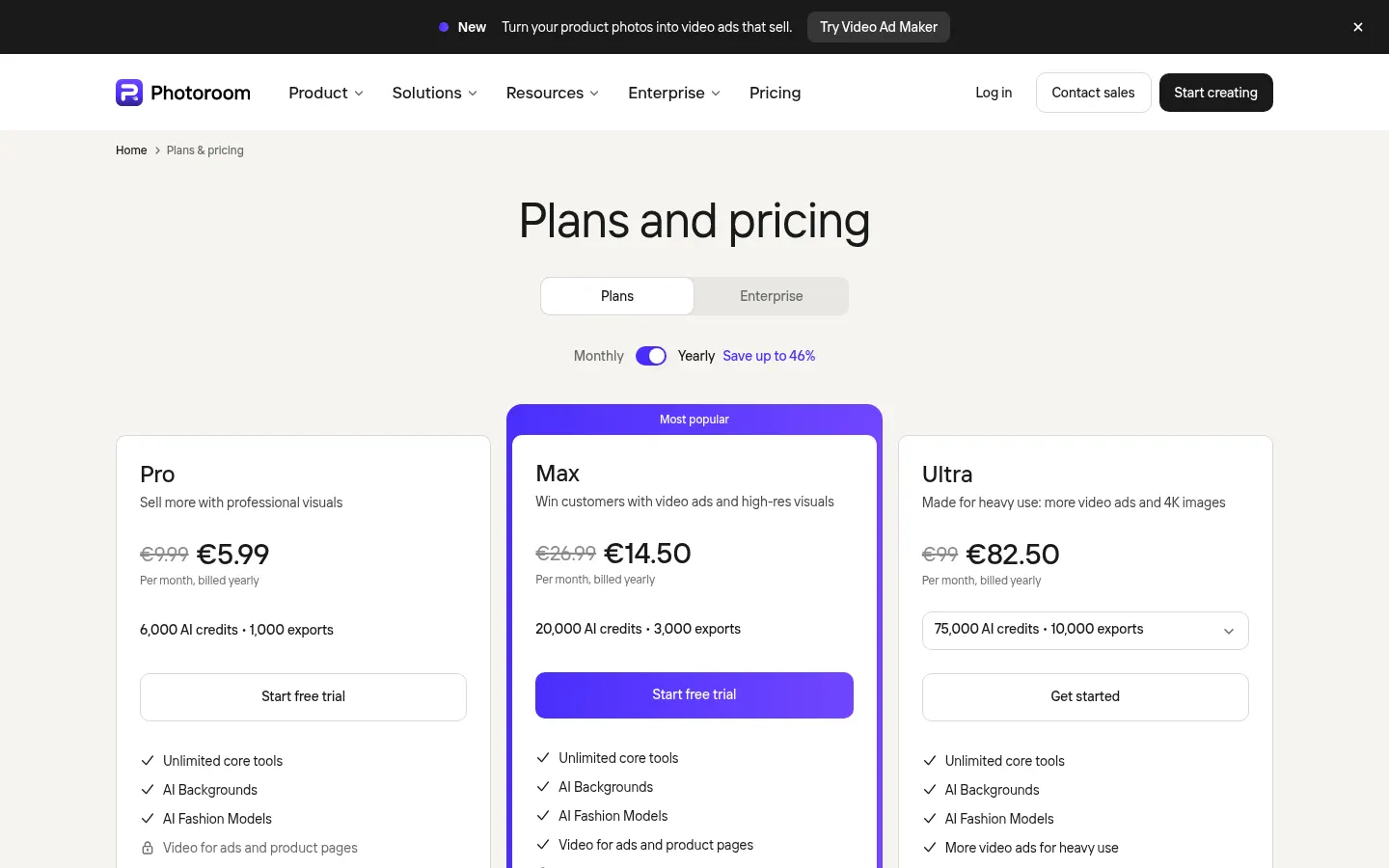
Pro: €9.99/month billed monthly or €5.99/month billed yearly; unlimited core tools, AI backgrounds, AI fashion models and 1,000 exports a month.
Max: €26.99/month billed monthly or €14.50/month billed yearly; adds video for ads and product pages, Shopify integration and 3,000 exports a month.
Ultra: €99/month billed monthly or €82.50/month billed yearly; 75,000 AI credits, 4K images and HD video and 10,000 exports a month.
Enterprise: custom pricing with SLA, SSO and dedicated support. The API is priced separately.
Photoroom Screenshots
Photoroom user reviews
Write a review
Checking your session...
Photoroom Reviews
Loading reviews...
Photoroom alternatives



utilz Background Remover
Remove image backgrounds for free with total privacy in your browser. Create transparent or colored backgrounds without uploading files while maintaining original resolution.