Share
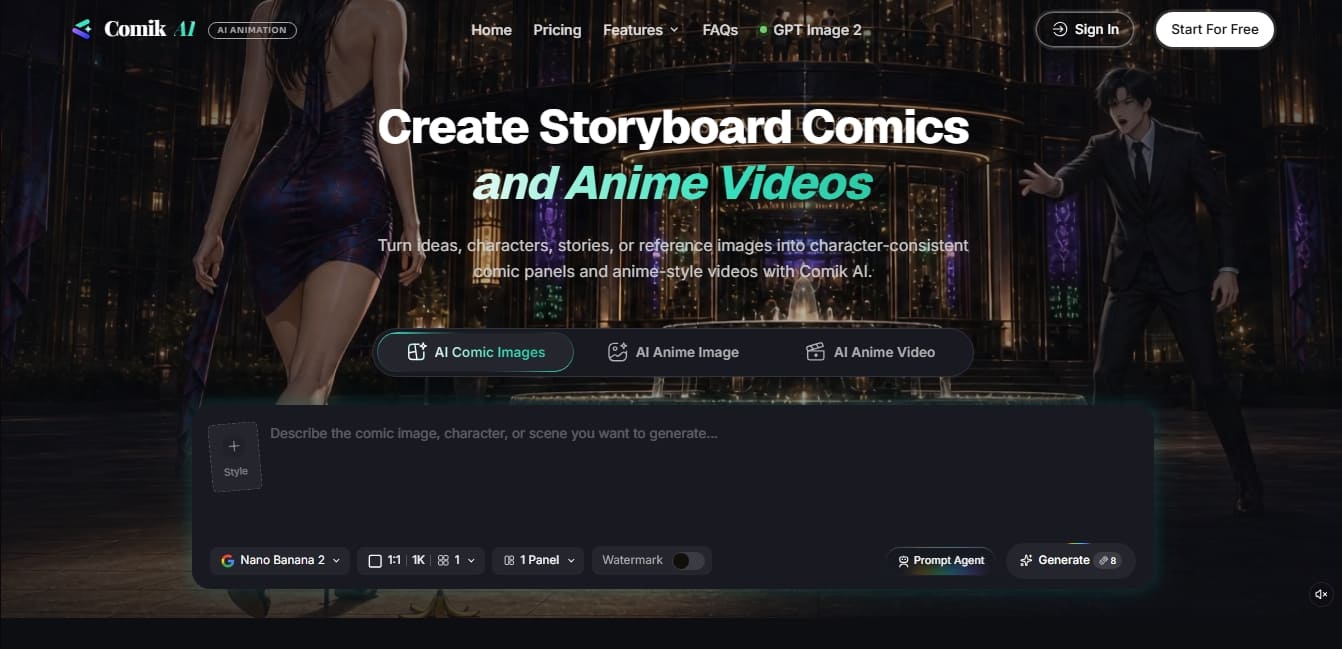
Generate comic panels and anime videos with consistent characters. Transform ideas and images into complete visual stories using storyboarding tools.
What is Comik AI?
Comik AI is an advanced visual content generation platform designed to transform ideas, scripts, and characters into comic panels and anime-style videos. Its primary function is to facilitate visual storytelling through generative AI, allowing artists, writers, and content creators to maintain absolute character consistency across different scenes and formats. Unlike conventional image generators, this tool is optimized for developing full, sequential stories, making it ideal for long-form narrative projects like webtoons or storyboards.
The tool's operation is supported by the integration of several industry-leading AI models. These include GPT Image 2 for precise text instruction following, and Nano Banana 2, which enables fast editing based on multiple references while maintaining style and composition. For projects requiring a more cinematic finish, it utilizes Seedance 2.0, while video creation is handled by VEO 3.1, which is capable of generating realistic animations with fluid movement and natural lighting.
Among its most notable functional capabilities are:
Comic Panel Generation: Creates organized visual structures from descriptions, stories, or reference images.
Storyboard Studio: A canvas-based workspace where characters, video clips, and scenes can be organized for complex projects.
Prompt Agent: An intelligent assistant that helps refine commands, suggesting visual directions and technical details to improve results.
Anime-Style Animation: Allows for the conversion of storyboards or static images into animated video pieces with a Japanese aesthetic.
Reference Image Guidance: An option to upload files to direct character design or the creative composition of a specific scene.
Users can start from scratch or use an inspiration image to instantly generate an original version. The platform supports a wide variety of artistic styles, including Manga, 3D Cartoon, Fantasy, Kawaii, and Chibi. This allows creators to adapt the aesthetic to their specific vision without needing to master complex drawing tools on their computer.
Comik AI stands out for its practical focus on pre-production and content creation, eliminating the visual inconsistencies that often occur when generating isolated images. It is a comprehensive solution for those seeking a professional workflow in digital comic and animation creation, providing precise control tools over character action and rendering in an efficient and fast manner.
Comik AI features and use cases
How to use Comik AI
Comik AI FAQ
What is Comik AI, and what kind of content can I create with it?
It is an AI tool specialized in creating comic panels, storyboards, and anime-style videos featuring consistent characters.
How does Comik AI ensure my characters look the same across all panels?
The platform includes character consistency features that keep visual traits recognizable throughout an entire visual narrative or video project.
Can I create animations from the comics I make in Comik AI?
Yes, you can transform your panels, characters, or descriptions into anime-style videos with fluid movement and natural lighting.
What are the benefits of using the Prompt Agent?
This assistant helps you develop better prompts from basic ideas by suggesting visual details and scene concepts to optimize the model's output.
What happens if I don't use all my Comik AI credits this month?
Any unused credits automatically roll over to your account so you can use them in the following months.
Can I upload my own images to define a character's style?
Yes, you can upload reference images to guide the design, scene composition, and overall creative direction of your projects.
What art styles are available on the platform?
You can generate content in various styles, including anime, manga, 3D cartoons, fantasy, kawaii, and traditional illustration.
Does Comik AI support long-form projects?
Yes, the tool features a storyboard-based workflow that allows you to organize multiple scenes and panels to create extensive stories.
Comik AI pricing and plans
Free Plan
Price: $0.
10 one-time credits (no monthly refill).
Limited access to free-tier models.
Includes Prompt Agent for prompt optimization.
Capacity to generate approximately 1 image and 0 videos.
No credit card required.
Lite Plan
Price: $11.90 per month ($9.92/mo billed annually).
300 credits per month (unused credits roll over).
Limit of up to 60 AI images or 12 AI videos per month.
Access to all image and video models.
Includes Prompt Agent for advanced prompt writing.
Email support.
Pro Plan
Price: $29.90 per month ($24.92/mo billed annually).
1,000 credits per month (unused credits roll over).
Limit of up to 200 AI images or 40 AI videos per month.
Access to all image and video models.
Includes Prompt Agent for advanced prompt writing.
Email support.
Team Plan
Price: $109.90 per month ($91.58/mo billed annually).
4,000 credits per month (unused credits roll over).
Limit of up to 800 AI images or 160 AI videos per month.
Access to all image and video models.
Includes Prompt Agent for advanced prompt writing.
Email support.
Comik AI Screenshots
Comik AI alternatives

ColorCraft
Create Amazon KDP books. Generate coloring pages, stories, puzzles, and print-ready full covers, plus promotional mockups in a single workflow.


Tesla Wrap Generator
Tesla Wrap Generator uses AI to paint designs onto the official UV template of each Tesla model for Paint Shop, with a 3D preview before you download.