CoverUpInk
Share
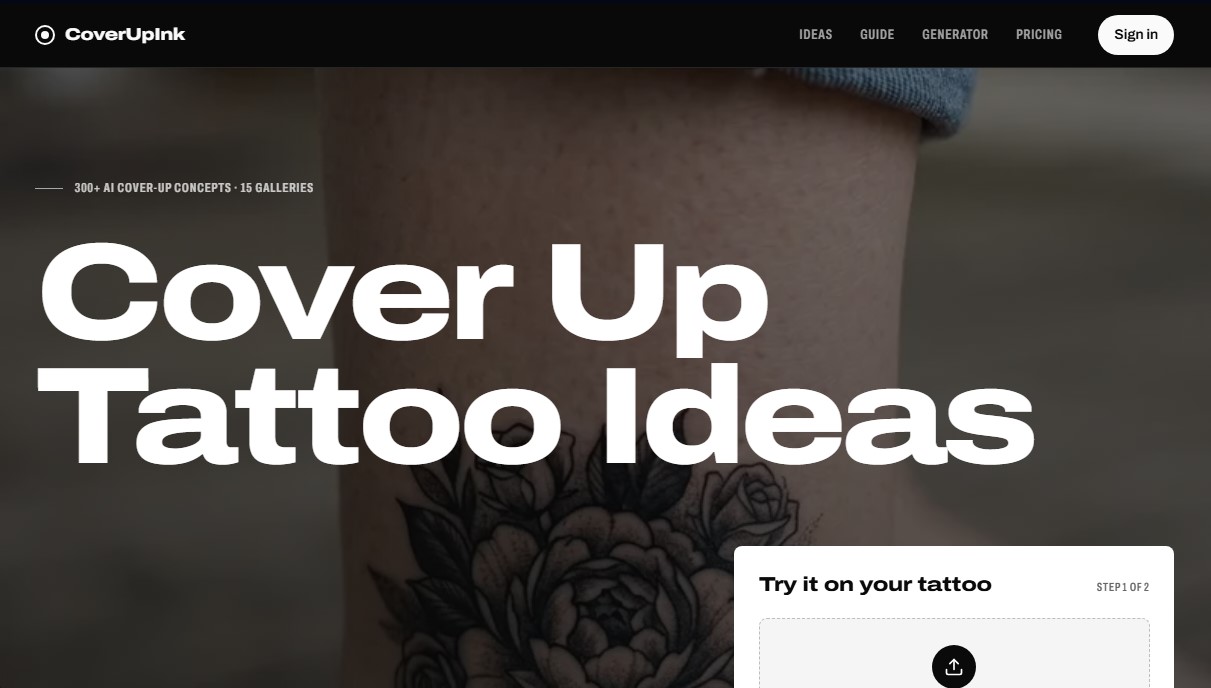
Generate AI cover-up designs for old tattoos. Upload a photo of your skin to visualize new ideas and get sketches for your tattoo artist.
What is CoverUpInk?
CoverUpInk is a platform specializing in the use of generative artificial intelligence to create tattoo cover-up concepts. Its core objective is to provide a visual solution for individuals looking to hide old tattoos, names, scars, or faded designs. Unlike conventional image search engines, this tool allows users to project new ideas directly onto their own skin, providing a realistic preview before starting any permanent procedure.
The technical process begins by uploading a photo of the current tattoo from a computer or mobile device. The AI analyzes critical factors such as ink saturation, anatomical placement, and the size of the existing design. Using image processing models, CoverUpInk generates proposals that respect body contours and apply the contrast principles necessary for effective coverage. The system offers a choice of various artistic styles, including realism, Japanese, geometric, floral, and black & gray, adapting to the user's aesthetic preferences.
Key features of the tool include:
- Personalized concept generation: Each analysis produces three design variants applied to the user's actual photo to compare results.
- Linework export: It provides the line drawing or technical stencil, making it easier for the professional tattoo artist to transfer the idea to the skin.
- Thematic galleries: Access to a library of over 300 AI-generated concepts, categorized by body area (wrist, forearm, back) or by the type of tattoo being covered (tribals, initials, crosses).
- Data security: Uploaded images are automatically deleted from the servers after 24 hours to protect user privacy.
From a practical standpoint, CoverUpInk helps users understand that a successful cover-up typically requires a design 1.5 to 2 times larger than the original, along with the use of dark tones or dense textures. It is a highly useful tool for users in the planning phase and for professionals seeking precise visual references for their clients. By focusing on elements with high detail and movement—such as scales, petals, or complex shading—the app optimizes the search for tattoo ideas that truly work to hide old ink, reducing uncertainty and improving communication prior to the studio appointment.
CoverUpInk features and use cases
How to use CoverUpInk
CoverUpInk FAQ
What exactly is CoverUpInk, and how does it help with my old tattoo?
It’s an AI-powered tool that generates cover-up concepts over a photo of your existing tattoo, allowing you to visualize the result before you ever step into a studio.
What happens to the photo I upload to CoverUpInk once the design is generated?
To ensure your complete privacy, all uploaded photos are automatically deleted from our servers after twenty-four hours.
Why does the new design need to be larger than the original tattoo?
A cover-up tattoo typically needs to be 1.5 to 2 times the size of the original so that the new shading and linework can effectively hide the old ink.
Can I give the design generated by CoverUpInk to my tattoo artist?
Yes. The tool provides both the base design and the linework, serving as a precise reference for your professional tattoo artist.
Do I have to pay for a monthly subscription to use CoverUpInk?
No. The service works on a one-time payment basis for design packages, and your purchased credits never expire.
Can I cover a very dark tattoo using this tool?
CoverUpInk will generate visual concepts, but if the original tattoo is very dark or saturated, you may need a few laser sessions to lighten it before getting the final cover-up.
What tattoo styles can I choose from on the platform?
You can choose from various styles—including realism, floral, Japanese, geometric, or black and gray—to find the best option for masking your old ink.
Will I receive a final design that’s ready to be tattooed?
You will receive artistic concepts and linework guides that serve as a starting point for your tattoo artist to adapt the final design to your skin.
CoverUpInk pricing and plans
Free Version (Free Account)
1 free low-resolution preview.
Starter: 19 $ (One-time payment)
30 generations (90 designs total).
High-definition (HD) images with no watermarks.
Includes linework PNG files for the tattoo artist.
Designs are saved for 90 days.
Popular: 39 $ (One-time payment)
100 generations (300 designs total).
High-definition (HD) images with no watermarks.
Includes linework PNG files for the tattoo artist.
Designs are saved for 90 days.
Pro: 79 $ (One-time payment)
250 generations (750 designs total).
High-definition (HD) images with no watermarks.
Includes linework PNG files for the tattoo artist.
Designs are saved for 90 days.
CoverUpInk Screenshots
CoverUpInk alternatives

ImageToSTL.org
Convert JPG and PNG images into STL files for 3D printing using AI. Generate detailed 3D models ready for instant download.

Image to 3D
Convert 2D images and sketches into textured 3D models using AI. Export in GLB, STL, or USDZ for video games, 3D printing, and augmented reality.