
Share
Create videos with realistic AI avatars and natural voices from text. Features lip-sync and translation in 150 languages for marketing or training without recording.
What is DeepBrain AIavatars?
DeepBrain AIavatars is an advanced AI video generation platform designed to transform text scripts into presentations narrated by hyper-realistic avatars. This tool eliminates the need for cameras, microphones, or physical recording studios, allowing for the production of professional-quality audiovisual content directly from a computer. Its primary function is to facilitate the creation of corporate, educational, and advertising videos through the use of digital humans that accurately mimic human movement and speech.
The technology behind DeepBrain AIavatars is based on deep learning models for video rendering and speech synthesis. A standout feature is its Emotional TTS (Text-to-Speech) system, which allows avatars to express specific emotions such as happiness, sadness, or calmness, integrating natural nuances like whispering, laughter, and breathing. The software ensures precise lip-syncing in over 150 languages and accents, supported by a library of more than 1,000 natural voices and voice cloning capabilities.
The platform offers several avatar options to suit different user profiles:
- Custom Avatars: These allow for the creation of a digital twin from a short webcam recording or studio video to maintain brand identity.
- Photo Avatar: Transforms a single static photograph into a talking avatar in a matter of seconds.
- Interactive Avatars: Equipped with LLM technology, these avatars can engage in real-time conversations and respond to questions dynamically, making them ideal for customer service or information kiosks.
- Product Avatar: Optimized for e-commerce and user-generated content (UGC) ads, featuring natural gestures for showcasing products.
The workflow is optimized for efficiency through video automation tools. Users can automatically convert documents (Docs-to-Video), PowerPoint presentations, or product links (URL-to-Video) into complete videos. With over 7,000 professional templates and a built-in editor, the tool is especially useful for content creators, marketing managers, educators, and sales teams who need to scale their audiovisual production. Additionally, it includes AI dubbing features and automatic subtitle generation, making it quick and easy to localize content for global audiences.
DeepBrain AIavatars features and use cases
How to use DeepBrain AIavatars
DeepBrain AIavatars FAQ
What is DeepBrain AIavatars and what kind of content can I create with it?
DeepBrain AIavatars is an AI-powered platform that transforms text scripts into videos featuring realistic virtual presenters. With this tool, you can automatically generate professional-grade tutorials, marketing videos, corporate presentations, and social media content.
How many languages and voices does the DeepBrain AI platform support?
The system supports over 150 languages and global accents, along with a vast library of more than 1,000 different voices. This allows any user to create localized content for international markets with perfect, natural lip-syncing.
Can I create a custom avatar in DeepBrain AIavatars using just one photo?
Yes, the Photo Avatar feature allows you to transform a static photograph into a moving, speaking avatar in just a few seconds. This option makes it easy to create custom branded content without the need for complex or expensive video shoots.
What are the benefits of using emotional voices in DeepBrain AI?
Emotional speech synthesis technology allows avatars to express feelings such as joy, sadness, or passion while speaking. The system automatically detects the tone of the script to incorporate whispers, laughter, or breaths, making the communication indistinguishable from that of a real human.
Is there a free version available to try out DeepBrain AIavatars?
The tool offers a free plan that allows users to generate up to three avatar videos to test the technology at no initial cost. This plan includes access to limited generative models and high-definition (HD) file exports.
How do DeepBrain AI's interactive avatars work for businesses?
Interactive avatars enable real-time conversations with users, responding to questions dynamically and accurately. These models can be trained on company-specific data to provide customer support or informative guides for digital kiosks and websites.
Can I use DeepBrain AIavatars to convert PowerPoint presentations into videos?
Yes, the platform allows you to upload documents and presentations to automatically transform them into videos narrated by an avatar. The system generates the script and the necessary scenes to make the transition from a static document to a professional video format quick and easy.
DeepBrain AIavatars pricing and plans
AI Studios - Free
Free (0 $ per month).
- Create up to 3 AI videos.
- Max 3-minute video duration.
- Includes 1 custom avatar.
- 720p video exports.
- 1 priority processing video per month.
- AI dubbing (audio only).
- 16 one-time generative credits.
- Limited access to generative models.
AI Studios - Personal
29 $ per month (24 $/mo billed annually).
- Unlimited AI video creation.
- Max 30-minute video duration.
- Includes 3 custom avatars.
- 1080p video exports.
- 50 priority processing videos per month.
- AI dubbing with lip-sync (120 minutes per month).
- 60 generative credits per month.
- Full access to generative models (Veo, Sora, etc.).
- Premium stock library and SRT subtitle downloads.
AI Studios - Team
69 $ per seat per month (55 $/seat per month billed annually).
- Unlimited AI video creation.
- Max 60-minute video duration.
- Includes 5 custom avatars.
- 4K video exports.
- 150 priority processing videos per month.
- AI dubbing with lip-sync (240 minutes per month).
- 150 generative credits per seat per month (shared across the team).
- Collaboration tools, shared workspaces, and interactive videos.
AI Studios - Enterprise
Custom pricing (Check official website).
- Unlimited video duration and custom avatars.
- 4K exports with always-on priority processing.
- Extended AI dubbing and translated script refinement.
- Enterprise-scale generative credits.
- Enterprise-grade SSO (SAML), SCORM export, and interactive quizzes.
- Bulk video generation.
Interactive Avatar - Free
Free (0 $ per month).
- 2 credits included.
- 1080p preset avatar library.
- Live conversation via URL.
- 10-minute session limit.
- Max 1 concurrent user.
Interactive Avatar - Standard
99 $ per month.
- 100 credits included.
- 1080p preset avatar library.
- API session access.
- End-to-end solution with LLM and TTS included.
- 1 credit consumed per 5 minutes of use.
- 20-minute session limit.
- Max 20 concurrent users.
Interactive Avatar - Enterprise
Custom pricing (Check official website).
- Tailored credit volume and session duration.
- Custom concurrency levels based on needs.
- High-priority technical support.
- 1080p preset avatar library.
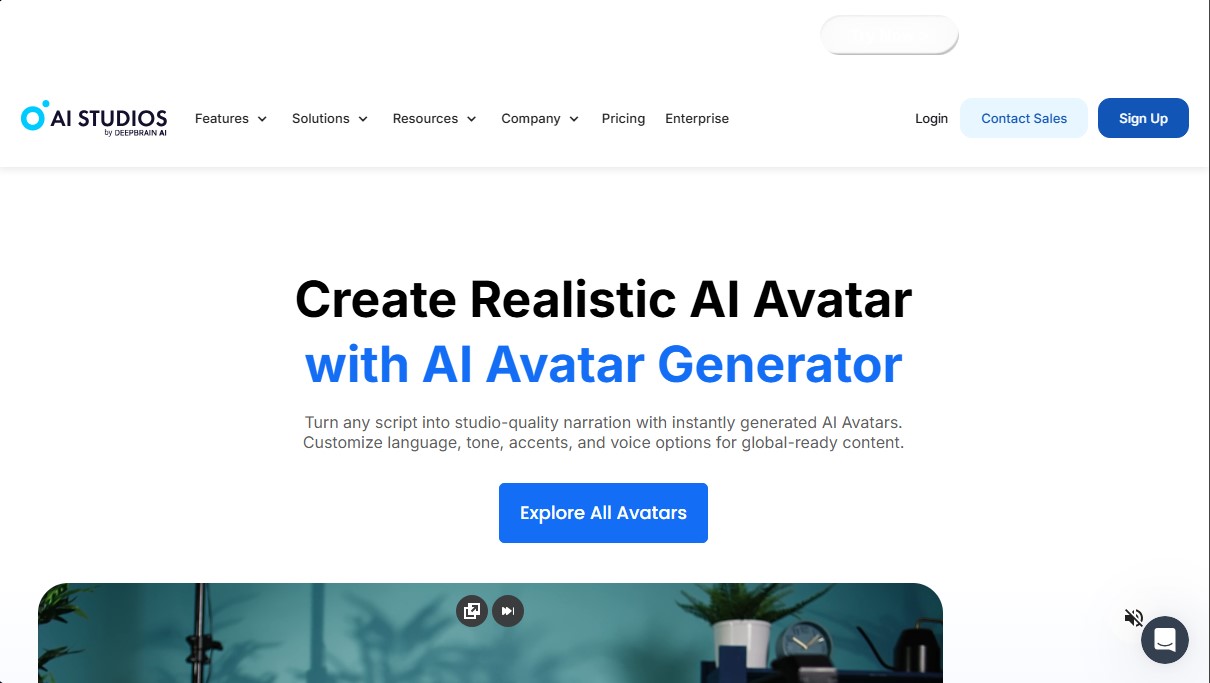
DeepBrain AIavatars Screenshots
DeepBrain AIavatars alternatives

VideoWeb Video Generator
Generate professional AI videos from text or images. Features realistic avatars, automated scripts, and optimized formats for marketing and social media.
DomoAI AI Drama Generator
Create AI vertical minidramas and short series. Use recurring characters and lip-synced dialogue to produce social media episodes in minutes.

KiwiMotion AI
Generate videos, images, voices, and avatars with AI. Features motion control, voice cloning, background removal, and professional file upscaling.