
Share
Convert sketches and 3D blocks into photorealistic images and cinematic videos. Generate professional scenes with perfect perspective for architecture, design, and animation.
What is Draw3D?
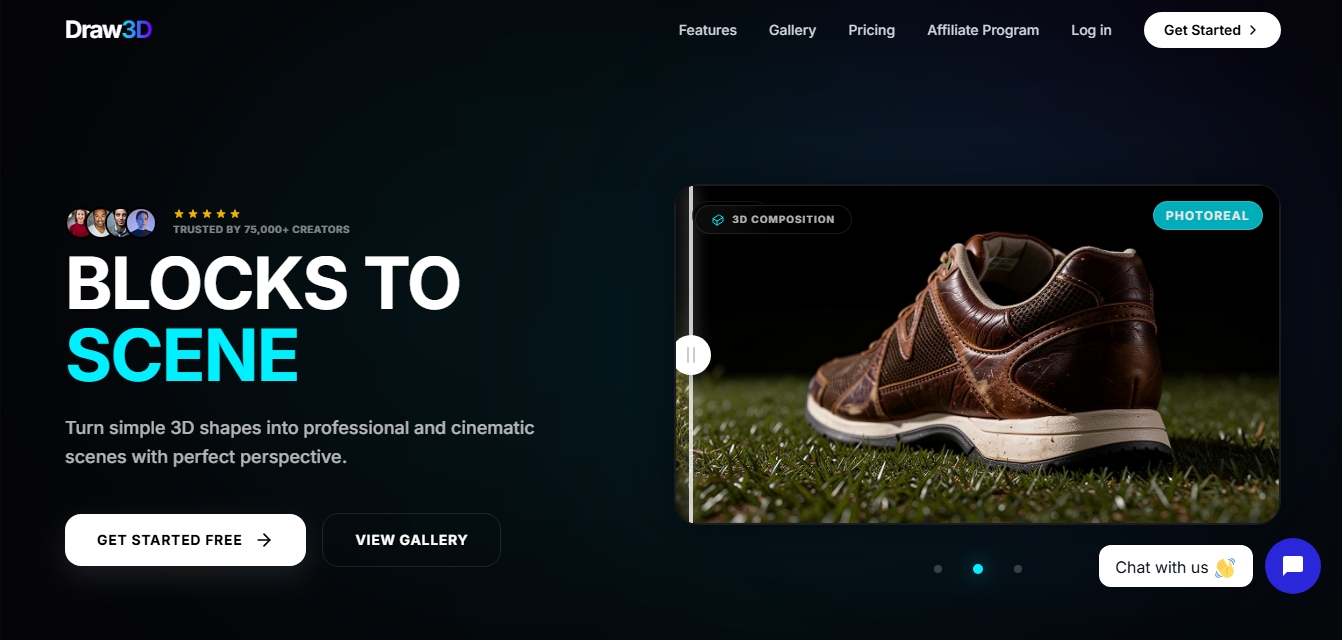
Draw3D is an advanced AI image and video generation platform designed to transform simple sketches and three-dimensional compositions into high-quality photorealistic scenes. Unlike other generators based exclusively on text, this tool allows for precise spatial control, streamlining the transition from a conceptual idea to a finished visual product with perfect perspective. It is an ideal technical solution for architects, interior designers, concept artists, and content creators looking to validate compositions without relying on complex traditional rendering software.
Draw3D’s workflow is built on depth-aware rendering and semantic image interpretation. Users can interact with the tool in three primary ways: drawing on a 2D canvas, arranging blocks and mannequins in a 3D environment, or using reference images. The AI uses these elements as guiding maps to maintain anatomical precision and structural coherence, instantly applying high-fidelity textures, lighting, and materials. This technology eliminates the need for exhaustive prompt engineering, as the visual structure itself dictates the final output.
Key functional capabilities and practical benefits include:
3D Spatial Composition: Organize basic objects and props in a 3D viewer to establish the scene's foundation before generating the final render.
2D Sketch Transformation: Convert freehand drawings or schematic floor plans into detailed architectural visualizations and character designs.
Cinematic AI Animation: With a single click, the system interprets the static scene to generate camera movement and atmospheric effects, exporting videos in MP4 format.
Advanced Editing and Inpainting: Includes tools to modify specific areas of an image, adjust lighting controls, or apply custom filters.
High-Resolution Upscaling: Users can process their creations with up to 8x upscaling, ensuring professional-grade sharpness for print or digital projects.
The versatility of Draw3D makes it applicable across various sectors. In architecture, it facilitates the creation of photorealistic interior designs from basic spatial blocks. In video game and film development, it functions as a powerful tool for storyboarding and environment creation, allowing for rapid iterations of styles and moods. As a browser-based application, it is fully functional on computers as well as mobile devices and tablets, enabling work from anywhere without the need for heavy installations.
Thanks to its optimized infrastructure, the tool processes images in seconds and animations in less than a minute. Additionally, it allows for the uploading of custom models in .GLB format and offers total control over aspect ratios, establishing itself as an essential AI creative toolkit for professionals who demand precise technical results and seamless integration into their production workflows.
Draw3D features and use cases
How to use Draw3D
Draw3D FAQ
What exactly is Draw3D and what is it used for?
It is a creative AI tool that transforms simple 2D sketches and 3D block compositions into photorealistic images and cinematic videos.
Do I need advanced design skills to use Draw3D?
No, the platform is designed so that any user can create professional scenes without needing to master complex software or write complicated text prompts.
Can I use the images and videos generated in Draw3D for commercial purposes?
Yes, all paid plans include a commercial license that grants you full usage rights for the content you generate for professional projects or social media.
What formats can I use to export my creations?
You can download high-resolution images with up to 8x upscaling in standard formats like PNG or JPG, and export your animations in MP4 video format.
Is Draw3D compatible with tablets and digital pens?
The app runs directly in your browser and is fully compatible with mobile devices and tablets, allowing you to draw naturally on an interactive canvas with pressure sensitivity support.
How long does it take the platform to generate a video animation?
The system is optimized for speed, delivering photorealistic images in a few seconds and smooth videos with camera movement in less than a minute.
What is the difference between image credits and video credits?
Each plan includes a monthly credit allowance. Standard image generations consume one credit, while creating video animations requires twenty credits due to their complexity.
Does Draw3D allow me to edit specific parts of a generated image?
Yes, the tool features an advanced editor with smart retouching functions to modify specific areas or change the visual style while maintaining the original structure of your design.
Draw3D pricing and plans
Free Version:
Get started for free (check the official website for specific credit limits).
Starter Plan: $9/month (annual billing available with a 20% discount).
120 credits per month.
High-resolution 2D generation.
Professional 3D composition tools.
Video animation.
Commercial license.
Standard support.
Basic Plan: $15/month (annual billing available with a 20% discount).
200 credits per month.
High-resolution 2D generation.
Professional 3D composition tools.
Video animation.
Commercial license.
Priority support.
Professional Plan: $39/month (annual billing available with a 20% discount).
1,000 credits per month.
Ultra-resolution generation (8x upscaling).
Professional 3D composition tools.
Video animation (each video consumes 20 credits).
Commercial license.
24/7 priority support.
Draw3D Screenshots
Draw3D user reviews
Write a review
Checking your session...
Draw3D Reviews
Loading reviews...
Draw3D alternatives

Planner 5D
Planner 5D is home and interior design software for drawing 2D and 3D floor plans, furnishing rooms from a large catalog, rendering and using AI design tools.


InstantVisualizer
Visualize exterior paint colors with AI. Upload a photo to test real color schemes and see the final result with professional brand codes before painting your home.