
Share
Windows dictation software that transcribes voice to structured text with Whisper. Removes filler words, translates in real-time, and formats content with total privacy.
What is EchoWrite?
EchoWrite is an advanced AI-powered voice dictation software designed specifically for native integration into the Windows ecosystem. Its primary function is to transform speech into structured text in real-time within any application on the operating system, allowing users to capture their ideas quickly without needing to use a keyboard.
The tool utilizes Whisper, the automatic speech recognition (ASR) system developed by OpenAI. This technology ensures high-precision transcription and minimal latency. By operating directly within the system, EchoWrite facilitates a seamless workflow, automatically handling formatting and punctuation so users can focus exclusively on generating ideas.
Key productivity-enhancing features include:
- Filler word and error removal: The system automatically detects and deletes filler words and speech errors, instantly generating polished, professional text.
- Real-time translation: It allows users to speak in their native language and receive written text in another language simultaneously.
- Custom voice shortcuts: Users can define commands to summarize text, change the tone, or apply specific styles through spoken instructions.
- Dictation-to-code conversion: It can interpret logic explained in plain language and transform it into clean, formatted code.
- Custom Prompts: It uses custom prompts to transform raw speech into structured documents almost instantly.
Regarding privacy and data management, EchoWrite stands out by offering data sovereignty. Users have the option to send voice data directly to OpenAI via a personal key or, for greater confidentiality, run high-performance Whisper models 100% locally. This latter option ensures that information never leaves the device, though performance is tied to the hardware's technical specifications.
This software is an AI productivity solution ideal for professionals looking to optimize the creation of documents, emails, or scripts. Optimized for Windows, it offers flawless performance in daily workflows, eliminating the friction of traditional dictation and allowing users to convert a steady stream of thoughts into organized professional documents. Its usage model allows for unlimited use of the tool, catering to both users who prefer the cloud and those who prioritize local processing.
EchoWrite features and use cases
How to use EchoWrite
EchoWrite FAQ
What exactly is EchoWrite, and how does it work on my system?
EchoWrite is a Windows dictation software that uses artificial intelligence to convert your words into structured text within any application you use.
Does EchoWrite guarantee the privacy of my voice recordings?
Yes, the tool allows you to process data locally on your computer or send it to OpenAI using a personal key to ensure your data sovereignty.
How does EchoWrite eliminate filler words and mistakes while dictating?
The system features an automatic cleanup function that detects and removes filler words, delivering a polished and professional final text with no extra effort.
Can I translate my words into other languages in real time with EchoWrite?
Absolutely. The program includes a simultaneous translation feature that transcribes your speech directly into your selected target language.
What are the benefits of the EchoWrite lifetime license?
This one-time payment option provides unlimited use of the tool and access to AI improvements without the need for monthly subscription fees.
Is it possible to dictate programming code using this tool?
Yes, the software can interpret logic explained in natural language and automatically transform it into clean, well-structured code.
What are the custom prompts available in EchoWrite?
They are voice commands you can define so the AI can summarize, apply specific formatting, or change the style of your text instantly.
Does EchoWrite work on operating systems other than Windows?
Currently, the software is designed exclusively for native integration within the Windows work environment.
Do I need a constant internet connection to use EchoWrite?
It is not required if you choose to run high-performance Whisper models locally, although performance will depend on your hardware's power.
How does EchoWrite help organize a messy flow of ideas?
Thanks to its AI technology, the tool is smart enough to turn spontaneous speech into a structured and coherent document.
EchoWrite pricing and plans
Free Version
- Basic access to dictation features under a freemium model to test the tool.
Lifetime License ($37 - One-time payment)
- Unlimited use with no monthly fees or subscriptions.
- Full native integration with the Windows operating system.
- Real-time transcription using OpenAI's Whisper technology.
- Automatic and instant removal of filler words and speech errors.
- Real-time translation: speak in one language and type in another.
- Define voice shortcuts to summarize, format, or style text.
- "Custom prompts" feature to transform raw speech into professional documents.
- Ability to dictate logic in plain language and convert it into formatted code.
- Flexible privacy: option to use a personal OpenAI key or run Whisper models 100% locally (hardware dependent).
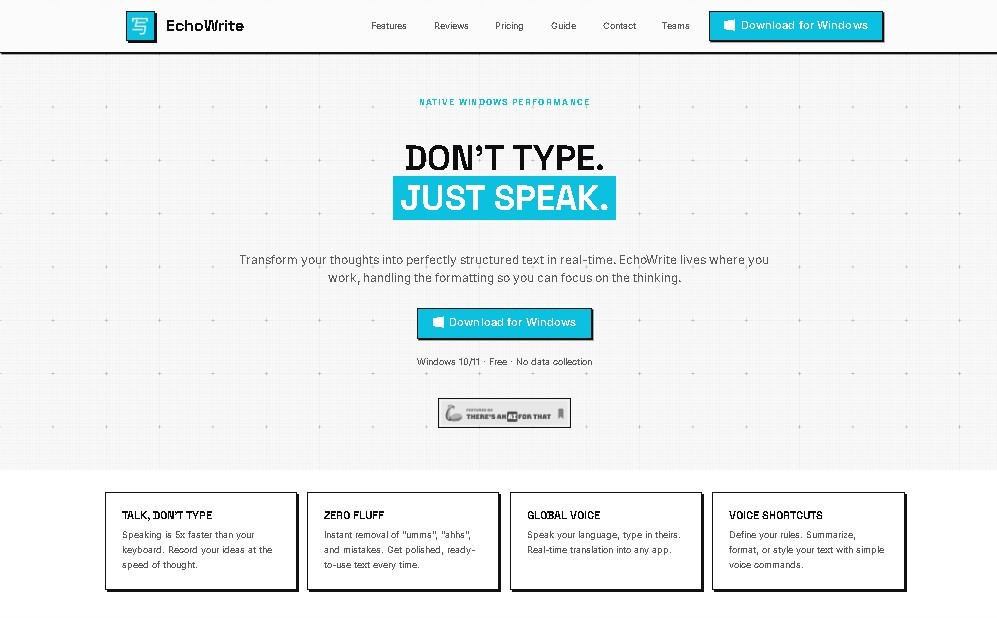
EchoWrite Screenshots
EchoWrite user reviews
Write a review
Checking your session...
EchoWrite Reviews
Loading reviews...
EchoWrite alternatives

ProWritingAid
AI grammar checker and style editor for novelists, with in-depth writing reports, chapter critiques, manuscript analysis and a virtual beta reader.



NeuronWriter
NeuronWriter is an SEO content editor that studies search results with NLP, scores your drafts and keeps an eye on your visibility in AI search.