Share
Remove watermarks with AI by reconstructing the original image without blurring. Efficiently compress JPG, PNG, and WebP files for free to reduce file size.
What is EzImageTool?
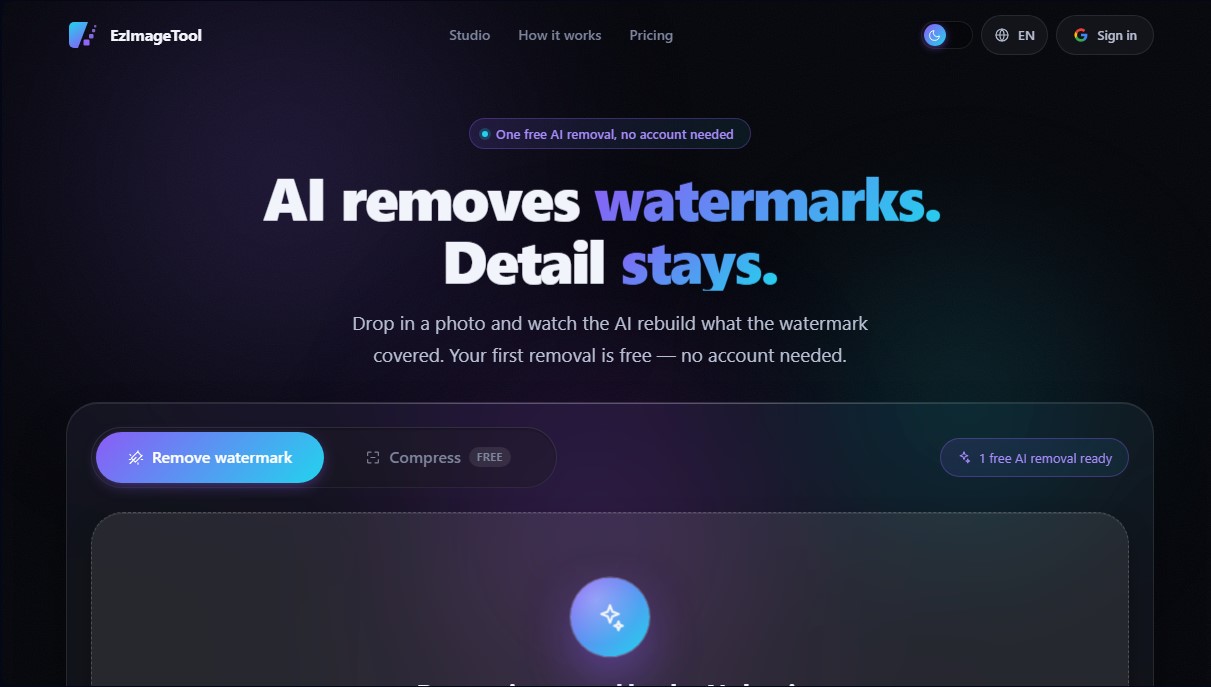
EzImageTool is a platform specialized in advanced image processing through artificial intelligence, primarily designed for watermark removal and file optimization via compression. This tool allows users to clear photographs of overlapping elements, such as logos, diagonal text, or repeating patterns, without compromising the visual integrity of the original background. It is a solution geared toward designers, editors, and professionals who need to restore an image's aesthetic or reduce its file size for use on websites, presentations, or mobile devices.
The technology behind EzImageTool is based on a generative AI model that goes beyond simply cloning or blurring the affected area. When uploading an image in formats such as JPG, PNG, or WebP, the system accurately identifies the watermark layer and reconstructs the hidden pixels. The artificial intelligence predicts original textures, edges, and gradients, ensuring the final result maintains detail instead of showing a blurry patch. This image reconstruction approach is especially effective in complex cases where graphic elements cover fine details or irregular textures that require intelligent contextual interpretation.
In addition to visual cleanup, the tool offers a powerful image compression feature without adding any additional watermarks. Using optimization algorithms, it can reduce file sizes by 60% to 95%, facilitating storage and improving load speeds on any computer or browser. The application's core capabilities include:
- Intelligent watermark removal: Processes everything from small corner logos to dense, opaque patterns that cover the entire surface of the photo.
- Batch processing: Allows for uploading entire folders to automate the cleanup or compression of multiple files simultaneously, providing individual progress reports for each image.
- Multi-format compatibility: The compression system supports AVIF, SVG, and TIFF files, in addition to standard formats, with a limit of up to 25 MB per file.
- Comparative preview: Users can use a slider to compare the "before and after" in real-time, verifying the reconstruction quality before downloading the final file.
Privacy is a fundamental pillar of how EzImageTool operates. Uploaded files are processed privately and automatically deleted from the servers once the task is complete. The platform guarantees that it does not use user images to train its AI models, ensuring the confidentiality of professional graphic material. The workflow is streamlined and functional, allowing for an initial edit without needing to create an account, which facilitates an immediate, direct evaluation of the generative AI algorithm's effectiveness.
EzImageTool features and use cases
How to use EzImageTool
EzImageTool FAQ
Is the first removal on EzImageTool really free?
Yes, you can perform one free watermark removal per browser without signing up, although you will need to sign in with Google to download the final file.
How does the EzImageTool system reconstruct the image?
The AI identifies the watermark and predicts the textures and edges underneath to reconstruct the original image instead of just applying a simple blur.
What file formats can I upload to the platform?
For watermark removal, we accept JPG, PNG, and WebP, while the compression tool also supports AVIF, SVG, and TIFF formats.
Do purchased credits have an expiration date?
No, EzImageTool credits are a one-time purchase and never expire since they aren’t tied to a monthly subscription.
Is it safe to process my photos on EzImageTool?
Your files are automatically deleted after processing; they are never used to train AI models, and original copies are never kept.
Why is compression free while watermark removal requires credits?
Compression uses our own servers with low maintenance costs, while watermark removal uses a generative AI model with a cost for every use.
How much space can I save by compressing images?
Most photos are reduced in size by sixty to ninety-five percent while maintaining high visual quality and without adding any watermarks.
EzImageTool pricing and plans
Free Plan (0 $)
1 free AI watermark removal per browser; no account or credit card required.
Free unlimited image compression—no credits needed and no watermarks added to the output.
Sign in with Google (free) to increase the batch processing limit to 12 images for removal and 40 for compression.
Support for JPG, PNG, and WebP files (up to 20 MB) for removal, plus additional formats like AVIF, SVG, and TIFF (up to 25 MB) for compression.
1,000 Credits Plan (2,99 $, one-time payment)
Allows for approximately 100 AI watermark removals.
Credits never expire.
No monthly subscriptions; pay only for what you use.
Each watermark removal consumes 10 credits.
3,000 Credits Plan (5,99 $, one-time payment)
Allows for approximately 300 AI watermark removals.
Credits never expire.
No monthly subscriptions; pay only for what you use.
Each watermark removal consumes 10 credits.
10,000 Credits Plan (9,99 $, one-time payment)
Allows for approximately 1,000 AI watermark removals.
Credits never expire.
No monthly subscriptions; pay only for what you use.
Each watermark removal consumes 10 credits.
EzImageTool Screenshots
EzImageTool user reviews
Write a review
Checking your session...
EzImageTool Reviews
Loading reviews...
EzImageTool alternatives



CoverUpInk
Generate AI cover-up designs for old tattoos. Upload a photo of your skin to visualize new ideas and get sketches for your tattoo artist.
InstantVisualizer
Visualize exterior paint colors with AI. Upload a photo to test real color schemes and see the final result with professional brand codes before painting your home.