Share
What is Fellow?
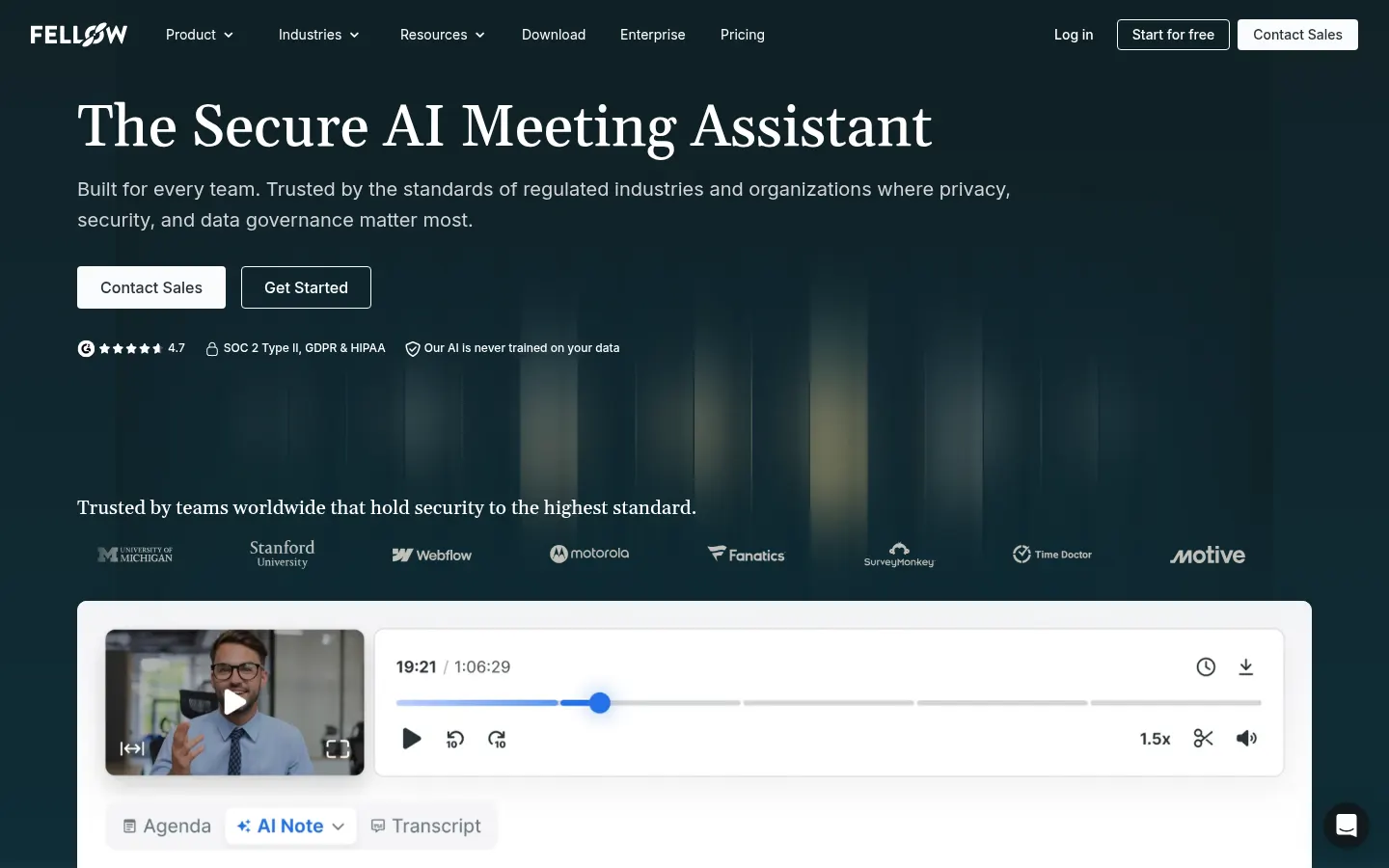
Fellow is a secure AI meeting assistant that records, transcribes and summarizes Zoom, Microsoft Teams, Google Meet and in-person meetings and captures action items, with security controls built for companies and regulated industries such as finance, legal and healthcare.
What is Fellow used for?
Fellow means nobody has to take notes in meetings. It captures audio, video and transcripts in more than 100 languages, produces context-aware summaries, agendas and action items, and stores everything in a recording library. It can join with a bot or record botless through its desktop app for Mac and Windows, which also works for Slack Huddles and in-person meetings, and there is a mobile app too.
How does Fellow protect meeting data?
Fellow doesn't train AI models on your meetings, and neither can its AI providers. It is SOC 2 Type II, GDPR, HIPAA and CCPA compliant, and lets you decide who can record, pause capture for sensitive moments, set retention policies (including zero-day retention), redact transcripts and review everything in a compliance portal with SSO, SCIM and audit logs.
What can you do with your meeting data?
With Ask Fellow you ask in plain language what was said, prep for meetings or draft follow-up emails. Through MCP it connects that knowledge to ChatGPT, Claude and Copilot, and it syncs with Salesforce and HubSpot by suggesting which fields to update. It integrates with more than 50 tools, including Slack, Notion and Confluence.
Fellow pros and cons
- Pro: bot or botless recording, including in-person meetings.
- Pro: privacy and retention controls suited to regulated environments.
- Con: the entry tier only includes a handful of AI notes.
- Con: botless recording requires installing the desktop app.
Fellow features and use cases
How to use Fellow
Fellow FAQ
What is Fellow?
It is an AI meeting assistant that records, transcribes and summarizes meetings and captures action items, with security controls for companies.
Which platforms does Fellow work with?
Zoom, Microsoft Teams and Google Meet, plus Slack Huddles and in-person meetings.
Can Fellow record without a bot?
Yes. Its desktop app for Mac and Windows records without any bot joining the meeting.
How many languages does Fellow transcribe?
More than 100 languages.
Does Fellow train AI on my meetings?
No. Fellow doesn't use your meeting data to train models, and its AI providers can't either.
What certifications does Fellow have?
SOC 2 Type II plus GDPR, HIPAA and CCPA compliance, with a BAA available.
Does Fellow integrate with a CRM?
Yes, with Salesforce and HubSpot: it syncs meeting insights and suggests which fields to update.
What is Ask Fellow?
It is Fellow's chatbot for asking what was discussed, prepping meetings and drafting follow-up emails or documents.
Is there a free version of Fellow?
Yes, with 5 lifetime AI notes and 5 recordings per user. Prices for the other tiers are in the pricing section of this page.
What are the alternatives to Fellow?
In the directory you can compare Fireflies.ai, Fathom and tl;dv.
Fellow pricing and plans
Reference price: 7 USD / month. Source · Verified: October 29, 2026
Prices in US dollars (USD) per user. Checked on: 29/10/2026.
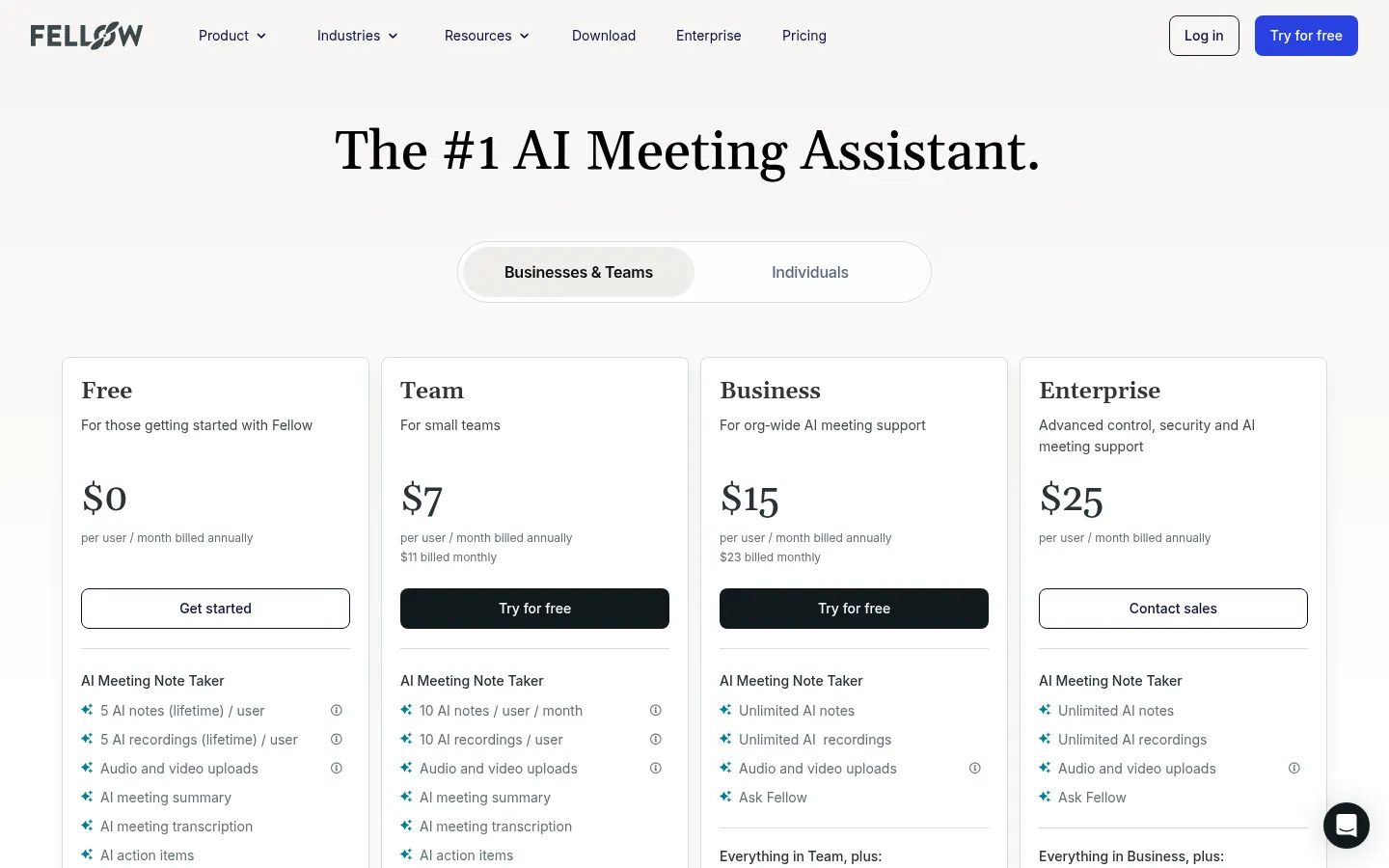
Free: $0; 5 lifetime AI notes and 5 recordings per user, summaries, transcription, action items and Ask Fellow; up to 5 users.
Team: $7/user/month billed annually or $11 billed monthly; 10 AI notes per user per month, automations and Notion and Confluence integrations; up to 20 users.
Business: $15/user/month billed annually or $23 billed monthly; unlimited notes and recordings, advanced CRM and sales templates; up to 50 users.
Enterprise: $25/user/month billed annually, starting at 10 users; advanced permissions, provisioning and transcript redaction.
Fellow Screenshots
Fellow user reviews
Write a review
Checking your session...
Fellow Reviews
Loading reviews...