
Share
Generate AI-powered scientific and math diagrams. Convert text or PDFs into labeled figures for teaching materials, presentations, and research papers.
What is Figviz?
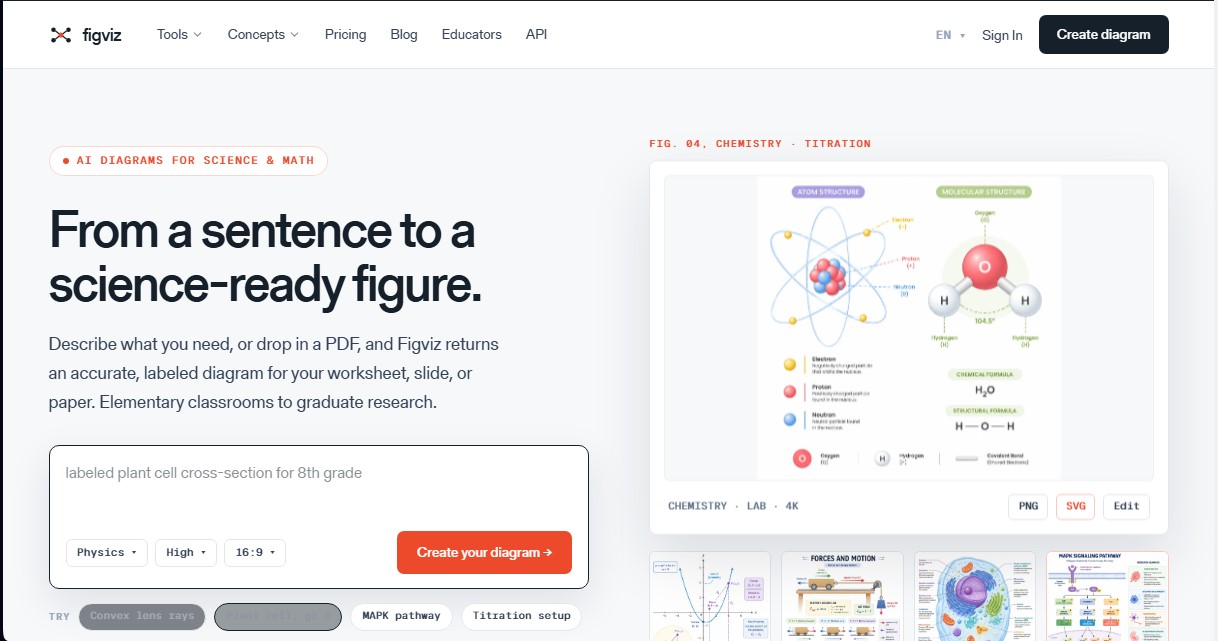
Figviz is an AI diagram generator specialized in the scientific and mathematical fields. Its primary function is to transform natural language descriptions, reference images, or PDF documents into precise, labeled technical figures ready for academic or professional use. This tool is specifically designed for STEM teachers, researchers, educators, and students who require high-quality visual material for presentations, publications, or study materials without relying on complex manual design software.
The operation of Figviz is based on artificial intelligence models trained under strict scientific conventions, ensuring superior technical accuracy compared to conventional image generators. The process begins by selecting the subject and educational level, ranging from elementary school to postgraduate research. The user enters a simple description (for example, "ray diagram of a convex lens"), and the technology processes the information to generate diagrams with legible labels, anatomically correct structures, and standard notations.
Its key functional capabilities and benefits include:
- SVG vector export and 4K Ultra HD PNG resolution, allowing files to be edited in external tools like Illustrator, Figma, or Inkscape.
- Classroom-adapted formats, including a 16:9 aspect ratio for slides and A4 size for printing worksheets.
- A library of over 150 specialized tools to create free-body diagrams, chemical structures, metabolic pathways, electrical circuits, and biological cells.
- Interactive viewers for dynamic concepts, such as projectile motion, mathematical functions, or balancing chemical equations.
- The ability to process PDF files to replicate specific visual styles or extract complex concepts directly from the source.
Using Figviz provides immediate practical benefits by optimizing the workflow for creating AI educational resources. By offering a high-contrast design, the diagrams are ideal for viewing on classroom projectors. For the academic sector, it facilitates the generation of graphical abstracts and figures for scientific journal articles, meeting the rigorous standards required in the research field.
The platform covers key disciplines such as physics, biology, chemistry, mathematics, and earth sciences. In physics, it allows for modeling forces and circuits; in biology, mitosis sequences or detailed cellular anatomy; and in chemistry, laboratory setups and reaction mechanisms. This versatility makes Figviz a comprehensive solution within the EdTech sector, improving visual clarity when teaching complex concepts and significantly reducing the time spent preparing instructional materials on the computer.
Figviz features and use cases
How to use Figviz
Figviz FAQ
What is Figviz and what is it used for?
It is an AI-powered generator that turns text descriptions or PDF documents into precise, labeled scientific and mathematical diagrams for presentations or projects.
Do I need a monthly subscription to use Figviz?
No, the tool operates on a pay-as-you-go basis. You can purchase credit packs based on your needs, and they never expire.
What subjects and educational levels does the platform cover?
It supports physics, biology, chemistry, mathematics, and earth sciences, with specialized settings ranging from elementary school to university-level research.
Does Figviz offer a free option for new users?
All new accounts include three free credits to generate test diagrams without needing to enter any credit card information.
Can I export diagrams to other professional design software?
Yes, you can export your creations as editable SVG files to work with them in applications like Adobe Illustrator, Figma, or Inkscape.
Can Figviz images be used in commercial or academic publications?
Paid credits include a commercial license that allows you to use the figures in books, courses, doctoral dissertations, and scientific research papers.
How can I create a diagram if I don't have any drawing skills?
Simply type a brief description of what you need or upload a reference image, and the AI will handle the rest, generating the complete graphic for you.
What file formats and resolutions are available for download?
Diagrams are available in high-resolution PNG and vector SVG formats, with quality options reaching up to 4K Ultra HD.
Figviz pricing and plans
Free Plan
Price: 0 €
3 initial credits with no credit card required.
4K Ultra HD diagram generation.
Access to all subject and level presets (K-12 through research).
16:9 aspect ratio for slides.
Permitted for classroom use (includes watermark).
Founding Offer (Lifetime Access)
Price: 199 $
Unlimited lifetime access to the tool.
Limited offer: only 50 spots remaining.
Starter
Price: 5 $
10 credits (purchased credits never expire).
Watermark-free exports.
Editable SVG export for Illustrator, Figma, and Inkscape.
Commercial and professional educational use license.
Batch generation.
Basic
Price: 10 $
22 credits.
High-resolution, watermark-free exports.
Includes all formats (PNG, SVG) and commercial licenses.
Plus (Most Popular)
Price: 30 $
72 credits.
Recommended to cover the needs of an entire academic quarter.
Includes all premium features and vector export.
Power
Price: 80 $
220 credits.
Designed for intensive use in lesson planning and teaching materials.
Full access to all editing and export tools.
Max
Price: 200 $
620 credits.
Tailored for university departments and high-volume users.
Maximum savings per credit generated.
Credit Usage:
1K or 2K resolution generation: 1 credit.
4K resolution generation: 1.5 credits.
Figviz Screenshots
Figviz alternatives

ColorCraft
Create Amazon KDP books. Generate coloring pages, stories, puzzles, and print-ready full covers, plus promotional mockups in a single workflow.


Tesla Wrap Generator
Tesla Wrap Generator uses AI to paint designs onto the official UV template of each Tesla model for Paint Shop, with a 3D preview before you download.