
Share
Generate automatic AI video summaries. Extract key scenes, add animated captions and realistic voices to create viral content ready to share on social media.
What is Flexclip?
FlexClip is a specialized solution for AI video summarization, designed to transform long-form content into short, coherent, and dynamic pieces. This tool uses advanced artificial intelligence to automatically analyze footage, identifying key scenes, relevant dialogue, and moments with the greatest emotional or narrative impact. Its primary function is to facilitate the creation of professional viral recaps without requiring the user to have technical expertise in editing or scriptwriting.
FlexClip's functionality is powered by scene analysis and highlight extraction technology. When processing a video, the system understands the story structure and selects the most significant plot points or actions to compose a logical summary. This process is complemented by an AI voiceover engine, which provides users with over 100 realistic voices in multiple languages, and the creation of synchronized auto-subtitles, optimizing content for consumption on any platform.
To use the tool, users can upload a video file directly from their computer or simply paste a YouTube link. Before starting the generation process, the system allows for the configuration of parameters such as the desired clip length, aspect ratio (adapted for mobile devices or widescreen formats), and narration style. Once the AI generates the summary, it appears in an intuitive drag-and-drop editor, allowing for manual adjustments, adding transitions, or modifying visual elements to perfect the result.
The platform's core capabilities include:
- Automated Content Analysis: Intelligent identification of narrative milestones in movies, series, podcasts, or webinars.
- Professional AI Narration: Integration of high-quality synthetic voices that eliminate the need for external recordings.
- Dynamic Subtitling: Immediate generation of on-screen text perfectly coordinated with the audio.
- Versatile Use Cases: Ability to process everything from sporting events and gaming sessions to online courses and corporate presentations.
FlexClip positions itself as an essential intelligent video editing tool for content creators, educators, and marketing specialists. By automating highlight extraction and information synthesis, it drastically reduces production times, allowing any long-form footage to be converted into an effective communication piece ready for quick and easy social media sharing.
Flexclip features and use cases
How to use Flexclip
Flexclip FAQ
What exactly is FlexClip’s AI video summarizer?
It’s an advanced tool that automatically analyzes your videos to extract the most important highlights and turn them into a viral summary with voiceovers and captions.
Do I need prior video editing experience to use FlexClip?
No technical skills are required. The AI handles everything from writing the script and selecting scenes to the final edit.
What kind of videos can I process with this tool?
You can create summaries for almost any long-form content, including movies, TV shows, podcasts, webinars, tutorials, or gaming walkthroughs.
Can I create a summary directly from a YouTube link?
Yes. The platform allows you to paste a YouTube URL or upload a file directly from your computer to start the process.
Does FlexClip offer voiceover options in different languages?
The tool features over 100 realistic AI voices and supports multiple languages, allowing you to tailor your summaries to any audience.
Can I change the length of the final video?
You can select an approximate duration before generating the content and then use the built-in editor to trim or adjust scenes to your liking.
What is the export quality of the generated videos?
The resolution depends on your selected plan; you can export your projects in high definition, ranging from 720p to Ultra HD 4K.
Can I customize the results after the AI is finished?
Yes. After the automatic generation is complete, you’ll have access to a drag-and-drop editor to add stock music, change the aspect ratio, or include additional graphics.
Flexclip pricing and plans
Free Plan (0.00 US$/month):
- 720p HD resolution downloads.
- Free trial of AI features.
- 1 stock video and 1 stock audio per project.
- Maximum limit of 12 projects.
- Video duration up to 10 minutes.
Plus Plan (19.99 US$/month or 11.99 US$/month billed annually):
- 1080p Full-HD resolution downloads.
- 300 additional AI credits per month.
- 5 stock videos and 5 stock audios per project.
- Access to premium FlexClip assets.
- Unlimited saved projects and unlimited video duration.
- Brand kit and 30 GB of cloud storage.
- 100 GB of video hosting.
- Upload custom fonts and save up to 100 templates.
- No FlexClip watermark.
Business Plan (29.99 US$/month or 19.99 US$/month billed annually):
- 4K Ultra HD resolution downloads.
- 800 additional AI credits per month.
- Unlimited stock videos and audios.
- Unlimited saved projects and unlimited video duration.
- Brand kit and 100 GB of cloud storage.
- 1 TB of video hosting.
- Upload custom fonts and save up to 200 templates.
- No FlexClip watermark.
Team Plan:
- Manage groups of 1 to 10 users or custom plans.
- Visit the official website for specific pricing based on the number of seats.
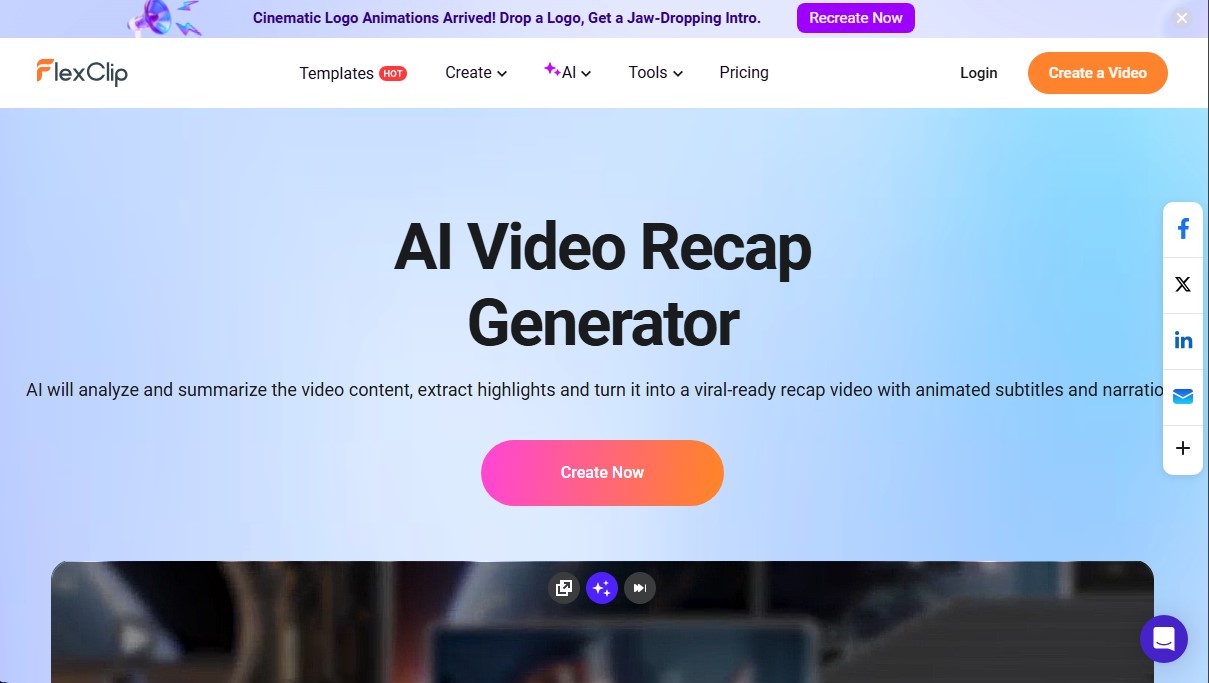
Flexclip Screenshots
Flexclip alternatives



CueTheScene
Create full YouTube videos in minutes. Automatically generate scripts, voiceovers, stock footage, subtitles, and thumbnails. Perfect for documentaries and faceless channels.


Rate My Clip
Analyze and score your YouTube Shorts with AI. Evaluate hooks, pacing, and visual quality to quickly optimize video performance.

Talking Avatar AI
Optimize videos with voice cloning, lip-sync, and multilingual translation. Easily adapt scripts, rewrite content, and create realistic avatars.