
Share
Analyze and score your YouTube Shorts with AI. Evaluate hooks, pacing, and visual quality to quickly optimize video performance.
What is Rate My Clip?
Rate My Clip is a specialized tool for evaluating and optimizing YouTube Shorts through the use of artificial intelligence. Its primary function is to act as a vertical content analyzer, allowing content creators and editors to obtain an objective assessment of the quality and viral potential of their short-form videos. By entering a video URL, the system generates a detailed report that helps users understand the technical and creative performance of the piece either before or after publication.
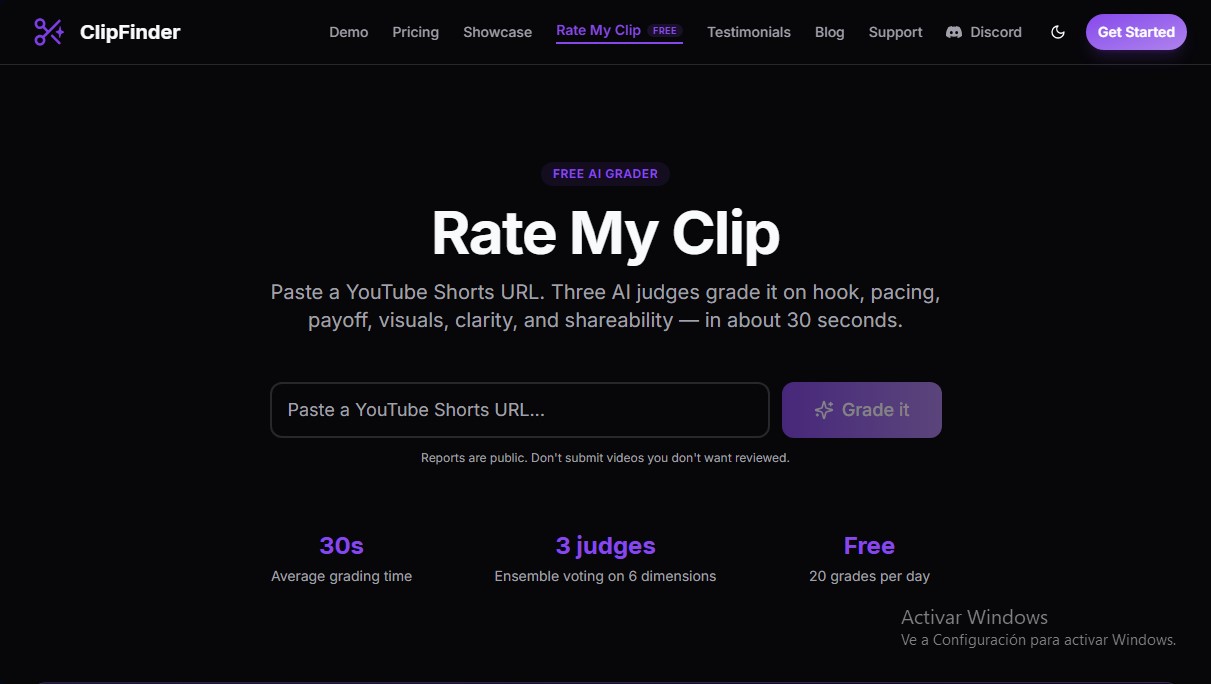
The platform operates based on an ensemble voting system composed of three independent AI judges. These models analyze the clip in approximately 30 seconds, evaluating six critical dimensions for success on short-form platforms: the hook, pacing, payoff, visual quality, message clarity, and shareability. This multidimensional approach yields a precise numerical score out of 100, classifying videos into descriptive categories based on their performance, such as The Perfectionist for excellent clips or The Catfish for those that fail to deliver on their promise.
This tool is particularly useful for content creators, social media managers, and digital marketing specialists looking to maximize the impact of their video marketing strategy. By receiving a quick diagnosis from a desktop or mobile device, users can identify drop-off points where the audience might lose interest. Rate My Clip’s capabilities include:
- Multidimensional evaluation: Technical analysis of the video's narrative and visual structure.
- Retention diagnosis: Identifying the effectiveness of the hook in capturing viewer attention.
- Public results feed: Access to a live list of analyzed videos, serving as a reference to study trends and success patterns across other channels.
- Integration with ClipFinder: The tool is part of a broader ecosystem that includes AI clip detection, automatic 9:16 reframing, and the generation of hardcoded subtitles.
Thanks to its natural language processing and visual analysis technology, the application eliminates subjectivity in editing, providing actionable data to improve audience retention. It is a practical solution for those who need to validate whether their YouTube Shorts are optimized for the algorithm, ensuring the message is clear and the edit maintains interest from start to finish. As a browser-based tool, it requires no complex installations, facilitating an agile workflow to improve short-form video ranking.
Rate My Clip features and use cases
How to use Rate My Clip
Rate My Clip FAQ
What is Rate My Clip and how does it work?
It’s a free AI-powered tool that rates your YouTube Shorts by analyzing aspects like the hook, pacing, and visual quality in about thirty seconds.
How much does it cost to use Rate My Clip to analyze my videos?
You can get up to twenty free ratings per day to evaluate the performance of your short-form content.
What criteria do the Rate My Clip judges evaluate?
Three AI judges score six key dimensions, including the hook, pacing, payoff, visuals, clarity, and shareability.
Are my Rate My Clip results private?
No, rating reports are public, so we recommend not submitting any videos you don't want other users to see.
How does ClipFinder’s pricing work?
It uses a pay-as-you-go model with no subscriptions, where you pay two dollars for every hour of original video processed.
What does the free version of ClipFinder include?
It includes one hour of free video processing so you can test features like AI clip detection, auto-captions, and high-definition downloads.
Where can I get help if I run into issues with the tool?
The fastest way to get technical support is through our Discord server or by emailing our official contact address.
Rate My Clip pricing and plans
Rate My Clip Plan (Free Evaluator)
Price: Free
- Limit of 20 evaluations per day.
- YouTube Shorts analysis based on 6 dimensions: hook, pacing, payoff, visuals, clarity, and shareability.
- Voting system with 3 AI judges.
- Average evaluation time of 30 seconds per video.
ClipFinder Plan (Free Trial)
Price: Free
- Includes 1 hour of free video processing to get you started with the tool.
Pay As You Go Plan
Price: $2 per hour of video (calculated based on the duration of the source video)
- No subscription fees or hidden costs.
- Unlimited clip generation for every video.
- 1080p downloads with no watermarks.
- AI-powered clip detection and auto-reframing (9:16).
- Built-in in-browser trimming tool.
- Integrated captions with 2 preset styles.
- Direct publishing to YouTube Shorts.
- Support for over 20 languages.
Rate My Clip Screenshots
Rate My Clip alternatives



CueTheScene
Create full YouTube videos in minutes. Automatically generate scripts, voiceovers, stock footage, subtitles, and thumbnails. Perfect for documentaries and faceless channels.


Talking Avatar AI
Optimize videos with voice cloning, lip-sync, and multilingual translation. Easily adapt scripts, rewrite content, and create realistic avatars.