

Share
Create full YouTube videos in minutes. Automatically generate scripts, voiceovers, stock footage, subtitles, and thumbnails. Perfect for documentaries and faceless channels.
What is CueTheScene?
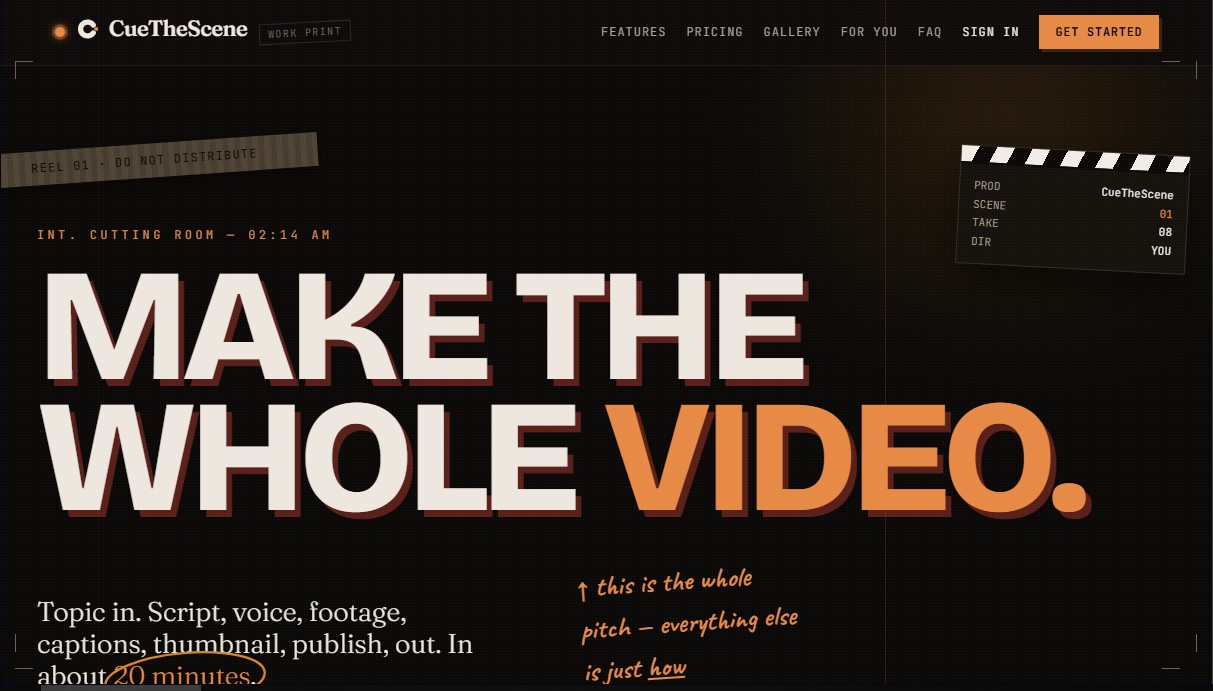
CueTheScene is an AI video automation platform designed specifically for creating long-form YouTube content. Its primary function is to transform an initial topic or idea into a complete, ready-to-publish video in approximately 20 minutes. This tool is geared toward faceless channel creators and content producers in niches where stock footage is essential, such as documentaries, history, true crime, educational videos, or trivia lists.
The technical workflow of CueTheScene covers the entire audiovisual production chain. It begins with the generation of an optimized script, which is supervised by a secondary "critic" AI that detects and eliminates artificial or repetitive structures to ensure a natural tone. Unlike other automated editors, its visual footage analysis technology is not limited to simple keyword matching; the AI analyzes the content of each clip to ensure the imagery is consistent with the script's narrative, avoiding generic visual assets that add no value.
The tool offers advanced editing and functional customization capabilities:
- Granular scene editing: Allows you to regenerate a single scene, swap a video clip, or modify a specific voice line without needing to re-render the entire project.
- Professional voiceovers and voice cloning: Includes a library of natural-sounding voices and supports voice cloning to maintain a consistent brand identity. It also allows users to upload their own external voice recordings.
- High-conversion thumbnail generator: Creates four thumbnail options scored based on mobile readability, focal point, and emotional impact to optimize CTR (click-through rate).
- Direct publishing kit: Generates optimized titles, tags, and descriptions, allowing you to upload content directly to YouTube Studio.
From a practical standpoint, CueTheScene eliminates the technical complexity of manual editing. The system utilizes footage and music libraries with commercial or public domain licenses, facilitating YouTube monetization without copyright conflicts. Additionally, the process is transparent, allowing the user to oversee every step in real-time and make adjustments before the final render.
This generative AI video solution allows creators to scale YouTube channel production, offering the ability to produce documentary-quality content in a fraction of the usual time. By integrating scriptwriting, intelligent image selection, and algorithmic optimization into a single interface, it has become an essential tool for efficiently managing multiple channels or maintaining a frequent posting schedule for long-form content.
CueTheScene features and use cases
How to use CueTheScene
CueTheScene FAQ
What exactly is CueTheScene, and what kind of content can I create with it?
It’s a platform designed for automated YouTube channel creators that generates long-form videos—including the script, voiceover, visuals, subtitles, and thumbnail—in about twenty minutes.
How long does it take to generate a full video with CueTheScene?
Most 10-minute projects are ready to publish within fifteen to twenty-five minutes.
Can I edit the final result, or does CueTheScene work like a "black box"?
You have full control over the final product. You can edit every line of the script, swap out specific clips, or regenerate individual scenes without having to restart the entire process.
Which channel niches are best suited for this tool?
It works best for niches that rely on stock footage and documentary-style visuals, such as history, true crime, top-10 lists, explainers, or commentary channels.
Will I run into copyright issues with the material CueTheScene uses?
No. All visual and musical content comes from commercially licensed stock libraries or the public domain, allowing you to monetize your YouTube channel without copyright claims.
Can I use my own voiceover or script on the platform?
Yes, you can upload your own recorded voiceover or edit the AI-generated script word-for-word before the video is rendered.
What’s included in the CueTheScene publishing kit?
In addition to the video, the tool generates four thumbnail options, a title, a description, and optimized tags. You can even schedule the upload directly to YouTube.
What are the differences between the various subscription plans?
The main differences are the volume of videos you can produce per month and the ability to process multiple renders simultaneously to save time.
CueTheScene pricing and plans
Starter
£59/mo (or £566/yr). Founding members get 30% off.
Generate 4 long-form videos per month.
Duration adjustments based on the topic.
Mobile-optimized subtitles.
Direct publishing to YouTube once rendering is complete.
Same-day human technical support.
Monthly credit bundle included; overages billed per video at cost.
Creator
£149/mo (or £1,430/yr). Founding members get 30% off.
Generate 12 videos per month (approx. 3 per week).
2 simultaneous renders to reduce wait times.
Edit and touch up individual scenes without needing to re-render the entire video.
Option to use your own voiceover instead of AI voices.
Priority support.
Monthly credit bundle included; overages billed per video at cost.
Pro
£449/mo (or £4,310/yr). Founding members get 30% off.
Capacity for one daily content upload.
3 simultaneous renders.
Manage 2 or 3 channels from a single plan.
Ability to import your own scripts for AI processing.
Priority support via email and Discord (response within minutes).
Monthly credit bundle included; overages billed per video at cost.
Scale
£1,199/mo (or £11,510/yr). Founding members get 30% off.
Capacity for up to 100 videos per month for multiple channels.
5 parallel simultaneous renders.
Personalized training session with the founder.
Direct Slack channel with the dev team.
Designed for agencies or channel networks with a dedicated team.
Monthly credit bundle included; overages billed per video at cost.
CueTheScene Screenshots
CueTheScene alternatives

TubeGen AI
Automate viral video creation for YouTube and social media. Generate scripts, voiceovers, images, and thumbnails with AI to monetize your channels.

Kapwing Hinglish Subtitles Generator
Generate automatic Hinglish captions for videos in 100+ languages. Includes AI-powered editing and dubbing tools to reach bilingual audiences.

Auto Captioner
Generate automatic AI captions for videos. Customize design with templates, edit text, and translate into multiple languages to boost your visual content's impact.



Subtitle Generator
Generate AI subtitles, fix errors instantly, and apply styles. Works in-browser with no signup. Export videos or files in multiple formats.