
Fliki
Share
Turn text, blogs, and presentations into videos with AI voices and avatars. Create professional content fast without cameras or prior editing experience.
What is Fliki?
Fliki is a comprehensive AI video creation solution designed to transform text, ideas, or web links into professional audiovisual content. Its primary goal is to democratize video production, allowing any user—regardless of prior editing experience—to generate high-quality pieces in minutes. This tool is especially useful for marketing managers, HR teams, educators, and content creators who need to scale their production without relying on expensive recording equipment or complex editing software.
The platform's technological core combines text-to-video generation with advanced speech synthesis engines. The process is intuitive and follows simple steps: inputting the idea or script, customizing the voice, selecting visual media, and previewing the result. Thanks to its integration with generative AI models, Fliki can create dynamic clips, select stock images from a library of millions of resources, or even process PowerPoint files and blog posts to automatically convert them into structured scenes with subtitles and background music.
One of the application's most powerful features is its AI voiceover system. It offers access to over 2,500 ultra-realistic voices in 80 languages and 100 dialects, ensuring natural and professional intonation. Additionally, it includes a voice cloning feature, which allows users to replicate their own tone to maintain brand consistency without needing to manually record audio for every project. To add an extra human touch, the platform features over 70 AI avatars, enabling the inclusion of virtual presenters in videos without having to get in front of a smartphone or computer camera.
Key features include:
- Blog to Video: Transforms written articles into narrated videos with a single click—ideal for repurposing written content.
- Product to Video: Generates dynamic ads from product listings on platforms like Amazon or Airbnb.
- Magic Edit: Enhances raw footage by automatically adding subtitles and supporting visual assets (B-roll).
- PPT to Video: Converts static presentations into dynamic content, perfect for training and internal communication.
- Automatic Translation: Allows for the instant localization of content into multiple languages for global audiences.
As a fully web-based tool, it can be used from any browser, eliminating the need to install heavy software. Fliki stands out for boosting operational productivity, allowing companies to create training videos, tutorials, or social media campaigns much faster than traditional methods. Its architecture ensures a secure and professional environment for large-scale corporate use.
Fliki features and use cases
How to use Fliki
Fliki FAQ
Can I use Fliki for free?
Yes, there is a free plan that allows you to generate up to five minutes of audio and video content per month without needing to enter your credit card information.
Which languages and voices are available on Fliki?
The platform supports over eighty languages and one hundred different dialects, offering access to more than 2,500 ultra-realistic voices for your voiceovers.
Do I need prior editing experience to use the tool?
No technical knowledge or design experience is required, as the intuitive interface makes it easy to create professional content from text.
How does the blog-to-video conversion work with Fliki?
Simply enter your blog URL or the article text, and the AI will automatically transform that content into a video with voiceovers and visuals.
What types of files can I export when I finish my project?
Once you've finished editing, you can download your videos directly in MP4 format to use on social media, in presentations, or on YouTube channels.
Does Fliki allow for custom voice cloning?
Yes, the tool features a professional voice cloning function that lets you replicate your own voice to make your videos feel more authentic and personal.
Do I need to install any specific software on my computer?
No software downloads are necessary because the platform is entirely cloud-based and works through your preferred web browser.
What is the purpose of using AI avatars in my videos?
Avatars allow you to add a human face and personality to your content without the need to record yourself or hire professional actors.
Can I turn PowerPoint presentations into videos with Fliki?
Yes, the tool allows you to upload your presentation files to automatically convert them into dynamic videos in a matter of seconds.
Does Fliki offer customer support if I have questions?
Yes, the support team is available to resolve any issues or questions via email or through the dedicated help portal.
Fliki pricing and plans
Free
$0 per month. Starter plan for beginners looking to try AI video creation.
- 5 minutes of credits per month.
- 300 voices (limited), 80+ languages, and 100 dialects.
- Create videos from ideas, scripts, blogs, product pages, or PPTs.
- Access to thousands of images, video clips, stickers, and music tracks.
- AI image generation.
- HD Resolution (720p).
- Includes Fliki watermark.
Standard
$28 per month ($21 per month billed annually). Designed for creators starting out with AI video production.
- 180 minutes of credits per month.
- 1,000 voices (including 150 ultra-realistic and 50 studio-quality).
- Full HD Resolution (1080p).
- Maximum video length of up to 15 minutes.
- Access to millions of premium assets (images, clips, and music).
- Content translation into 80+ languages.
- Integrations with Make and Zapier.
- Limited AI avatars and voice cloning.
- No watermark and commercial usage rights.
Premium
$88 per month ($66 per month billed annually). For experienced creators and teams of any size.
- 600 minutes of credits per month.
- 2,000+ voices (including 1,000+ ultra-realistic and 350 studio-quality).
- Maximum video length of up to 40 minutes.
- Multiple brand kits, voice cloning, and custom voices.
- AI video clip generation.
- Custom fonts and access to all AI avatars (including photo avatars).
- Priority support.
Enterprise
Custom pricing (billed annually). Tailored plan for the specific needs of organizations.
- Custom credits and volume discounts.
- API access and next-generation AI models.
- Custom avatars and professional voice cloning.
- Custom brand templates.
- Dedicated account manager and team collaboration tools.
- Invoice-based billing.
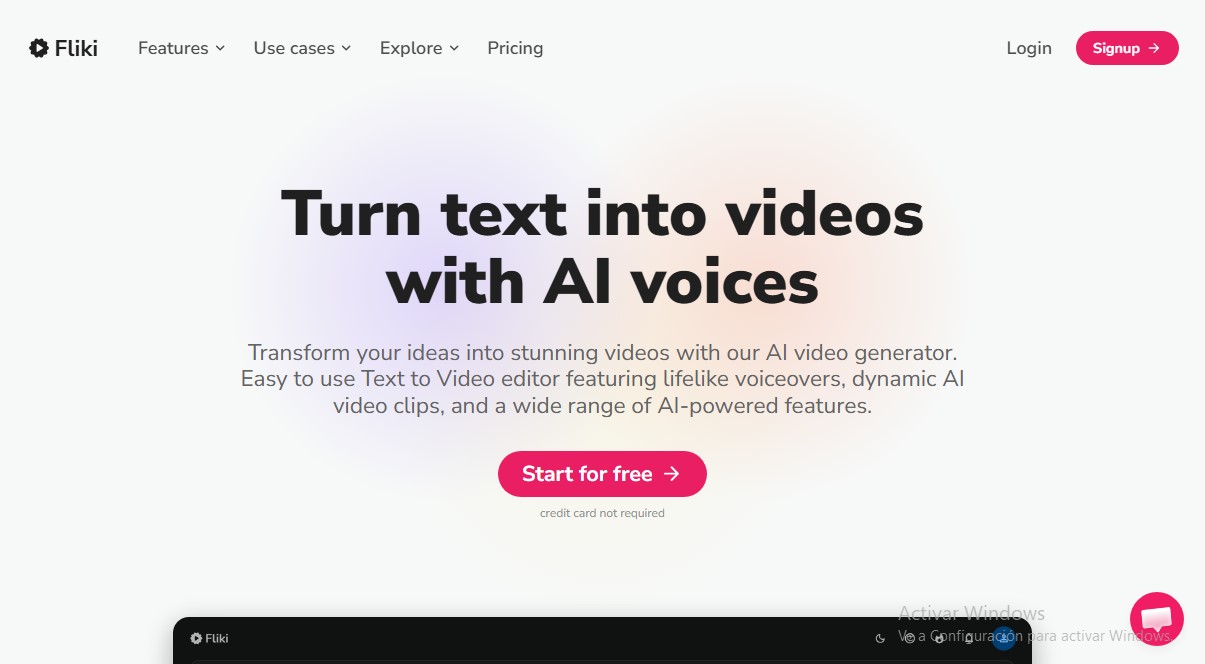
Fliki Screenshots
Fliki user reviews
Write a review
Checking your session...
Fliki Reviews
Loading reviews...
Fliki alternatives
AI Microdrama Generator by Picsart
Create vertical micro-drama series with consistent characters. Plan seasons, generate scripts, and produce AI-powered short episodes with cliffhangers.
Dramily - AI Short Drama Generator
Generate short series with AI for social media. Create consistent scripts, characters, and storyboards. Manage the entire production and export ready-to-post episodes.

Cinematic Slideshow Studio
Create cinematic videos from your photos with AI. Automate editing, music, and voiceovers for professional 4K results.

Whiteboard Video Maker
Generate AI whiteboard animations from text, PDFs, or links. Features automatic illustrations, voiceovers, and hand-drawing for tutorials and marketing.

Boords Agent
AI pre-production assistant that turns scripts into storyboards, generates images, and localizes text. Automates revisions and versions to streamline video approvals.

OralSlides
Turn PowerPoint slides into AI-narrated videos. Automatically generate scripts and lifelike voices to export your presentations in MP4 format.