Share
AI smart notebook to organize knowledge from videos, podcasts, and PDFs. Extract key insights, create interactive notes, and get answers about any source.
What is Gistr?
Gistr is an AI-native knowledge workspace designed to transform how we process and organize digital information. This tool functions as a smart notebook that allows users to capture, analyze, and structure content from various sources, such as YouTube videos, podcasts, web articles, and PDF or Markdown documents. Its primary goal is to facilitate deep learning and knowledge management for students, researchers, and professionals who need to synthesize large volumes of data from their computers.
Gistr’s technology is powered by the integration of advanced language models, including OpenAI, Claude, and Gemini, as well as specific reasoning models for complex tasks. Through its Chrome extension, users can interact with content in real-time without switching tabs. The system utilizes natural language processing to provide referenced and contextual answers, allowing for follow-up questions that keep the research flow coherent.
Key functional capabilities include tools designed for operational efficiency:
- Auto Highlight: Automatically identifies and highlights the most important moments in a video or text, optimizing consumption time.
- Select & Ask: Allows you to highlight any excerpt from a PDF or article to get instant explanations and additional context.
- Rich Note Editor: A flexible space where you can link annotations to video timestamps or specific document pages, creating a cross-referencing system.
- Guided Prompts: Suggests structured, personalized questions to help users delve deeper into complex topics.
- Threads and Collections: Enables grouping knowledge from multiple sources into a single narrative, making it easy to create research hubs or personal courses.
Gistr is more than just a simple summary chat; it is a complete infrastructure for active learning. It includes support for OCR, language translation, and active recall tools to ensure that information is converted into long-term knowledge. The platform's versatility allows users to export their final work in formats such as Markdown, PDF, or images—perfect for those looking to produce derivative content, like presentations or blog posts, from their research. By integrating state-of-the-art AI models with a private organization system, the tool positions itself as a highly efficient digital second brain for both academic and professional environments.
Gistr features and use cases
How to use Gistr
Gistr FAQ
What is Gistr, and what exactly does it do?
Gistr is an AI-powered smart notebook designed to help you organize, learn from, and dive deeper into the information you find online.
What kind of content can I process with Gistr?
You can use links from YouTube videos, podcasts, and websites, or upload your own files in PDF, text, or Markdown format.
Does Gistr have a Chrome browser extension?
Yes, there is an official extension that lets you capture ideas, take notes, and get AI insights directly while browsing any website.
How is Gistr different from a standard AI chatbot?
Unlike a typical chatbot, Gistr is a comprehensive workspace that lets you link notes to video timestamps, annotate PDFs, and structure your knowledge privately.
How does the credit system work on the Gistr free plan?
The free plan offers 300 AI credits per day, which renew every 24 hours and allow you to process content using standard AI models.
Can I combine information from different sources into a single project?
Yes, the "Threads" feature allows you to weave together insights and information from videos, articles, and PDFs into a single narrative simultaneously.
Can I export the notes and summaries I create in Gistr?
You can export all your content in PDF, image, or Markdown formats. You also have the option to export transcripts and share your threads publicly.
What tools does Gistr provide to make studying YouTube videos easier?
The platform includes auto-highlighting features to identify key moments, integrated screenshots, and the ability to link your notes to specific timestamps in the video.
Does Gistr support PDF documents?
Yes, you can upload PDFs, highlight any section for contextual explanations, and ask the AI specific questions about the document's content.
Is Gistr available in Spanish?
The tool can process content in multiple languages and offers translation features and AI-generated responses tailored to help you learn in your native language.
Gistr pricing and plans
Free Plan
0 € per month.
- 300 AI credits per day (refreshed daily).
- Access to standard AI models.
- Content processing consumes credits.
- Unlimited content saving.
- Limited organization and export features.
- Limited AI tools.
- Community support via Reddit and Discord.
Explorer Plan
10 $ per month (8 $ per month billed annually).
- Everything included in the Free plan.
- 3x usage on all OpenAI, Claude, and Gemini models.
- Access to standard and advanced AI models.
- Content processing at no credit cost.
- Full access to all AI learning, research, and creation tools.
- Unlimited file uploads.
- Unlimited content saving and organization.
- Unlimited language translation and transcript exports.
- Priority support.
Scholar Plan
15 $ per month (12 $ per month billed annually).
- Everything included in the Explorer plan.
- 8x usage on all OpenAI, Claude, and Gemini models.
- Access to all reasoning AI models.
- Early access to new features.
- Direct access to the founding team.
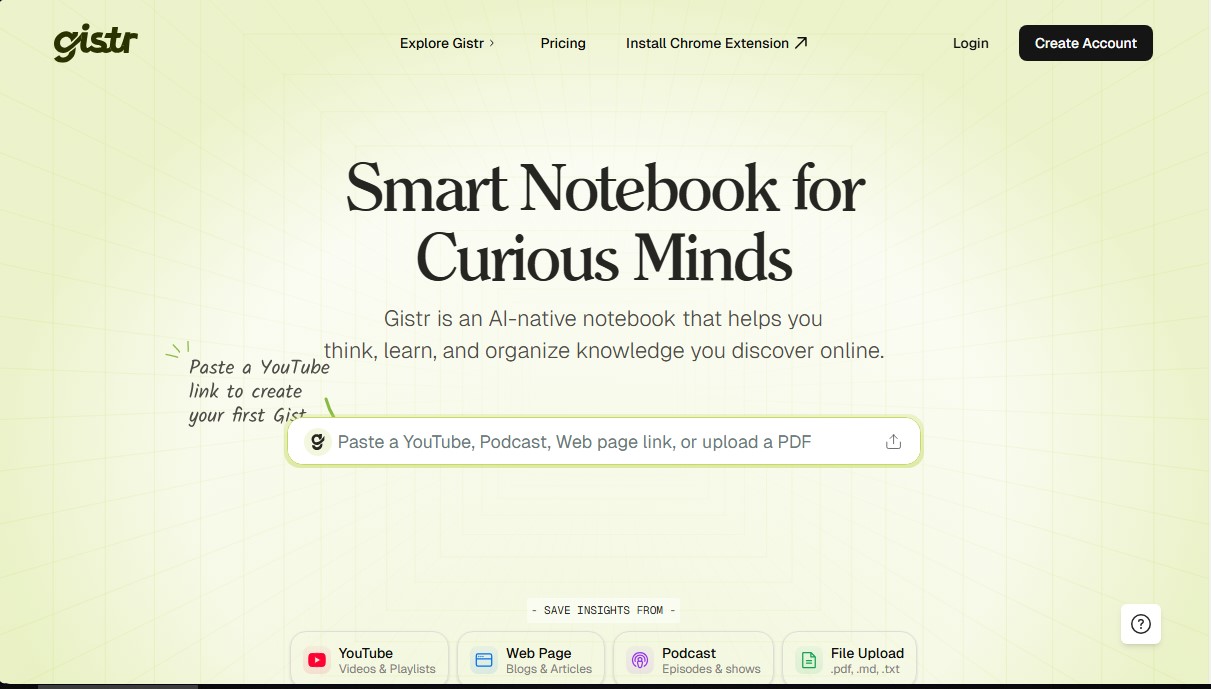
Gistr Screenshots
Gistr alternatives


ConvinceIQ
AI-powered sales training tool to practice calls with realistic buyers. Offers instant coaching and performance analytics to close more deals.

ScholarSail
AI-powered study platform integrating flashcards, mind maps, and 3D memory palaces to streamline learning, boost retention, and optimize focus.

Summarize Video to Text
Convert YouTube, TikTok, and Instagram videos into summaries, transcripts, and mind maps. Generate timestamped chapters and get instant answers about the content.