GPT Workspace
Share
GPT Workspace
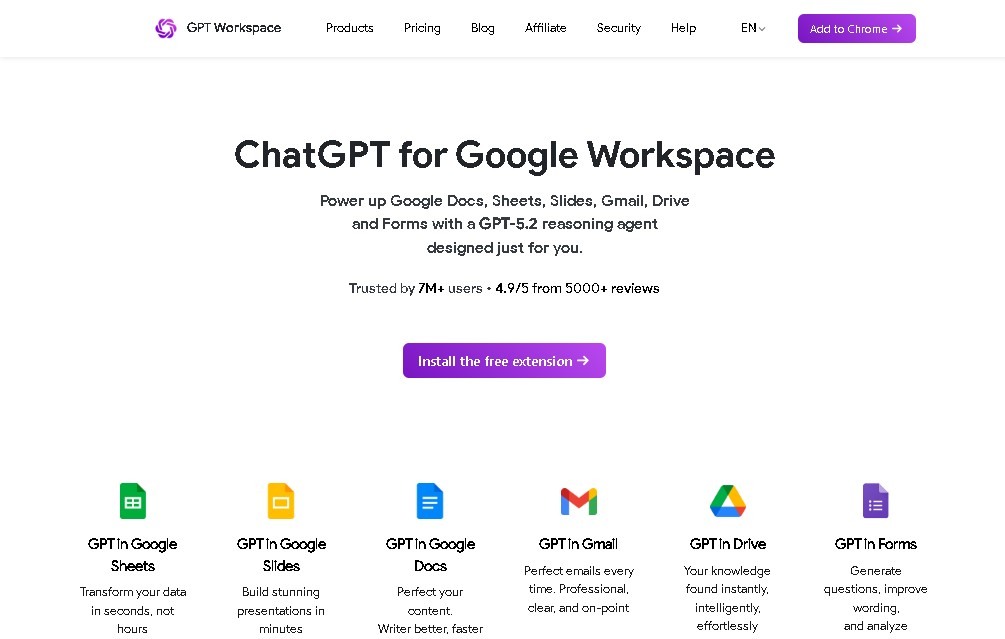
Integrate AI into Google Workspace to draft text, summarize documents, analyze data with formulas, and create presentations in Docs, Sheets, Gmail, and Drive.
General Information about GPT Workspace
GPT Workspace is a productivity platform designed to integrate advanced language model capabilities directly into the Google Workspace ecosystem. Its primary function is to act as an AI assistant that allows users to perform complex writing, analysis, and data organization tasks without needing to switch tabs or applications. By operating as a native add-on for tools like Google Sheets, Docs, Slides, Gmail, and Drive, it optimizes professional workflows through the intelligent automation of repetitive processes and on-demand content generation.
The technology behind GPT Workspace is based on the implementation of natural language processing (NLP) models. It is installed as an extension or add-on linked to the user's Google account, allowing the tool to access the context of documents or emails to provide accurate suggestions. In the case of spreadsheets, it uses custom AI formulas that process data cells in real time, while in text-based applications, it employs generation and synthesis algorithms to transform brief ideas into structured, professional content.
Among its most notable capabilities for improving operational efficiency are:
- Automation in Google Sheets: Enables the use of the =GPT function to clean data, classify categories, bulk translate cells, or automatically extract specific information from large volumes of text.
- Assisted Writing in Google Docs: Facilitates creating drafts from scratch, editing for style, adjusting tone, and generating executive summaries from lengthy documents.
- Smart Management in Gmail: Helps draft quick replies, adjust message formality, and summarize long email threads to quickly capture key points.
- Presentation Generation in Slides: Creates complete slides including both text content and AI-generated images, accelerating the design and conceptualization process.
- File Analysis in Drive: Allows interaction with various file formats stored in the cloud to extract relevant data or perform direct queries regarding their content.
This solution is especially useful for professionals who manage large amounts of digital information, such as data analysts, content writers, project managers, and customer service teams. By using GPT Workspace, users significantly reduce the time spent on administrative and formatting tasks from their computer. Additionally, it features a Google Chrome extension that expands the tool's versatility, allowing AI functions to be invoked in other browsing environments, though its full potential is reached within the Google collaboration suite.
Features and Use Cases of GPT Workspace
How GPT Workspace Works
Frequently Asked Questions about GPT Workspace
What exactly is GPT Workspace, and what is it used for?
It is a platform that integrates ChatGPT’s artificial intelligence directly into Google apps to help you write, analyze, and generate content.
Which Google tools can I use with GPT Workspace?
You can use it in Google Sheets, Docs, Slides, Gmail, and Drive, and there is also an extension available for the Google Chrome browser.
Is there a cost to use GPT Workspace?
There is a free plan that doesn’t require a credit card, as well as several monthly paid plans that offer advanced features and higher credit limits.
How does GPT Workspace work within Google Sheets?
It allows you to use smart formulas to automatically generate or analyze data directly inside your spreadsheets.
How does GPT Workspace help me manage my Gmail?
The tool allows you to draft full replies, adjust the tone of your messages, and summarize long email threads to save you time.
Can I create presentations with GPT Workspace in Google Slides?
Yes, the tool can generate entire presentations, including both text and images, using artificial intelligence.
What happens if I run out of monthly credits on my GPT Workspace plan?
Depending on your subscription plan, you can enable a pay-as-you-go system to continue using advanced features once you’ve exceeded your quota.
Can I use GPT Workspace to summarize long documents?
Yes, you can use the tool in both Google Docs and Google Drive to quickly extract key information or summarize files.
GPT Workspace Pricing
Free Plan ($0)
- Basic access to AI features within Google Workspace.
- No credit card required for activation.
Starter Plan (~$9 / month per user)
- Limited credits for task execution.
- Access to basic AI features.
Standard Plan (~$29 / month per user)
- Broader use of integrated tools.
- Higher monthly credit allowance.
- Access to more powerful AI models for better results.
Pro Plan (~$79 / month per user)
- High monthly credit volume.
- Priority access to platform features.
- Access to the most advanced AI models available.
- Option to enable a pay-as-you-go system (approx. $0.006 per 1,000 credits) once the plan quota is exceeded.
GPT Workspace Screenshots