
Share
Transform images into dynamic AI videos. Create social media content, product demos, and presentations with music and cinematic effects.
What is Himediav1?
Himedia is an advanced generative AI platform designed to transform static images into high-quality dynamic content. Its core image-to-video functionality allows content creators, marketing professionals, and businesses to convert photos, illustrations, or designs into short videos optimized for platforms like Instagram, TikTok, and YouTube. The tool stands out for its ability to generate stunning visual results quickly, facilitating professional video production without the need for advanced technical editing skills.
Himedia's operation is powered by cutting-edge AI models, such as Seedance 2.0 (in its Fast and Original versions), Seedream 5.0, and HappyHorse 1.0. These systems use algorithms that intelligently detect key elements of an image to apply coherent movements and cinematic effects, such as zooms, pans, and fluid transitions. Additionally, the platform includes a prompt enhancement feature that uses AI to refine user descriptions, resulting in more precise and detailed animation of the visual content.
The tool's core capabilities include:
- Instant Video Generator: Transforms any image into an animated sequence ready for commercial or creative use in just a few minutes.
- Motion Imitation: Allows for the replication of specific movement patterns to bring static characters or digital avatars to life.
- Style Diversity: Offers specialized templates and models for Anime, Pixar-style, cinematic, and digital human aesthetics.
- Multimodal Creation: In addition to image-to-video conversion, it integrates AI music generation and text-to-image tools to offer a complete production solution.
In practical terms, Himedia is highly effective for e-commerce, enabling the conversion of product photos into dynamic demonstrations that drive sales. In creative storytelling, it facilitates the animation of storyboards and concept art for short films or web series. It is also a valuable resource in the educational and corporate sectors, where it transforms infographics and static materials into video presentations that improve audience retention.
The creation process consists of four simple steps: uploading the image, applying AI-powered animation, customizing by adjusting styles or background music, and downloading the file in professional quality. The platform supports the most common image formats and is optimized for an efficient desktop experience, allowing for the agile and easy scaling of advertising campaigns and social media content.
Himediav1 features and use cases
How to use Himediav1
Himediav1 FAQ
What are the main features of the Himediav1 platform?
This tool uses artificial intelligence to transform static images into videos, while also generating images, music, and motion-tracking animations.
Can I use Himedia for free?
Yes, the platform offers a "get started for free" option that allows users to explore the tools and get familiar with the generation models.
What resolution are videos generated in Himediav1 exported in?
Output quality depends on your chosen subscription plan; the Lite version offers 720p, while the Pro and Premium tiers provide 1080p.
How can I get better results when creating a video from an image?
We recommend using the prompt enhancement feature to describe your desired content in detail, which helps the AI better interpret elements and movements.
What visual styles are available in the tool?
Himedia offers a wide variety of preset styles, including anime, cinematic film, Pixar-style, product showcases, and digital avatars.
What are the benefits of the Himedia Pro plan?
This plan includes 800 monthly credits, 1080p resolution, faster generation times, unlimited access to templates, and the complete removal of watermarks.
Is it possible to add sound to video creations?
Yes, the system allows you to customize videos by adding background music and includes specific AI tools for generating music tracks.
What are the recommended uses for Himediav1 videos?
The technology is ideal for creating social media content for TikTok or Instagram, e-commerce product showcases, corporate presentations, and educational materials.
How can I contact technical support?
You can email your inquiries to the official contact address, and you will receive a response from the team within 12 hours.
Which AI models does the platform use to generate content?
The system utilizes advanced models such as Seedance 2.0 for video, along with other specialized engines like GPT Image 2.0 and Seedream 5.0.
Himediav1 pricing and plans
Free Version: Allows you to start using the tool at no cost (login required to view specific trial credits).
Lite Plan: $15 per month (or $10 per month with annual billing).
350 credits per month.
Limit of up to 60 videos, 120 images, or 90 music tracks.
Access to all video and image models and the full toolkit.
720p video output resolution.
Unlimited access to templates.
Faster generation speeds.
No watermarks.
Pro Plan: $29 per month (or $20 per month with annual billing).
800 credits per month.
Limit of up to 135 videos, 270 images, or 200 music tracks.
Access to all video and image models and the full toolkit.
1080p video output resolution.
Unlimited access to templates.
Faster generation speeds.
No watermarks.
Premium Plan: $139 per month (or $109 per month with annual billing).
5,000 credits per month.
Limit of up to 830 videos, 1,660 images, or 1,250 music tracks.
Access to all video and image models and the full toolkit.
1080p video output resolution.
Unlimited access to templates.
Faster generation speeds.
No watermarks.
Himediav1 Screenshots
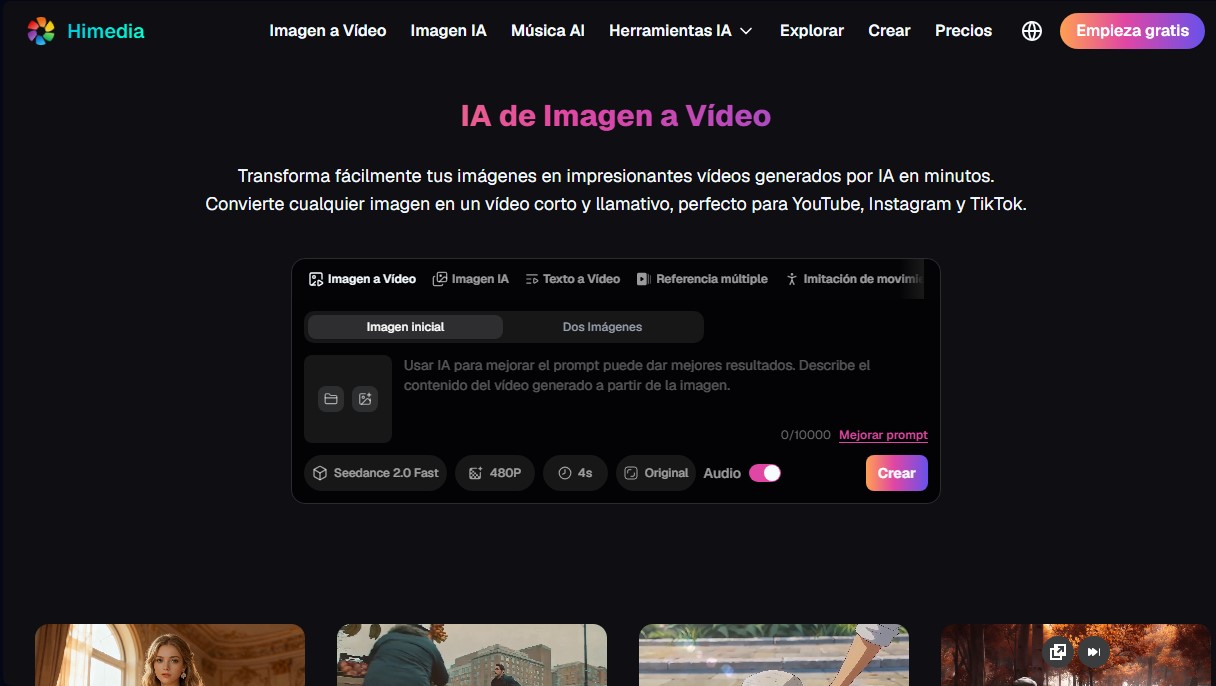
Himediav1 alternatives


Osmo Studio
AI animation studio for professional motion graphics and videos. Control every detail, collaborate with teams, and export with transparent backgrounds.

Victoria Secret Runway
Create fashion show videos by integrating your face into real scenes. Just upload a photo to replace professional models and walk the runway.


BurningBridgesAI.app
Turn a photo into Drake’s viral dance. AI automatically recreates the choreography and gestures so you can star in the trend without recording a thing.

VideoWeb Video Generator
Generate professional AI videos from text or images. Features realistic avatars, automated scripts, and optimized formats for marketing and social media.