HomeRestyle AI
Share
HomeRestyle AI
Instantly redesign rooms and exteriors with a photo. Apply 30 styles, swap materials, and use virtual staging to visualize photorealistic renovations.
General Information about HomeRestyle AI
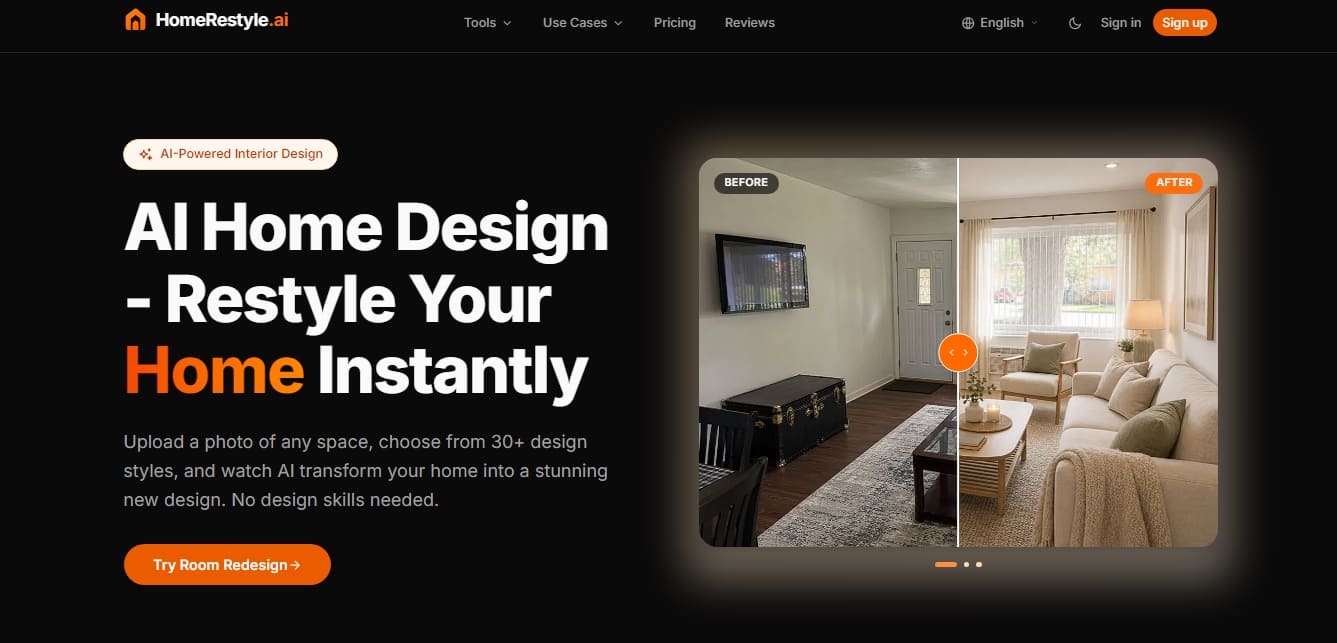
HomeRestyle AI is an advanced AI interior design platform designed to instantly transform spaces. This tool allows any user, without any prior technical knowledge, to visualize structural and aesthetic changes in a home simply by uploading a photo from their computer or mobile device. With a database of over two million designed rooms, the system uses cutting-edge AI models to generate photorealistic renders in seconds.
The way HomeRestyle AI works is based on a simplified three-step process: uploading an image of any room—whether it’s a living room, kitchen, bathroom, or even an outdoor area—selecting from over 30 design styles, and the automatic generation of the new space. The app's technology is capable of interpreting different angles and lighting types to deliver results consistent with the original architecture, allowing for deep customization through styles such as Nordic, industrial, minimalist, or Japandi.
Within its ecosystem of professional tools, specific features stand out for providing immediate practical value:
Virtual Staging: Allows for the virtual furnishing of empty properties, a key solution for the real estate sector looking to enhance the appeal of their listings.
Sketch to Render: The ability to transform hand-drawn sketches or basic floor plans into detailed 3D visualizations.
Style Transfer: A feature to apply the aesthetics and atmosphere of a reference image to your own room.
Color and Material Change: A tool to test different color palettes and textures on walls or floors before making any physical investment.
Furniture Visualizer: Helps preview how different furniture pieces and decorative elements would fit into the actual space.
This solution is aimed at three main profiles. Homeowners use it to plan renovations and show contractors exactly what result they are looking for, reducing risks in decision-making. Real estate agents use virtual home staging to speed up sales by showcasing the true potential of a property. Finally, interior designers find HomeRestyle AI to be a productivity tool for quickly generating concepts and visual presentations for their clients.
One of its most innovative features is its project workflow. Through an infinite canvas, users can organize multiple variations of the same room, compare results side-by-side, and follow a step-by-step process. Additionally, it includes advanced editing utilities such as an object eraser, high-resolution image upscaling, and ambient lighting modification, ensuring that every design is fully functional and professional.
Features and Use Cases of HomeRestyle AI
How HomeRestyle AI Works
Frequently Asked Questions about HomeRestyle AI
What is HomeRestyle AI and how does it work?
It is an interior design tool that uses artificial intelligence to transform photos of any room into realistic new designs in just a few seconds.
How many decor styles does HomeRestyle AI offer?
The platform features over thirty different styles, including options such as Scandinavian, industrial, minimalist, Mediterranean, and modern.
Can I use the generated images for commercial purposes?
Commercial use of the designs is permitted exclusively for users who have a Pro or Expert plan.
Who is HomeRestyle AI designed for?
It is designed for homeowners who want to visualize renovations, real estate agents who need virtual staging, and interior designers looking to streamline their concepts.
How does the credit system work for the plans?
Each tool consumes a minimum of five credits per use, though this cost can increase up to twenty credits if higher-quality AI models are selected.
What types of spaces can be redesigned with the app?
You can transform any part of a home, from living rooms and kitchens to bedrooms, bathrooms, gardens, and exterior facades.
Do I need design experience to use HomeRestyle AI?
No prior experience is necessary. The process is fully automated—simply upload a photo and select a style.
Are my photos safe on the platform?
All images you upload are private and protected by an encryption system to ensure your privacy and security.
Can I cancel my subscription at any time?
Yes, you have the freedom to manage or cancel your subscription plan whenever you like directly from your account settings.
What are the benefits of HomeRestyle AI's project-based workflow?
It allows you to organize different designs on a single infinite canvas, making it easy to compare results and choose the best option for your renovation.
HomeRestyle AI Pricing
Starter
25,90 $ per month (billed monthly).
250 credits per month (up to 50 designs).
Access to all tools.
Watermark-free results.
Restriction: tool usage consumes from 5 to 10 or 20 credits depending on the quality of the selected AI model.
Pro
29,90 $ per month (billed monthly).
1,000 credits per month (up to 200 designs).
Access to all tools.
Watermark-free results.
Commercial license.
Project workflow feature.
Priority processing.
Restriction: tool usage consumes from 5 to 10 or 20 credits depending on the quality of the selected AI model.
Expert
69,90 $ per month (billed monthly).
2,500 credits per month (up to 500 designs).
Access to all tools.
Watermark-free results.
Commercial license.
Project workflow feature.
Priority processing.
Restriction: tool usage consumes from 5 to 10 or 20 credits depending on the quality of the selected AI model.
HomeRestyle AI Screenshots