HyNote AI
Share
HyNote AI
Transform audio, meetings, and docs into clear notes and actionable summaries. Transcribe recordings, YouTube videos, and PDFs to organize your tasks instantly.
General Information about HyNote AI
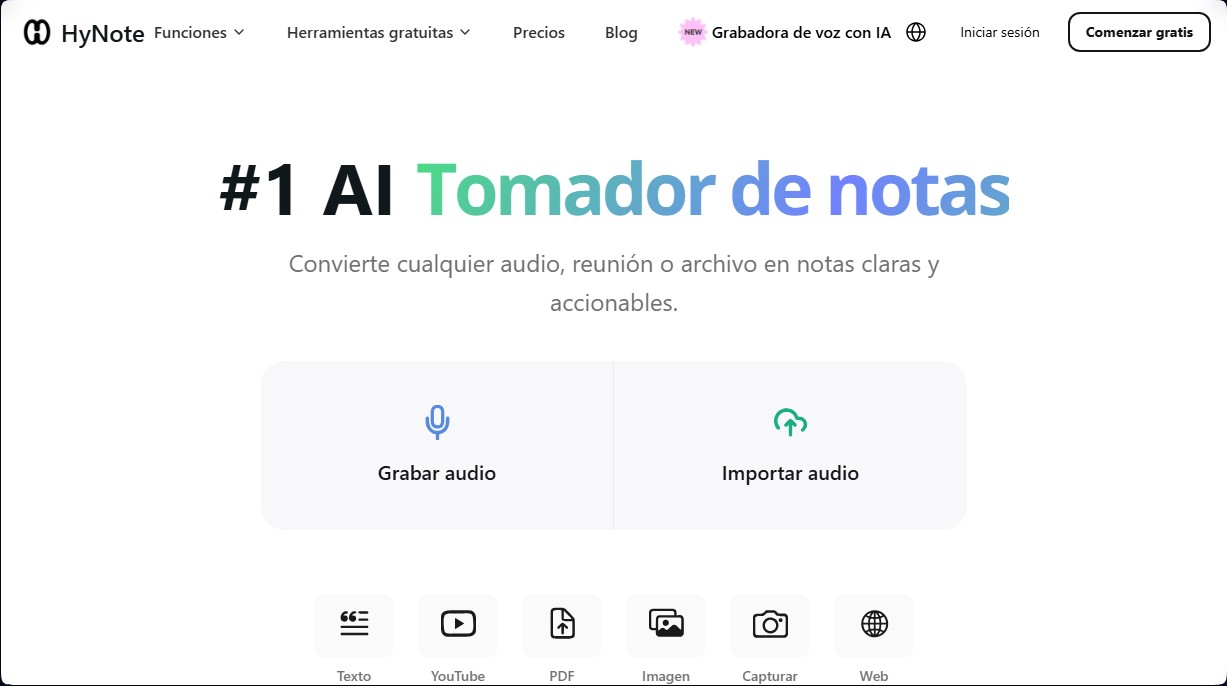
HyNote AI is an advanced productivity tool designed to transform audio recordings, meetings, and digital files into structured, actionable notes. This AI note-taker allows users to capture information from multiple sources, including live recordings, YouTube videos, PDF documents, images, and web links. Its primary function is to eliminate the manual workload of drafting minutes or summaries, delivering accurate results almost instantly.
The platform utilizes the HyNote AI Core Engine, a system based on Natural Language Processing (NLP) and state-of-the-art speech recognition technology. The workflow is straightforward: the user uploads a file or starts a recording, and the AI performs real-time audio-to-text transcription. Thanks to its algorithms, the tool is capable of precise speaker identification, which is essential for strategic sessions, interviews, or classes with multiple participants.
Key functional capabilities and practical benefits include:
- Smart summaries and automated mind map creation to visualize key concepts.
- Generation of to-do lists and follow-up email drafts based on the analyzed content.
- Use of professional templates tailored to different profiles, such as engineers, researchers, educators, or content creators.
- Extraction of relevant information from static files like slides or complex reports.
- Cross-device synchronization, allowing access and editing from mobile, tablet, or computer.
To optimize business efficiency, HyNote AI integrates seamlessly with essential work ecosystems such as Zoom, Microsoft Teams, Google Meet, Notion, and Slack. This makes it easy for meeting notes to be transferred directly to management platforms like Jira, Google Drive, or OneDrive, maintaining an uninterrupted flow of information.
In terms of security, this AI note generator complies with international data privacy regulations, including GDPR, CCPA, and HIPAA. Data is stored privately and encrypted, ensuring that sensitive information from companies and universities remains protected.
This solution is especially useful for corporate professionals who need to align strategies after a meeting, researchers managing large volumes of data, and students looking to organize their notes efficiently. By allowing results to be exported in formats like Word or PDF, HyNote AI functions as a centralized knowledge hub that helps convert any oral presentation or lengthy document into practical, organized insights.
Features and Use Cases of HyNote AI
How HyNote AI Works
Frequently Asked Questions about HyNote AI
What is HyNote AI, and how can it help me with my work or studies?
HyNote AI is an advanced tool that uses artificial intelligence to turn audio, meetings, and various files into clear summaries and actionable key points.
What types of files and sources does the platform support?
You can upload voice recordings, PDFs, images, text documents, and links from YouTube or websites for instant processing.
Can I use HyNote AI to transcribe my Zoom or Google Meet meetings?
Yes, the tool integrates with major video conferencing platforms to capture audio, identify speakers, and generate detailed meeting minutes.
Can I share the generated summaries with other team members?
Absolutely. You can share your notes via a web link or export them directly to collaboration tools like Notion, Slack, or Google Docs.
How does HyNote AI ensure the security and privacy of my sensitive data?
Your data is protected by enterprise-grade encryption and compliance with international regulations like GDPR, ensuring your information remains private and secure at all times.
Does HyNote AI offer a way to try premium features for free?
We offer a permanent free plan as well as seven-day trials for our paid plans, allowing you to explore all of our advanced transcription and analysis features.
Which devices can I use to access my notes and transcriptions?
The platform offers full synchronization between the desktop web version and our apps optimized for mobile devices and tablets.
The platform offers full synchronization between the desktop web version and our apps optimized for mobile devices and tablets.
Unlike conventional recorders, this tool doesn’t just capture audio; it analyzes the context to create mind maps, to-do lists, and automated follow-up emails.
HyNote AI Pricing
Free: $0 per month
- Audio recording and basic transcription.
- Access to professional templates.
- Upload files from any source.
- Sync notes across web, mobile, and tablets.
- Calendar integration and secure storage.
Pro: $11.99 per month
- Includes all Free plan features.
- 1,200-minute monthly transcription limit.
- Up to 60 minutes of recording per session.
- 150 one-time credits for generating podcasts, slides, and infographics.
- High-accuracy note translation.
- Option to export transcriptions.
- Includes a 7-day free trial.
Plus: $18.99 per month
- Includes all Pro plan features.
- 1,200 monthly minutes of real-time audio transcription.
- High-accuracy speaker identification.
- Up to 120 minutes of recording per session.
- 200 one-time credits for podcasts, slides, and infographics.
- Live translation.
- Direct note transfer to Google Docs, Notion, and other platforms.
- Includes a 7-day free trial.
Unlimited: $24.99 per month
- Includes all Plus plan features.
- Unlimited real-time audio transcription.
- Unlimited recording duration per session.
- 300 one-time credits for podcasts, slides, and infographics.
- Unlimited private and secure storage.
- Integration with CRM tools.
- Includes a 7-day free trial.
Teams: $20 per user per month
- Requires a minimum of 2 users (seats).
- Includes all Unlimited plan features.
- Shared templates for teams.
- Admin control panel.
- Priority support.
HyNote AI Screenshots