Share
Generate professional AI videos from text and images. Create ads, social media content, and cinematic shorts using the most advanced models.
What is IdeaVideo AI Video Generator?
IdeaVideo AI is an advanced AI video generation platform designed to transform ideas, text, and images into high-quality professional visual content. This tool stands out by centralizing the market's most cutting-edge AI video models in a single environment—such as Veo 3.1, Kling 3.0 Turbo, Seedance 2.5, MiniMax H3, and Gemini Omni—allowing users to choose the technology that best fits their specific project without needing to switch applications.
IdeaVideo AI's operation is based on various generative artificial intelligence approaches. Its Text-to-Video feature allows for the creation of complete clips from detailed descriptions, where the user defines the subject, action, camera movement, and visual style. On the other hand, the Image-to-Video capability adds natural movement to static photos, portraits, or product designs, facilitating the creation of dynamic content from fixed assets.
Among its most notable technical capabilities and functional benefits are:
- Reference-to-Video AI: Uses reference images to ensure the visual consistency of characters and settings across different shots, minimizing common errors like facial drift or abrupt style changes.
- Start & End Frame AI: Offers precise control over the visual narrative by allowing users to upload a starting and ending frame, automatically generating the transition and movement between them.
- Video-to-Video AI: Allows for the reimagining of existing footage by applying new styles, moods, or visual effects while maintaining the original composition and rhythm.
- Multi-model Access: Integrates engines like PixVerse V6, Grok Imagine Video 1.5, and Wan 2.7, providing the versatility to create everything from cinematic trailers to complex animations.
This tool is especially useful for content creators looking to streamline video production for social media, as well as for marketing and e-commerce teams that need to efficiently generate UGC ads and product promotions from their computers. Likewise, independent filmmakers can use the platform for scene previsualization, testing camera movements and atmospheres before starting an actual shoot.
IdeaVideo AI optimizes the creative workflow by unifying asset generation and refinement in one place, eliminating the need to master complex post-production processes to achieve professional-looking results. Its practical approach allows for quick idea validation and the production of multiple variations of the same concept for performance testing in digital campaigns.
IdeaVideo AI Video Generator features and use cases
How to use IdeaVideo AI Video Generator
IdeaVideo AI Video Generator FAQ
What is IdeaVideo AI and what is it used for?
It is a professional AI video generation platform that allows you to quickly turn text, images, and creative ideas into high-quality videos.
Can I try IdeaVideo AI for free?
Yes, the platform offers free trial credits so new users can experiment with video generation before committing to a paid plan.
Which AI models are integrated into the platform?
IdeaVideo AI provides access to industry-leading models such as Kling 3.0 Turbo, Veo 3.1, Seedance 2.5, and MiniMax H3, all in one place.
Can I use the generated videos for commercial purposes?
Users on paid plans receive a commercial license to use their videos for advertising and social media, whereas free users are limited to personal use only.
How do I animate a photo with IdeaVideo AI?
You can use the image-to-video feature by uploading your file and describing the movement or visual style you want to apply to bring the static image to life.
Is it possible to maintain character consistency across multiple clips?
Yes, using the reference image feature, you can upload a photo of a subject so the AI maintains their features and style consistently across different shots.
What control options does IdeaVideo AI offer for the beginning and end of a video?
The tool allows you to upload both a starting and an ending frame to naturally generate a transition and precise movement between the two images.
IdeaVideo AI Video Generator pricing and plans
Free Plan (Trial)
- Free trial credits for new users.
- Limited to personal use only (no commercial license).
Basic Plan
- Price: $29.9/month ($9.9/month billed annually).
- 2,000 monthly AI credits.
- Limit of up to 200 images or 100 videos.
- Text-to-image generation and editing tools.
- Text-to-video, image-to-video, and video-to-video creation.
- Standard generation speed.
- Access to additional models and advanced parameters.
- Commercial license included.
Pro Plan
- Price: $59.9/month ($39.9/month billed annually).
- 5,000 monthly AI credits.
- Limit of up to 500 images or 250 videos.
- Priority generation queue.
- Priority customer support.
- Early access to new features.
- Includes all Basic plan features.
Business Plan
- Price: $129.9/month ($79.9/month billed annually).
- 15,000 monthly AI credits.
- Limit of up to 1,500 images or 750 videos.
- Max-speed generation queue.
- Dedicated account manager.
- Early access to new features.
- Includes all Pro plan features.
One-Time Payment Plans (Non-expiring credits)
- Basic ($69.9): 3,500 credits (up to 350 images or 175 videos).
- Pro ($99.99): 8,000 credits (up to 800 images or 400 videos).
- Business ($199.99): 18,000 credits (up to 1,800 images or 900 videos).
- Features: Credits do not expire, commercial license included, and access to all platform features.
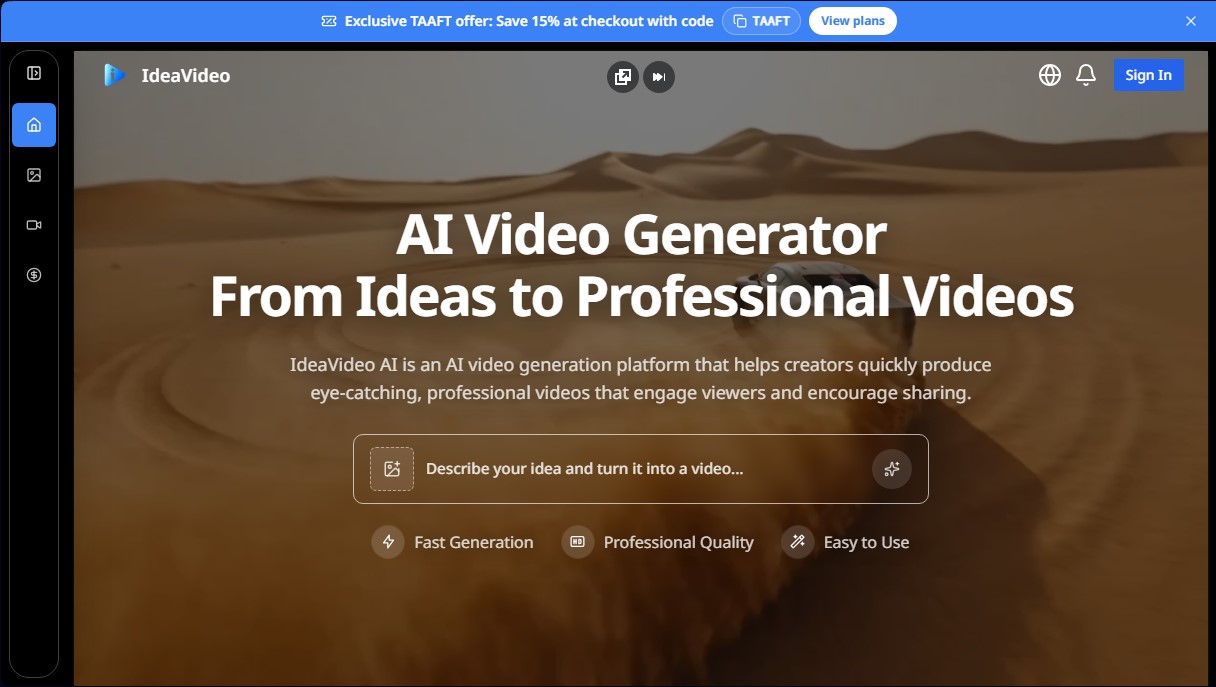
IdeaVideo AI Video Generator Screenshots
IdeaVideo AI Video Generator alternatives

VideoWeb Video Generator
Generate professional AI videos from text or images. Features realistic avatars, automated scripts, and optimized formats for marketing and social media.

Motion Transfer AI Video Generator
Animate character photos using reference videos. Precisely transfer gestures, dances, and body movements from a clip to an image for realistic results.

AlreadyRan
AlreadyRan brings dozens of AI image, video and audio models into one web studio with a single credit balance and the cost shown before every generation.


Vidverse AI
Vidverse AI brings several AI video, image and voice models into one web and mobile app, so you can turn text or photos into clips, images and voiceovers.