
Share
Turn images into videos with realistic AI motion. Get three free daily creations with no watermarks and no credit card required.
What is ImageToVideo AI.tools?
ImageToVideo AI.tools is a platform specializing in audiovisual content generation that transforms static images into video clips using generative artificial intelligence. This tool is designed for content creators, marketing managers, and designers to automatically bring photos, illustrations, characters, or product images to life. The system requires no prior editing knowledge, as it processes the visual information from the original image to create sequences with natural movement and aesthetic consistency.
The workflow of ImageToVideo AI.tools is based on an intuitive three-step process. First, the user uploads an image file (JPEG, PNG, or WebP). Second, they define how the elements in the scene or the camera should move using a motion prompt. Finally, a specific AI model is selected to process the animation. The tool allows for adjusting technical parameters such as aspect ratio (16:9), resolution, and clip duration, making it easy to create content tailored for both computer screens and vertical-format devices.
The technology behind this application stands out by integrating various AI video models with specialized capabilities:
- Wan 3.0 and Seedance 2.5: Focused on precise motion control and visual consistency between frames.
- MiniMax H3: Optimized for high-fidelity results and fluid transitions.
- Gemini Omni Flash and Video Fast 1.0: Models geared toward rapid clip generation without long wait times.
One of the functional advantages of ImageToVideo AI.tools is the ability to direct animation via text. Instead of applying preset effects, users can describe complex actions, such as a cinematic camera pan, hair blowing in a portrait, or the flow of environmental elements in a landscape. Results are generated without watermarks, allowing for professional evaluation of the content and direct use in final projects.
Key practical benefits and use cases include:
- Portrait Animation: Generating subtle gestures and natural expressions for avatars or profile photos.
- Product Marketing: Transforming static catalog photos into dynamic ads for social media.
- Creative Restoration: Adding movement to old photos for documentary or personal projects.
- Visual Prototyping: Rapid experimentation with artistic concepts before moving into a more costly production phase.
ImageToVideo AI.tools processes tasks in the cloud, eliminating the need for powerful hardware on a mobile device or desktop computer. By utilizing long-tail keywords related to AI video generation, the platform positions itself as a versatile solution for those who need to convert images to video with a high degree of control over the final result. Its practical approach ensures that every generated video maintains the visual identity of the original file while adding a layer of professional dynamism.
ImageToVideo AI.tools features and use cases
How to use ImageToVideo AI.tools
ImageToVideo AI.tools FAQ
Is ImageToVideo AI.tools free to use?
Yes, the tool allows you to generate three free videos daily after signing in, with no credit card required.
Do videos created with ImageToVideo AI.tools have watermarks?
No, free generations are delivered without visible watermarks so you can evaluate and use the results with total clarity.
How do I convert an image into a video using this tool?
Simply upload your image, write a description of how you want the subject or camera to move, and select your preferred AI model.
What types of images can I animate on the platform?
You can transform portraits, product photos, artwork, landscapes, and even old photographs into video clips with natural movement.
Do I need to write text prompts to generate a video?
Yes, we recommend using a text prompt to guide the camera movement, environmental effects, and animation pacing for the base image.
Which AI models are available on ImageToVideo AI.tools?
The platform provides access to several advanced models such as Wan 3.0, MiniMax H3, and Seedance 2.5, each with specific strengths in animation and visual consistency.
Can I use the generated videos for commercial purposes?
Yes, you can use your creations for personal or commercial projects, provided you comply with the terms of service and each model's specific policies.
What image formats does the uploader support?
To start your project, you can upload JPEG, PNG, or WebP files with a maximum size of 10 MB.
How long does it take to generate a video?
Processing times vary based on the complexity of the scene and the selected model, but you can track the progress in real-time before downloading the final file.
ImageToVideo AI.tools pricing and plans
Free
$0 per month.
- 3 daily Video Fast 1.0 generations (Google login required).
- Welcome credits upon sign-up for use on select models.
- 1 concurrent generation.
- Shared generation queue.
- Watermark-free video downloads.
- Restrictions: 7-day history limit, no 4K image generation, no 1080p/4K videos, and no commercial license.
Lite
$14.99 per month ($9.99/mo billed annually).
- 3,000 credits per month (up to 300 images or 60 videos).
- Unlimited free generations on specific models.
- 2 concurrent generations.
- Standard generation queue.
- Commercial use license and no watermarks.
- Access to all image and video models.
- Full generation history while the subscription is active.
Pro
$29.99 per month ($24.99/mo billed annually).
- 10,000 credits per month (up to 1,000 images or 200 videos).
- Unlimited free generations.
- 4 concurrent generations.
- Faster generation queue and priority processing.
- Includes "Reference to video" feature.
- Commercial use license and no watermarks.
- Access to all image and video models.
Ultra
$99.99 per month ($64.99/mo billed annually).
- 25,000 credits per month (up to 2,500 images or 500 videos).
- Unlimited generations on select models (GPT Image 2, FLUX 2 Klein, Video Fast 1.0, etc.).
- 8 concurrent generations.
- The fastest generation queue available.
- Priority support.
- Commercial use license and no watermarks.
- Access to all image and video models.
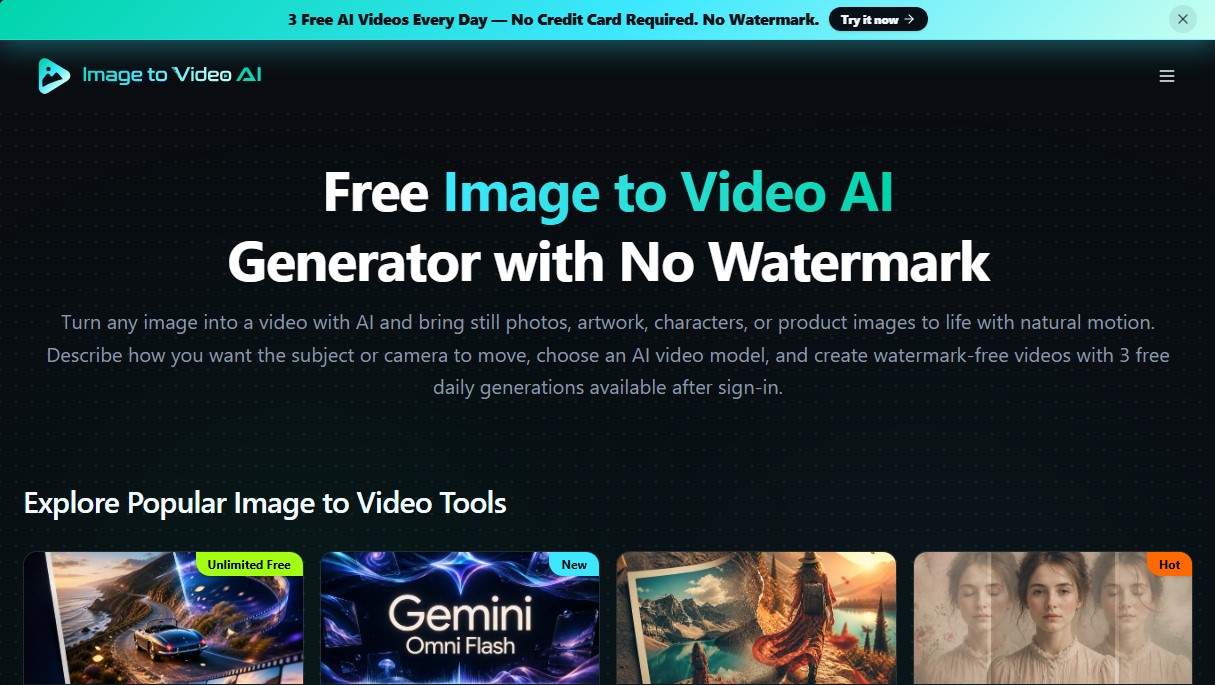
ImageToVideo AI.tools Screenshots
ImageToVideo AI.tools alternatives


Osmo Studio
AI animation studio for professional motion graphics and videos. Control every detail, collaborate with teams, and export with transparent backgrounds.

Victoria Secret Runway
Create fashion show videos by integrating your face into real scenes. Just upload a photo to replace professional models and walk the runway.


BurningBridgesAI.app
Turn a photo into Drake’s viral dance. AI automatically recreates the choreography and gestures so you can star in the trend without recording a thing.

VideoWeb Video Generator
Generate professional AI videos from text or images. Features realistic avatars, automated scripts, and optimized formats for marketing and social media.