ImageToVideoAI.net
Share
ImageToVideoAI.net
Transform images into cinematic AI videos. Animate old photos, landscapes, and portraits in seconds using advanced models with no watermarks.
General Information about ImageToVideoAI.net
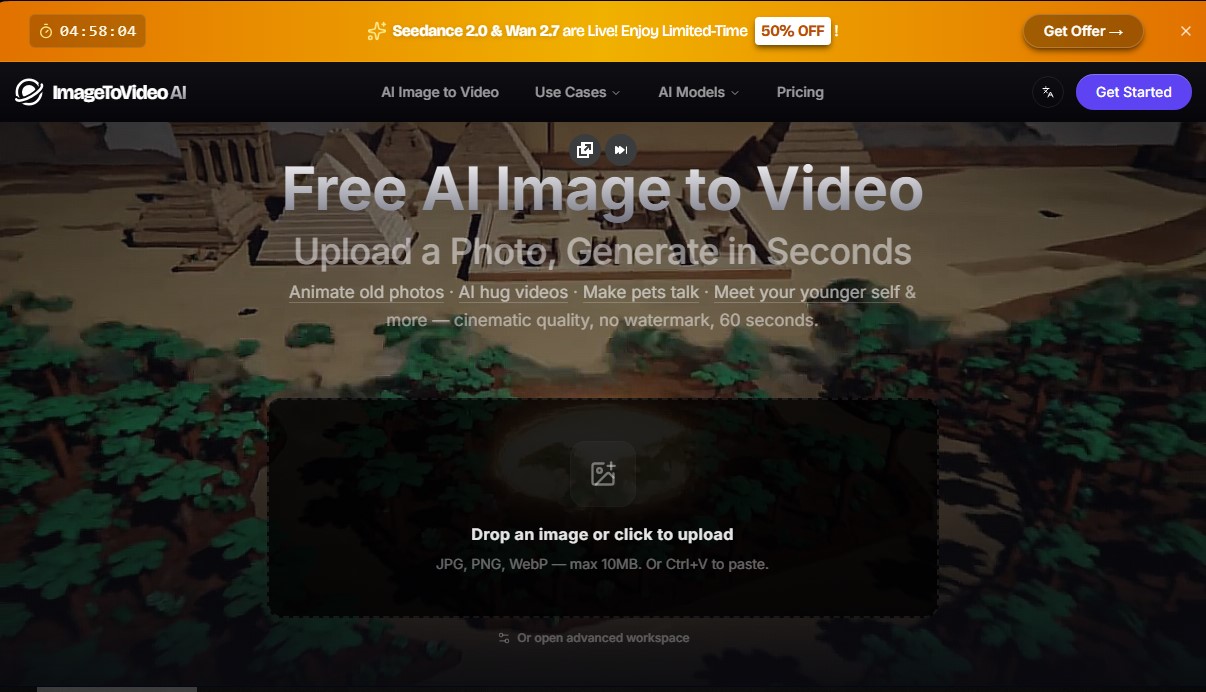
ImageToVideoAI.net is an advanced AI video generation platform designed to transform static images into high-quality cinematic clips. This tool allows users to convert JPG, PNG, or WebP photos into smooth animations up to 60 seconds long without requiring any technical knowledge in editing or post-production. Its primary function is to breathe life into portraits, landscapes, and old photos using deep learning algorithms that interpret visual content to add natural and coherent movement.
The architecture of ImageToVideoAI stands out by integrating more than 13 market-leading AI models under a single unified interface. Users can switch between cutting-edge engines such as Kling AI, Runway, Google Veo, Hailuo, Wan, Seedance, and Grok Imagine. This multi-model approach allows you to select the technology that best fits each specific project, whether you are looking for extreme hyperrealism, precise camera path control, or complex atmospheric effects like dust particles or dynamic lighting.
The system's operation is straightforward and efficient: the user uploads an image and, through a prompt or simple natural language description, specifies the desired action. The platform processes the request in the cloud in an estimated 30 to 90 seconds, allowing for the download of high-definition (1080p) videos. One of the competitive advantages of this AI video tool is that it delivers results without watermarks, ensuring a professional finish from the very beginning.
Key capabilities and use cases for ImageToVideoAI include:
- Animate old photos: Bring family memories back to life by adding realistic gestures, blinks, and subtle movements to portraits of ancestors.
- AI hug videos: Allows you to merge two separate photographs to create a scene of affectionate interaction between people.
- Cinematic landscapes: Transform static photos of nature or architecture into clips with drone-style camera movements or lighting timelapses.
- Social media content: Generate talking pets, e-commerce product animations, and convert anime art into live-action clips.
This image-to-video generator is a versatile solution for content creators, marketing specialists, and individual users. As a browser-based application, it works seamlessly on any computer, tablet, or mobile device, removing the barrier to entry typically posed by heavy software. The platform ensures the visual consistency of the original subject while applying advanced textures and movement physics, making it one of the most comprehensive options for synthetic content creation today.
Features and Use Cases of ImageToVideoAI.net
How ImageToVideoAI.net Works
Frequently Asked Questions about ImageToVideoAI.net
Does ImageToVideoAI.net offer a free option for users?
Yes, you get ten free daily credits to try the tool without needing to enter any credit card information.
Which AI models are integrated into the ImageToVideoAI platform?
Our tool provides access to over thirteen industry-leading models, including Kling, Runway, Google Veo, Hailuo, Wan, and Seedance, all from a single interface.
Can I use the generated videos for commercial purposes?
Users on paid plans receive a full commercial use license to use their creations in advertising, social media, or client projects.
Is it possible to animate old family photos with ImageToVideoAI.net?
Absolutely. You can upload old photographs, and the AI will add natural expressions and cinematic movement to bring them back to life.
Do the downloaded videos include a watermark?
Videos generated through paid plans or pay-as-you-go options are downloaded in high definition and are completely watermark-free.
How long does it take ImageToVideoAI to generate a video from an image?
The generation process typically takes between 30 and 90 seconds, depending on the selected model and the complexity of the animation.
Do I need to install any special software on my computer to use the service?
No installation is necessary, as the platform works directly in any web browser on computers, tablets, and mobile devices.
How can I create a video of two people hugging from photos?
Simply upload the photos of the people and select the specific "hug" scenario; the AI will then merge both images into one realistic scene.
ImageToVideoAI.net Pricing
Free
0 $ per month
- 10 daily login credits.
- Access to free-tier models (Grok, Hailuo, Runway).
- 1 concurrent generation.
- Videos include watermarks.
- Credits expire after 3 days.
Starter
29,9 $ per month (23,9 $ per month billed annually)
- 2,000 monthly credits.
- Up to 2 concurrent generations.
- Access to 13+ video models.
- No watermarks.
- Automatic refunds for failed tasks.
- Full history and parameter tracking.
- Email support (≤24h response time).
- Commercial use license.
Pro
69,9 $ per month (55,9 $ per month billed annually)
- 6,000 monthly credits.
- Up to 4 concurrent generations.
- Access to 13+ video models.
- No watermarks.
- Advanced parameters where available (batch image generation, multi-image upload, seed).
- Priority email support (≤12h response time).
- Early access to new features.
- Commercial use license.
Pay As You Go
49,9 $ (one-time payment)
- 2,500 credits with no expiration.
- Access to 13+ video models.
- Automatic refunds for failed tasks.
- No watermarks.
- Full history and parameter tracking.
- Email support (≤24h response time).
- Commercial use license.
ImageToVideoAI.net Screenshots