ImagineVid
Share
ImagineVid
Generate videos with audio and music from text or images. Features camera control, multiple resolutions, and automated sounds to create viral content.
General Information about ImagineVid
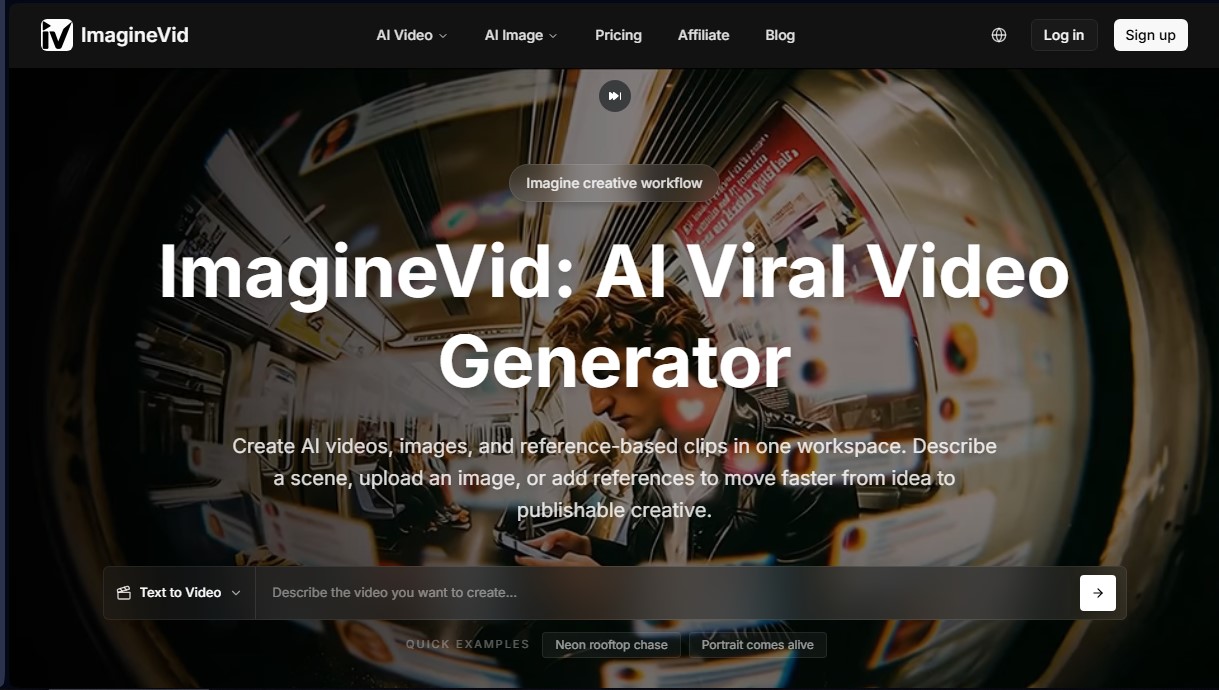
ImagineVid is an AI video generator designed to automatically transform text descriptions, images, and visual references into high-quality clips. Unlike other tools on the market that produce silent visual content, this platform stands out for its ability to integrate automatically synchronized audio, including sound effects, background music, and ambient noise that consistently match the generated scene. The tool operates entirely within the browser, providing a centralized workspace where users can go from an initial idea to a publish-ready file in minutes.
ImagineVid’s technology is powered by advanced AI models such as Seedance 2.0, Grok Imagine, Happy Horse, and Nano Banana 2, enabling seamless text-to-video and image-to-video workflows. The system interprets natural language prompts to generate realistic motion or specific artistic styles while maintaining visual consistency. Additionally, its generation engine supports the use of external references to speed up creative content production and ensure the final result aligns with the user's vision.
Key capabilities and technical features include:
- Integrated Audio Generation: Each clip includes AI-generated ambient sounds and music that complement the visual action, eliminating the need for post-production audio editing.
- Image Animation: Allows you to upload static photos or illustrations to convert them into dynamic videos with fluid, realistic movement.
- Advanced Camera Control: Users can adjust movement dynamics, choose between fixed or dynamic camera settings, and modify frame rates for a professional finish.
- Multiple Resolutions and Formats: Supports qualities ranging from 480p to 1080p, with aspect ratio options tailored for various platforms, such as 16:9, 9:16, and 1:1.
- Creative Content Mode: Offers advanced generation settings that provide greater visual freedom and control over a wide range of artistic styles.
ImagineVid is an ideal solution for content creators, marketing managers, and designers who need to quickly produce viral videos, advertisements, presentations, or social media stories. Thanks to its optimized processing, the tool delivers high-fidelity results without requiring a high-performance computer, making it easy to create impactful visual content using long-tail keywords and detailed descriptions. Its functional approach makes it a versatile tool for experimenting with new visual narratives and AI-assisted workflows.
Features and Use Cases of ImagineVid
How ImagineVid Works
Frequently Asked Questions about ImagineVid
What is ImagineVid and what are its main features?
It is an advanced AI generator that allows you to create videos with integrated audio from text descriptions, images, or visual references.
Is there a free version available to try ImagineVid?
No, the tool requires a paid subscription or the purchase of credit packs to be used, as we do not offer a free plan.
How does audio generation work in ImagineVid videos?
The platform automatically creates background music, sound effects, and ambient sounds that sync with the visual action without the need for manual editing.
Can I turn my own photos into clips with ImagineVid?
Yes, you can upload any image or photograph and the AI will add realistic movement and appropriate sounds to transform it into a dynamic video.
What resolution and aspect ratio options can I choose?
It allows you to generate content in qualities ranging from 480p to 1080p and adjust the aspect ratio to 16:9, 9:16, or 1:1 formats.
Do I have commercial use rights for my ImagineVid creations?
Yes, users own their videos, and the Standard and Premium plans include a commercial license for professional or advertising projects.
What do the advanced camera controls allow me to configure?
These settings allow you to fine-tune movement dynamics, choose between static or dynamic cameras, and modify the frame rate for a cinematic finish.
How long does it take the tool to generate a full video?
Thanks to optimized processing, clips are usually ready in just a few minutes, facilitating a fast workflow for content creators.
What is ImagineVid’s Creative Content mode?
It is an advanced setting that provides greater visual freedom and control over various artistic styles while always ensuring responsible content generation.
Can I use ImagineVid to create social media content?
Yes, the tool is ideal for generating viral posts, ads, and presentations thanks to its ability to create polished, ready-to-share clips.
ImagineVid Pricing
Basic
Price: $29.99/mo (or $15.99/mo billed annually).
- 2,500 credits.
- No watermark.
- 30-day storage.
- Email support.
Standard
Price: $59.99/mo (or $34.99/mo billed annually).
- 6,000 credits.
- No watermark.
- Access to advanced features.
- 365-day storage.
- Community support and priority email support.
- Commercial license included.
Premium
Price: $99.99/mo (or $59.99/mo billed annually).
- 10,000 credits.
- No watermark.
- Access to advanced features.
- Permanent storage.
- Community support and priority email support.
- Commercial license included.
Basic Credit Pack
Price: $99.99 (one-time payment).
- 8,000 credits.
- No watermark.
- 30-day storage.
- Email support.
Standard Credit Pack
Price: $199.99 (one-time payment).
- 30,000 credits.
- No watermark.
- Access to advanced features.
- 365-day storage.
- Community support and priority email support.
- Commercial license included.
Premium Credit Pack
Price: $499.99 (one-time payment).
- 70,000 credits.
- No watermark.
- Access to advanced features.
- Permanent storage.
- Community support and priority email support.
- Commercial license included.
ImagineVid Screenshots