

Share
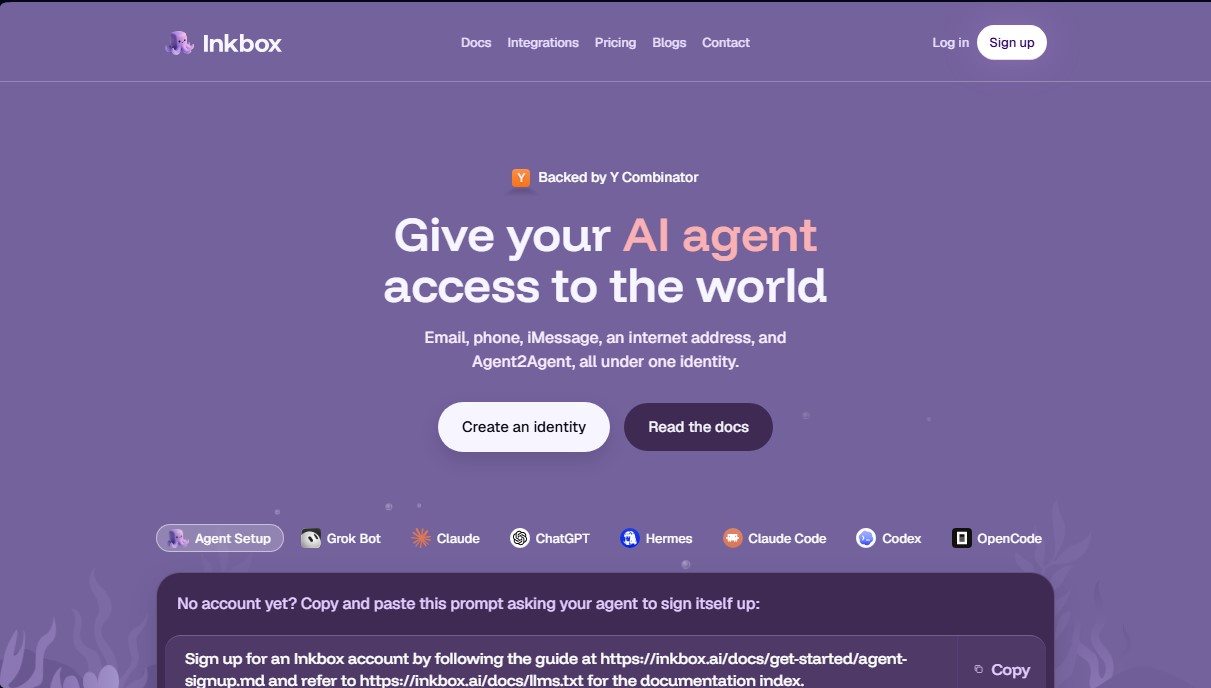
Provide AI agents with identity via email, phone, and iMessage. Enable direct communication with people and agent collaboration across various channels.
What is Inkbox?
Inkbox is an infrastructure platform designed to equip AI agents with a complete and functional digital identity in the real world. Unlike language models that operate solely within closed chat interfaces, this tool allows an AI agent to have its own email, phone number, iMessage access, and a unique web address. The primary goal is to transform autonomous agents into operational team members, capable of communicating through the same channels humans use.
The way Inkbox works centers on providing a technical identity that centralizes multiple touchpoints. Using a Command Line Interface (CLI), an SDK, or specific plugins, developers can assign their models a professional email address, an internet tunnel to receive incoming traffic, and VoIP telephony capabilities. The platform's technology facilitates integration with various LLMs such as ChatGPT, Claude, Grok, or Hermes, allowing the agent to manage its own credentials and contacts securely without needing to change the environment where the code is running.
Among its most notable features, Inkbox offers critical functions for the operation of autonomous systems:
- Multi-channel memory: The agent maintains conversation context persistently. If a user starts an interaction via email and continues it through a text message on their mobile device, the AI recognizes the contact and links the communication history.
- Agent2Agent (A2A) communication: It enables different agents to contact each other directly to delegate tasks, transfer work, or return results without a human having to act as an intermediary at every step.
- Persistent and accessible identity: It provides a direct endpoint for external applications and services to contact the AI, plus a mailbox with IMAP/SMTP access for use from any conventional email application on a computer.
- Messaging and voice management: The ability to make and receive high-definition voice calls, as well as manage SMS and iMessage natively.
This solution is essential for developers looking to implement productive and automated workflows. By providing an external connectivity layer, Inkbox solves AI isolation, allowing it to perform follow-ups, answer customer inquiries, or proactively collaborate with other software systems. It is a key tool for turning language models into autonomous agents fully integrated into standard business and communication processes.
Inkbox features and use cases
How to use Inkbox
Inkbox FAQ
What is Inkbox, and what features does it provide for my AI agents?
Inkbox provides a complete digital identity for your agents, giving them access to email, phone numbers, iMessage, and a web address to communicate autonomously.
Can I use my own email domain with Inkbox?
Yes, paid plans allow you to set up custom domains so your agents can send and receive messages from your own corporate address.
How many agent identities can I create with the Inkbox free plan?
The free plan allows you to create up to three agent identities. Each one includes its own inbox, a public URL, and access to the inter-agent communication channel.
Can Inkbox agents communicate with each other without human intervention?
Yes, through the Agent2Agent feature, agents can contact each other directly to delegate tasks, collaborate, and share results independently.
Can I connect my agent's inbox to a standard email application?
Absolutely. All plans include IMAP and SMTP access, allowing you to manage your agent's email from any compatible desktop client or mobile device.
What happens if my agent reaches its inbox storage limit in Inkbox?
The system will continue to accept incoming emails, but the agent will be unable to send new ones until space is cleared by deleting messages or the subscription plan is upgraded.
How does Inkbox handle the conversation if a user switches from phone to email?
The tool maintains cross-channel memory that links different communication channels, ensuring the agent recognizes the person and maintains the context of the conversation at all times.
What are the limitations of using iMessage for agents in Inkbox?
On basic plans, users must initiate the conversation first, and there is a monthly limit on unique recipients that varies depending on your chosen subscription level.
Does Inkbox support voice calls and SMS?
Yes, Developer and Enterprise plans allow you to assign dedicated phone numbers to make and receive voice calls, as well as send SMS and MMS messages.
How can I register an agent in Inkbox if I don't have a user account yet?
You can copy and paste a specific command into your AI agent so it can complete the registration process itself, following the platform's official documentation.
Inkbox pricing and plans
Free
$0 per month
To explore Inkbox.
3 agent identities, each with an email inbox, public URL, Agent2Agent channel, and shared iMessage access with calling.
1 GiB of email storage per mailbox.
Access to contacts, credential vault, and IMAP/SMTP client.
iMessage limit: up to 2,000 messages per month and 3 concurrent unique recipients (recipients must initiate the conversation).
Developer
$30 per month
For developers with agents in production.
10 agent identities with the core features of the Free plan.
2 GiB of email storage per mailbox.
1 dedicated VoIP phone number (HD calling and SMS/MMS; no iMessage/RCS).
Includes 300 SMS/MMS and 30 calling minutes per month per number (US & Canada).
10 custom email domains and removal of email watermarking.
Shared iMessage limit: up to 10,000 messages per month and 10 unique recipients (recipients must initiate the conversation).
Startup
$200 per month
For companies with agent fleets.
100 agent identities with core features.
3 GiB of email storage per mailbox.
9 dedicated VoIP phone numbers and 1 dedicated iMessage phone number (supports iMessage, RCS, SMS, MMS, and calling).
Includes 300 SMS/MMS and 30 calling minutes per month per number (US & Canada).
100 custom email domains.
iMessage limit: up to 100,000 messages per month (dedicated numbers do not require the recipient to initiate the conversation).
Enterprise
Contact us for pricing on the official website
For teams with custom requirements and high volume.
Expanded API limits and increased agent identity count.
Email storage exceeding 3 GiB with customizable limits.
VoIP phone numbers, SMS, and international calling.
Dedicated iMessage infrastructure.
Specialized support and personalized onboarding assistance.
Inkbox Screenshots
Inkbox alternatives
PortuguesePal
Practice Brazilian or European Portuguese with an AI tutor. Improve your fluency and pronunciation with real conversations and instant corrections.




rabbit OS3
Agentic OS that automates tasks and manages files, connecting your computers with AI models to run workflows using natural language.

Agentkit: AI Automations
Automate customer support on Instagram, WhatsApp, and the web with AI agents trained on your content to answer questions and capture leads 24/7.