InstaMAT
Share
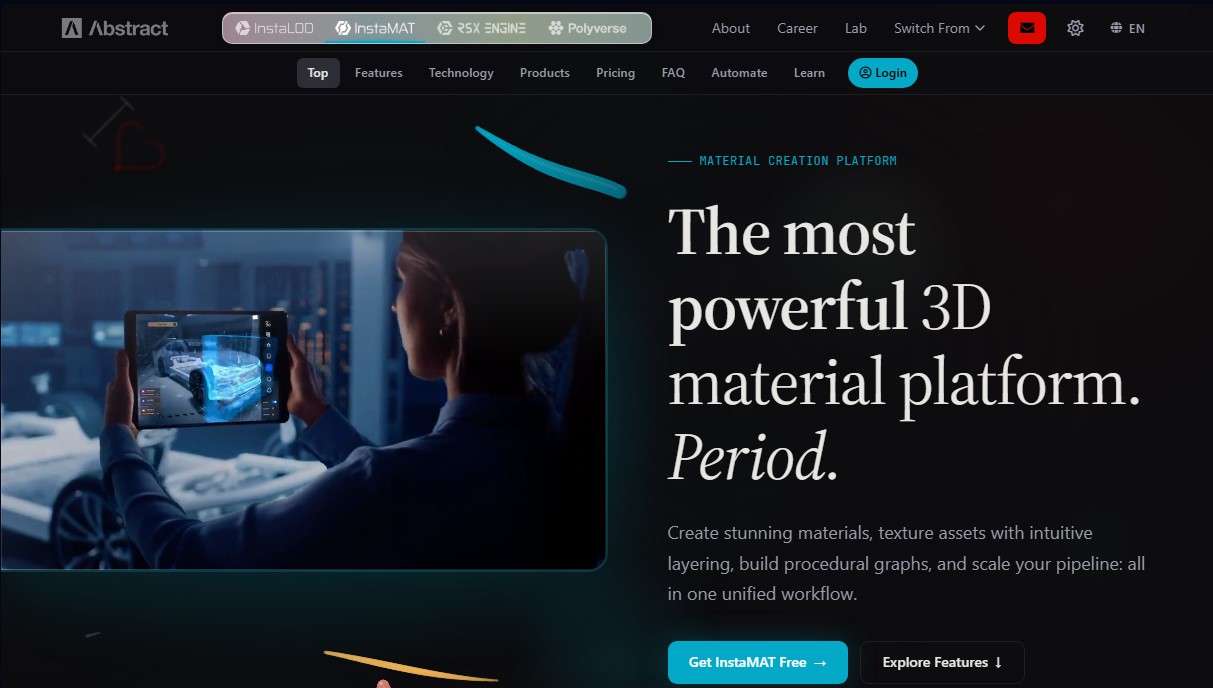
Platform to create 3D materials and texture assets with procedural workflows. Design, paint, and automate production at scale using nodes and AI.
What is InstaMAT?
InstaMAT is a comprehensive platform designed for 3D material creation and advanced asset texturing through unified workflows. This tool allows artists and developers to generate high-quality materials, texture models using an intuitive layering system, and build scalable procedural graphs. It is a solution tailored for professionals in game development, visual effects (VFX), and architectural visualization looking to optimize production from the concept phase to final deployment on PC or mobile devices.
InstaMAT's technology is built on a powerful procedural node engine and advanced artificial intelligence capabilities. Through the Element Graph, users can design generative materials and complex asset pipelines without the need for manual programming. The integration of neural networks facilitates AI image decomposition, transforming a simple photograph into a complete PBR (Physically Based Rendering) material that includes base color, normal, height, and ambient occlusion maps. Additionally, it incorporates AI super-resolution and style transfer features to automatically enhance visual content fidelity.
The texturing and painting workflow is entirely non-destructive. InstaMAT Studio allows users to work with a layering system where any change to the asset's geometry is instantly reflected without losing texturing progress. Key functional capabilities include:
- 3D and 2D painting with deep support for UDIMs and multiple materials per project.
- An extensive library of over 1,000 materials and specialized nodes for geometry scattering and procedural modeling.
- The use of Smart Prefab Layer Materials to package and reuse complete layer configurations across different assets.
- A high-performance GPU baking system for rapidly generating curvature, normal, and position maps.
For large-scale production environments, the tool offers InstaMAT Pipeline, which enables automation through command-line execution and integration into CI/CD systems. This facilitates the batch processing of entire asset categories, applying generative variations and optimizations at scale. The availability of a C++ SDK allows for deep integration into proprietary workflows, ensuring the tool adapts to the most demanding technical requirements.
InstaMAT eliminates repetitive tasks by unifying material design and data pipeline management within a single ecosystem. Its ability to render at resolutions up to 16k and its compatibility with industry standards ensure professional results, allowing teams to focus on creativity while the tool handles the technical complexity of procedural texturing.
InstaMAT features and use cases
How to use InstaMAT
InstaMAT FAQ
What is InstaMAT and what are its core capabilities?
It is a comprehensive 3D material creation platform that allows you to design textures using layers, node-based workflows, and digital painting tools.
Can I use InstaMAT for free in my projects?
Yes, the Pioneer license offers free and unrestricted access for individuals or companies with annual revenue or funding under one hundred thousand dollars.
What is the maximum resolution supported for materials created with InstaMAT?
The tool allows you to render materials and assets at resolutions up to 16K to ensure the highest quality for your projects.
Does InstaMAT allow you to convert a simple photograph into a full PBR material?
Yes, using AI-powered features, the platform can decompose a static image into color, normal, height, and ambient occlusion maps.
Is it possible to automate asset processing at scale?
InstaMAT Pipeline enables command-line execution and integration with CI/CD systems to automate workflows and process large volumes of data.
What is the difference between the layer workflow and the node workflow in InstaMAT Studio?
The layering system offers intuitive, non-destructive texturing focused on creativity, while the node editor allows for the creation of procedural materials and complex geometries.
Does InstaMAT support UDIMs for complex models?
Yes, it features deep support for UDIM tiles, allowing you to visualize and configure resolutions individually for each tile within a single project.
How can I get technical support if I have a paid subscription?
Users with active subscriptions can request direct support from engineers through the license management section of their user account.
Is attribution required when using the free InstaMAT license?
Yes, the Pioneer license requires proper attribution to be given to the tool whenever the created content is shared, published, or distributed.
What AI tools does the platform include to improve image quality?
It includes neural super-resolution features that increase both the size and fidelity of content, as well as image synthesis for generating infinite variations.
InstaMAT pricing and plans
Pioneer License - Free
Full, unrestricted access to InstaMAT Studio.
Includes integrations for tools and game engines.
Compatible with Windows, macOS, and Linux.
Commercial use rights included.
Limit: Available only to individuals or companies with annual revenue or funding under $100,000.
Restriction: Requires mandatory tool attribution in projects.
Indie - Visit official website
Plan designed for users with annual revenue under $250,000.
For exact pricing and specific details, please visit the official website.
Game Developers - Visit official website
Scalable plan for game development studios, from indies to AAA productions.
For pricing and detailed features, please visit the official website.
Industry - Visit official website
Plan tailored for industrial professionals with full platform capabilities.
For pricing and detailed features, please visit the official website.
Enterprise - Visit official website
Site-wide licensing and advanced automation features.
Includes priority technical support and custom integration options.
For pricing and contract details, please visit the official website.
InstaMAT Screenshots
InstaMAT alternatives


ImageToSTL.org
Convert JPG and PNG images into STL files for 3D printing using AI. Generate detailed 3D models ready for instant download.

Image to 3D
Convert 2D images and sketches into textured 3D models using AI. Export in GLB, STL, or USDZ for video games, 3D printing, and augmented reality.