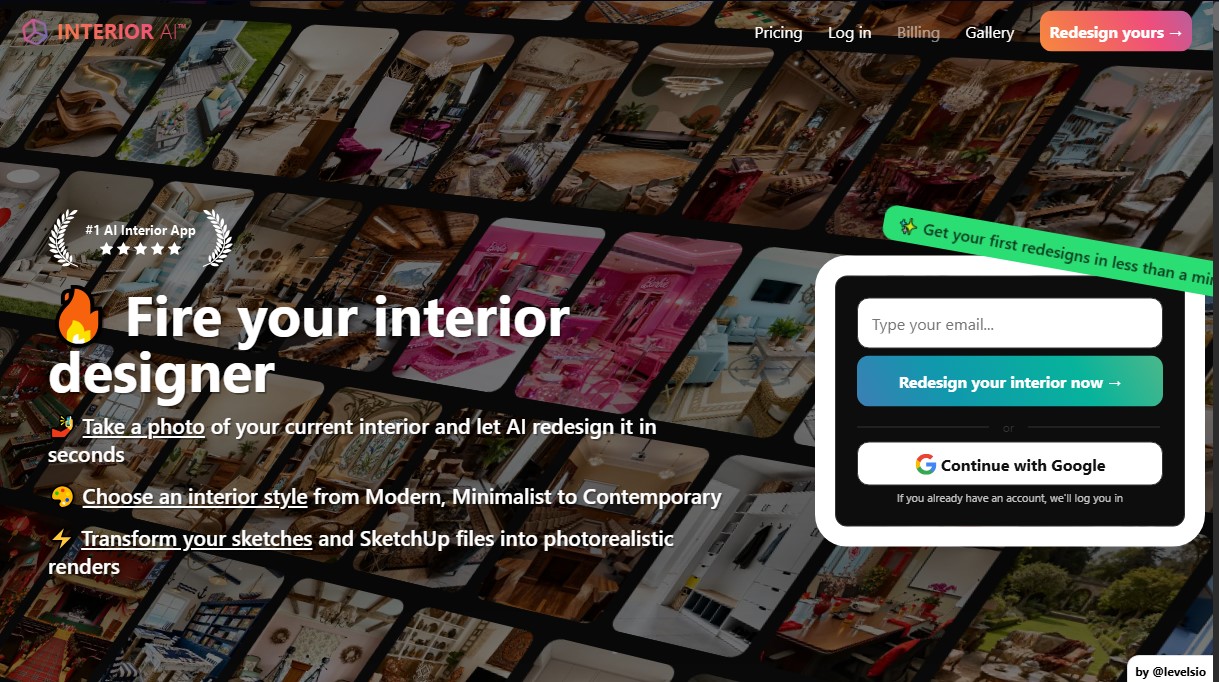
Interior AI
Share
Interior AI
Redesign interiors and exteriors from photos or sketches. Generate photorealistic renders, furnish empty spaces, and create 3D virtual tours instantly.
General Information about Interior AI
The Multiverse AI is an advanced AI interior design solution that instantly transforms physical spaces into photorealistic renders. This tool is designed for homeowners, decorators, and real estate agents to visualize complete renovations simply by uploading a photo from their computer or mobile device. Its primary function is to automate the interior design process, delivering professional results in seconds through the use of high-resolution image generation algorithms.
The platform's operation is based on cutting-edge AI models, such as the World Labs world model and Stable Video Diffusion. These technologies allow for more than just static images; they also create immersive 3D environments and flythrough videos to experience the space with a true sense of proportion and depth. Unlike other systems, this AI can recognize complex textures, reflections, and depth details, maintaining the structural integrity of the original room if the user chooses.
Among the most notable capabilities of The Multiverse AI are:
- Virtual Staging AI: Digitally furnish empty homes—a key feature for the real estate sector that helps improve listing presentations and accelerate property sales.
- Sketch2Image™: Transforms quick hand-drawn sketches or SketchUp screenshots into high-quality photorealistic renders, making it easier to communicate technical ideas to clients.
- Exterior Redesign: Includes a specific mode for planning gardens and outdoor spaces, coherently adding vegetation, flowers, and outdoor decorative elements.
- Flexible Editing Modes: Users can choose between maintaining the current structure with 3D Vision mode or using Freestyle mode to generate designs from scratch without a reference photo.
The tool features over 50 design styles, including options like modern, minimalist, or contemporary, and supports more than 30 different room types. Thanks to its functional approach, the generated furniture resembles real-world pieces, providing superior practical value compared to purely creative tools. It is an efficient option for optimizing workflows in architecture and real estate sales, allowing for multiple simultaneous renders with high precision in lighting and material realism. As a cloud-based tool, it requires no powerful hardware, allowing any user to obtain high-quality images in about 25 seconds.
Features and Use Cases of Interior AI
How Interior AI Works
Frequently Asked Questions about Interior AI
What is Interior AI, and how can it help me redesign my home?
It is an AI-powered tool that allows you to upload photos of your current rooms and transform them in seconds by applying over fifty different design styles.
How long does it take for Interior AI to generate a design proposal?
The system is incredibly fast, typically taking about twenty-five seconds to process the image and provide you with a high-quality, photorealistic render.
Can I use Interior AI to furnish a completely empty home?
Yes. The Virtual Staging feature allows you to fill empty spaces with real furniture while always preserving the room's original structure and construction.
Is it possible to convert hand-drawn sketches with Interior AI?
The Sketch2Image feature allows you to transform basic drawings or SketchUp files into realistic images so you can better visualize the final project.
What happens to the privacy of the photos I upload to Interior AI?
Your images and generated designs are private and secure; they are not used to train external models, and only you have access to them.
Can I view Interior AI designs in 3D?
The platform allows you to convert your designs into immersive 3D environments and create virtual walkthrough videos to explore every room from any angle.
Why doesn’t Interior AI offer refunds on subscriptions?
Refunds are not available due to the high GPU processing costs required to generate the images—a policy that users accept when signing up for the service.
What file types can I upload to the Interior AI platform?
You can use JPG, PNG, WebP, and AVIF files. However, if you have photos in HEIC format, you will need to convert them to JPG first.
What sets Interior AI apart from other automated interior design tools?
This tool offers an extreme level of detail and uses real furniture designs, avoiding the distortions and imaginary elements often found in competing products.
Can I design outdoor spaces with Interior AI?
Yes, the platform includes an exterior design mode that lets you redesign gardens and patios by adding plants, trees, and other outdoor decorative elements.
Interior AI Pricing
Pro Plan
Price: 49 $ per month (or 29 $ per month billed annually at 349 $).
- Limit: 1,000 interior designs per month.
- Flux™ Model.
- Low-quality renders.
- Realistic interiors.
- Generate up to 4 rooms in parallel.
- Ability to upload your own room interiors.
- Custom design prompt writing.
- Remix any interior style.
- Commercial use license.
Premium Plan
Price: 99 $ per month (or 49 $ per month billed annually at 599 $).
- Limit: 5,000 interior designs per month.
- Hyper Realism™ Model.
- Includes all Pro Plan features.
- Medium-quality renders.
- High-end lighting and realism.
- Generate up to 8 rooms in parallel.
- Design editing tools.
- Virtual Staging feature.
- Interior upscaling (Upscale).
- Wall painting and lighting adjustments.
- Option to add people and furniture.
- Google Lens integration.
- Walkthrough video generation.
- Immersive Virtual Reality (VR) walkthroughs.
Ultra Plan
Price: 199 $ per month (or 99 $ per month billed annually at 1,199 $).
- Limit: 25,000 interior designs per month.
- Hyper Realism™ Model.
- Includes all Premium Plan features.
- Ultra-quality renders.
- Photorealistic interiors.
- Generate up to 16 rooms in parallel.
- Unlimited render storage.
- Priority rendering speed.
- Dedicated rendering server.
Interior AI Screenshots