
Share
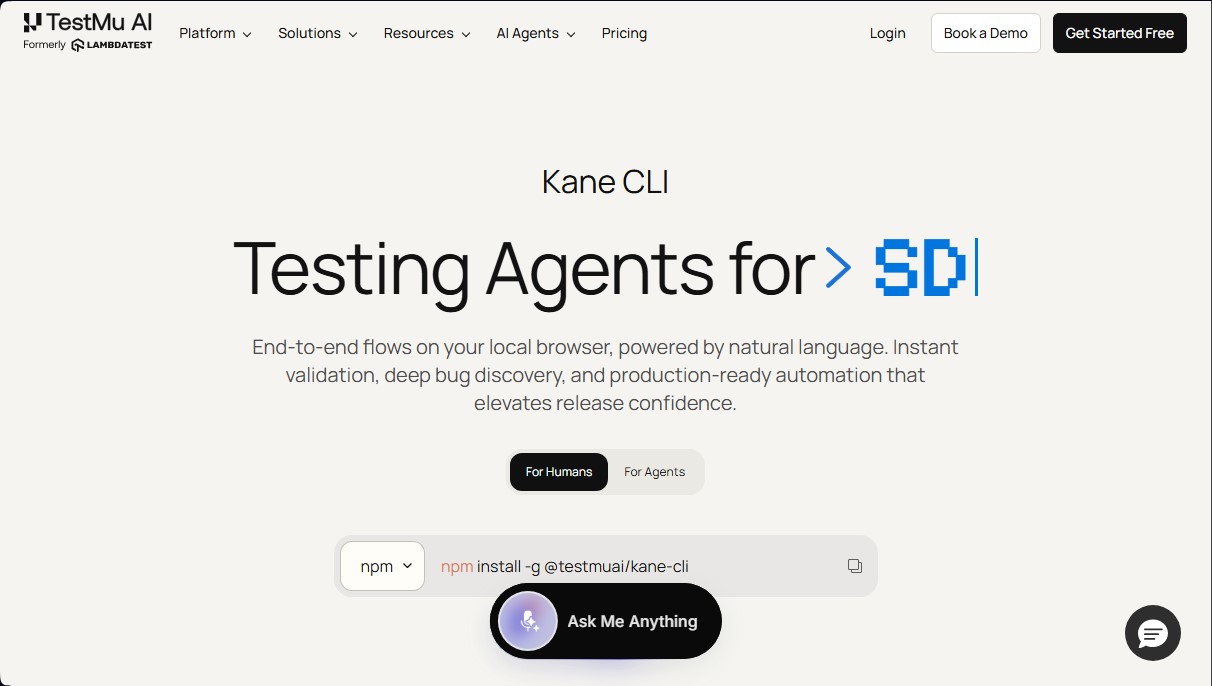
Automate browser tests and end-to-end flows with natural language. Validate errors and run terminal tasks without writing scripts.
What is Kane CLI By TestMu AI?
Kane CLI By TestMu AI is an AI-powered command-line interface designed specifically for test automation and the execution of web navigation flows. This tool allows users to manage end-to-end (E2E) flows in a local browser using natural language, eliminating the need to write complex scripts or maintain manual selectors that are prone to breaking. Its primary function is to transform simple English instructions into real, verifiable actions within a Chrome browser, facilitating rapid validation and deep bug discovery.
This solution is geared toward developers, QA engineers, and AI coding agents (such as Claude Code, Cursor, or Gemini). It is especially useful for teams that need to perform quick checks from the terminal before pushing changes to production or for integrating browser validations into their continuous integration (CI) workflows. As an agent-native tool, it allows programming AIs to interact directly with the web to ensure that generated code works correctly in the browser environment.
Kane CLI operates on a generative AI approach that interprets user intent. It does not require a domain-specific language (DSL); instead, it uses prompts to navigate, extract data, or validate elements. The technology enables test self-healing and features computer vision capabilities to identify UI components. Furthermore, it integrates seamlessly with the TestMu AI ecosystem (formerly LambdaTest), automatically syncing results, screenshots, and test evidence with a centralized dashboard for detailed tracking.
Key functional capabilities and benefits include:
- Intent-based automation: Create test flows by describing actions in plain language, drastically reducing authoring time.
- Multi-environment execution: Run the same flow against different URLs (such as development, staging, or production environments) with a single command.
- Display flexibility: Supports headless mode for fast CI execution and headed mode for direct debugging on your computer.
- Export to Playwright: The ability to generate native Playwright scripts from AI-created flows.
- Resilient testing: Thanks to auto-healing, tests are less sensitive to minor changes in the page's HTML code.
- Security and states: Management of parameterized and stateful flows to test complex scenarios that require persistent user sessions.
Kane CLI By TestMu AI optimizes the workflow by allowing critical processes, such as a shopping cart or user registration, to be validated in just two minutes from the console. By utilizing the Test.md framework, it provides a robust test structure that is easy for both humans and machines to read, improving the reliability of software releases.
Kane CLI By TestMu AI features and use cases
How to use Kane CLI By TestMu AI
Kane CLI By TestMu AI FAQ
What is Kane CLI?
Kane CLI is an AI-powered test automation tool that allows you to run flows in local browsers using natural language.
How can I install Kane CLI on my computer?
Installation is performed globally via the terminal using the specific npm command provided in the official documentation.
Do I need a TestMu AI account to use the tool?
Yes, an account is required to authenticate the tool and sync screenshots and test results with your dashboard.
How does Kane CLI differ from the KaneAI platform?
Kane CLI is the native companion for the terminal and CI environments, while KaneAI is the web-based platform for test management and authoring.
Can I use Kane CLI for free?
The tool offers a free plan that includes 200 monthly credits, allowing you to validate your workflows at no cost.
Can Kane CLI be integrated with AI agents like Claude or ChatGPT?
Absolutely. The tool is designed to be compatible with AI agents, allowing them to manage the browser and validate processes using simple instructions.
Does the tool allow for running tests in headless mode?
Yes, you can choose between headed mode for local debugging or headless mode for automated executions in CI systems.
What are the advantages of using natural language in Kane CLI?
It allows developers and QA teams to create complex tests without writing code, using simple phrases to describe browser actions.
Is it possible to export tests to other formats?
The tool supports native exports to Playwright, making it easy to integrate your created flows with other automation frameworks.
Does Kane CLI support different execution environments?
Yes, you can run the same test flow across different URLs, such as development or production environments, using a single terminal command.
Kane CLI By TestMu AI pricing and plans
Free Plan
$0 per month
200 monthly credits (reset every 30 days).
Local test creation via CLI.
Auto-heal and computer vision features.
View test cases in the UI.
Test Manager.
Starter Plan
$19 per month
2,000 monthly credits.
Introductory offer: 4,000 credits (+100% bonus) for the first 3 months.
Includes all test creation and management features from the Free plan.
Pro Plan
$99 per month
10,000 monthly credits.
Introductory offer: 15,000 credits (+50% bonus) for the first 3 months.
Includes all test creation and management features.
Enterprise Plan
Custom pricing (Contact Sales)
Unlimited credits or tailored to client needs.
Enterprise-grade security, privacy, and compliance.
Multi-user access (multiple seats).
Tailored solutions for large-scale use cases.
Kane CLI By TestMu AI Screenshots
Kane CLI By TestMu AI user reviews
Write a review
Checking your session...
Kane CLI By TestMu AI Reviews
Loading reviews...
Kane CLI By TestMu AI alternatives

LaunchProof
Audit websites across various browsers and devices to detect security, performance, or accessibility flaws, offering reports with solutions to fix them.

Sitelemetry
AI-powered web audit tool for security, SEO, accessibility, and AI visibility. Provides detailed evidence and technical remediation guides.

localscreenshot
localscreenshot is a screenshot API and MCP server for AI agents, returning clean captures of any web page on phone or desktop from 227 countries.


Confident AI
LLM evaluation platform to test AI workflows, measure quality metrics, and automate testing in the development cycle without relying on engineering.