

Share
Optimize video recordings by auto-generating titles, summaries, and chapters. Remove silences and filler words to extract action items and useful documents.
What is Loom AI Workflow?
Loom AI Workflow is an advanced asynchronous communication solution that integrates artificial intelligence into the Loom video recording platform. Its primary function is to optimize the creation of video messages, screen recordings, and tutorials by automating time-consuming post-production tasks. This tool allows users to record their computer screen and camera to immediately transform raw recordings into structured, professional information assets, without requiring technical editing skills.
Loom AI operates using natural language processing (NLP) algorithms and machine learning models that analyze audio transcripts and the video's visual context. Once a recording is finished, the AI processes the content to generate relevant metadata and improve the quality of the speech. This eliminates the need for manual editing, as the system can understand the hierarchy of the information presented and adapt it into various text formats.
The key features of this AI productivity tool include:
- Auto-generated titles and summaries: The system analyzes the speech to create descriptive headlines and precise summaries that facilitate a quick understanding of the video.
- Smart chapters: It automatically segments the recording into timestamped sections, allowing viewers to navigate directly to the key points they are interested in.
- Filler word and silence removal: It automatically detects and removes filler words (like "um" or "uh") and unnecessary pauses, resulting in a much smoother and more professional finish.
- Video-to-document transformation: It converts spoken content into meeting notes, detailed descriptions, or text messages ready to be sent through other channels.
- Workflow integration: It allows recordings to be transformed into actionable tasks or direct messages for management platforms like Jira or Linear, streamlining information transfer between departments.
Loom AI Workflow is especially useful for remote teams, developers, project managers, and customer support departments that need to share complex information clearly. By improving information retention and reducing creation effort, the tool makes communication more efficient, avoiding unnecessary meetings and ensuring messages are easy to consume. It is an ideal choice for those looking to optimize their workflow through the use of smart video and content automation.
Loom AI Workflow features and use cases
How to use Loom AI Workflow
Loom AI Workflow FAQ
What is Loom AI Workflow and what are its core features?
Loom AI is an advanced suite of features that uses artificial intelligence to automatically generate titles, summaries, and chapters for your video recordings.
How does Loom AI help improve the quality of my communication?
The tool optimizes your videos by automatically removing awkward silences and filler words like "um" or "uh."
How much do Loom AI features cost?
These features are primarily available on the Business + AI plan for approximately twenty-four dollars per user, per month.
Can I access Loom AI Workflow tools for free?
No, while the free Starter plan allows for basic recording, it does not include smart features like automatic summaries or filler word removal.
Can Loom AI turn my recordings into actionable tasks?
Yes, the platform can convert your video content into tasks or direct messages for project management tools like Jira or Linear.
What kind of documents can Loom AI create from a video?
The AI extracts context from the recording to create meeting notes, detailed descriptions, and structured text documents.
Do I need to manually edit my videos to add chapters with Loom AI?
No manual editing is required; the system automatically identifies key points and organizes your video into chapters.
How does Loom AI Workflow boost team productivity?
It saves time by eliminating the need to write manual summaries and makes it easier for viewers to grasp the most important information quickly and clearly.
Loom AI Workflow pricing and plans
Starter (Free)
- Price: Free.
- Up to 25 recordings per person.
- 5-minute limit per video.
- Basic transcriptions and features included.
- Does not include advanced Loom AI features (such as auto-titles or summaries).
Business
- Price: Approximately 18 US$ / user / month.
- Unlimited recordings and videos.
- Basic editing tools.
- Integrations and collaboration features.
- Advanced AI features not included.
Business + AI
- Price: Approximately 24 US$ / user / month.
- Includes all Business plan features.
- Loom AI features: auto-titles, summaries, and chapters.
- Removal of silences and filler words (“uh,” “um”).
- Automatically generate meeting notes and documents from video content.
- Turn recordings into tasks for tools like Jira or Linear.
Enterprise
- Price: Custom (contact sales).
- Includes all features from previous plans.
- Advanced admin and security controls.
- Enterprise-grade integrations and priority support.
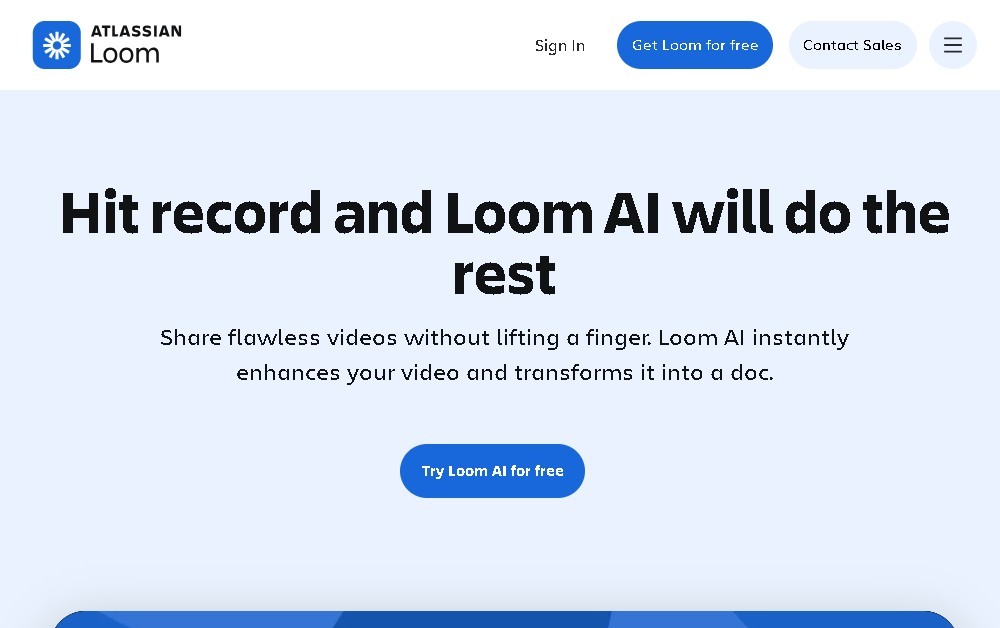
Loom AI Workflow Screenshots
Loom AI Workflow alternatives


OpenWhispr
OpenWhispr is open-source voice dictation for Mac, Windows and Linux: transcribe locally or in the cloud, type into any app and take meeting notes without a bot.


Bolt by Sparcle
Desktop assistant that automates tasks and manages data privately. Connect your tools and use AI models without exposing sensitive information.