Share
AI platform for the education sector that helps teachers create materials, plan lessons, and personalize learning securely.
What is MagicSchool?
MagicSchool is an artificial intelligence platform designed specifically for the K-12 educational environment. Its primary function is to assist educators in creating instructional materials, managing administrative tasks, and personalizing learning. This tool is geared toward teachers, leadership teams, and school districts that need to optimize their workflows and reduce the burden of repetitive tasks without compromising data security.
The system works by integrating several Large Language Models (LLMs), including technologies from OpenAI, Anthropic, and Google. The application's architecture selects the most efficient model based on the user's specific task. In terms of security and privacy, MagicSchool complies with international standards such as FERPA, COPPA, and SOC 2, ensuring that student information is encrypted and that data is not used to train external AI models.
Among its most notable functional capabilities for the classroom are:
- Lesson plan generator and instructional units tailored to specific curricular objectives.
- Tools for creating multiple-choice quizzes, assessments, and custom rubrics.
- Automation of report card comments and drafts for Individualized Education Programs (IEPs).
- An immediate writing feedback system based on teacher-defined criteria to improve student performance.
- Raina, an AI chatbot that acts as a tutor for students in a safe and supervised environment.
From a practical standpoint, using this educational AI tool saves an average of 7 to 10 hours per week on planning and communication tasks. This allows teachers to dedicate more time to direct instruction from their computers. The platform enables content differentiation, adjusting texts to different reading levels or translating them into dozens of languages, including Spanish (Spain).
MagicSchool integrates with the most common learning management systems (LMS), such as Google Classroom, Canvas, Microsoft, and Schoology, allowing content to be exported directly to virtual classrooms. Additionally, the student version, called MagicStudent, offers a controlled space where students can develop digital literacy and critical thinking skills. The interface is accessible and designed for intuitive use, promoting inclusive education tailored to the needs of each school.
MagicSchool features and use cases
How to use MagicSchool
MagicSchool FAQ
What is MagicSchool and who is it for?
MagicSchool is an artificial intelligence platform designed specifically for K-12 teachers and students that helps streamline lesson planning, communication, and personalized learning.
Is MagicSchool free for teachers?
There is a free version for teachers that allows them to explore essential tools securely and at no cost.
Can MagicSchool be integrated with Google Classroom or Canvas?
Yes, the platform integrates with leading learning management systems (LMS) like Google Classroom, Canvas, and Microsoft to simplify daily classroom workflows.
Is student data handled securely in this tool?
MagicSchool complies with international privacy regulations, encrypts student data, and does not use it to train its AI models.
Can students use MagicSchool directly?
Students can access the platform through MagicStudent, a teacher-supervised version that allows them to complete guided activities and develop AI literacy skills.
What languages is the MagicSchool platform available in?
The interface is available in 24 languages and allows content to be translated into nearly 100 different languages, including Castilian Spanish.
What makes MagicSchool different from other general-purpose AI tools?
Unlike other options, this tool offers over 80 specific functions for educational workflows and features safety guardrails designed for the school environment.
Does MagicSchool help create materials for students with diverse needs?
The platform allows for the generation of differentiated materials adapted to various learning levels, ensuring that teachers can effectively reach every student.
MagicSchool pricing and plans
FREE
0 € - Free forever. Designed for individual teachers exploring AI.
- 80+ tools for teachers.
- 50+ tools for students.
- Access to Raina chatbot.
- Student learning insights.
- Basic support and professional development.
- Standard data privacy and security.
PLUS
8,33 $ per month (billed annually) or 12,99 $ per month (billed monthly). For power users.
- Unlimited generations.
- Unlimited output history.
- Unlimited AI output editing.
- Unlimited quizzes.
- Unlimited class writing feedback.
- Advanced tool features.
- Access to MagicSchool Labs.
- Includes all FREE plan features.
ENTERPRISE
Custom pricing (Contact Sales). Designed for schools and districts that need management at scale.
- Custom Data Privacy Agreement (DPA).
- SIS and LMS integrations (Canvas, Schoology, etc.).
- Single Sign-On (SSO).
- Curriculum alignment.
- Tool and platform customization.
- Management controls, restrictions, and advanced moderation.
- Advanced data dashboards.
- Dedicated Customer Success Manager and custom professional development.
- Includes all PLUS plan features.
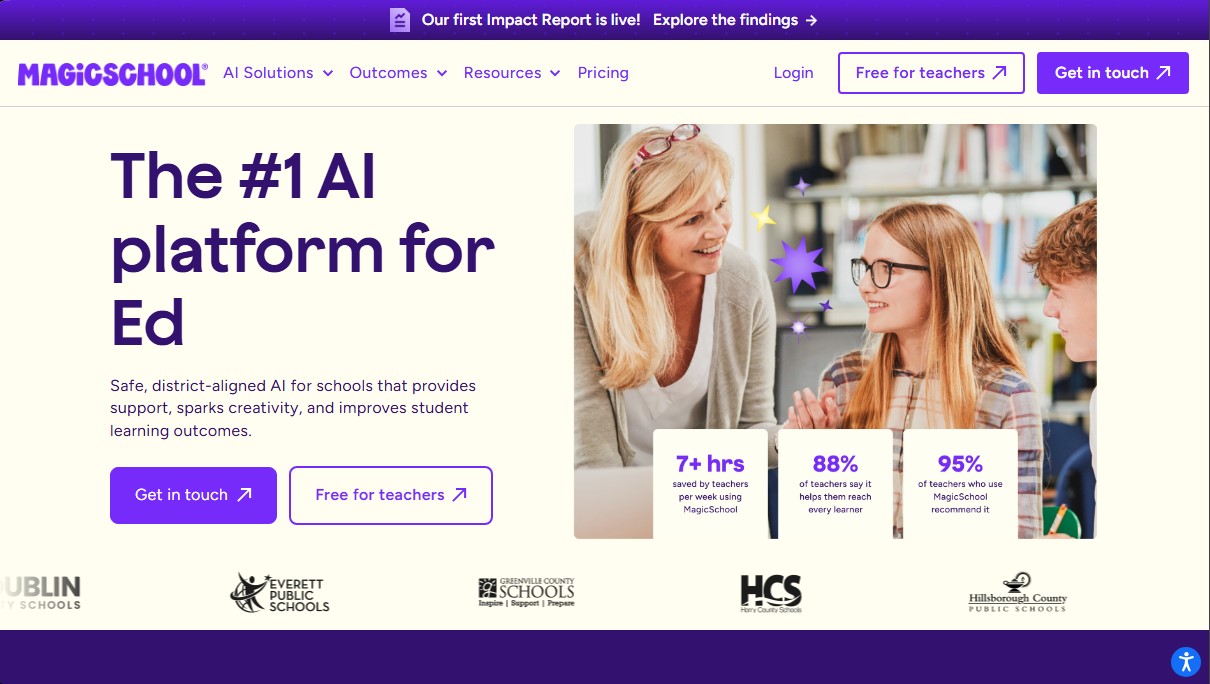
MagicSchool Screenshots
MagicSchool user reviews
Write a review
Checking your session...
MagicSchool Reviews
Loading reviews...
MagicSchool alternatives



MakeLesson
Transform educational materials into interactive, auto-graded lessons. Includes student management, scheduling, and payments in an all-in-one platform for teachers.

ReferenceChecker.ai
Verify academic citations and DOIs against scientific databases. Detect errors or fake references and correct bibliographies in multiple professional formats.