
Share
What is MeetGeek?
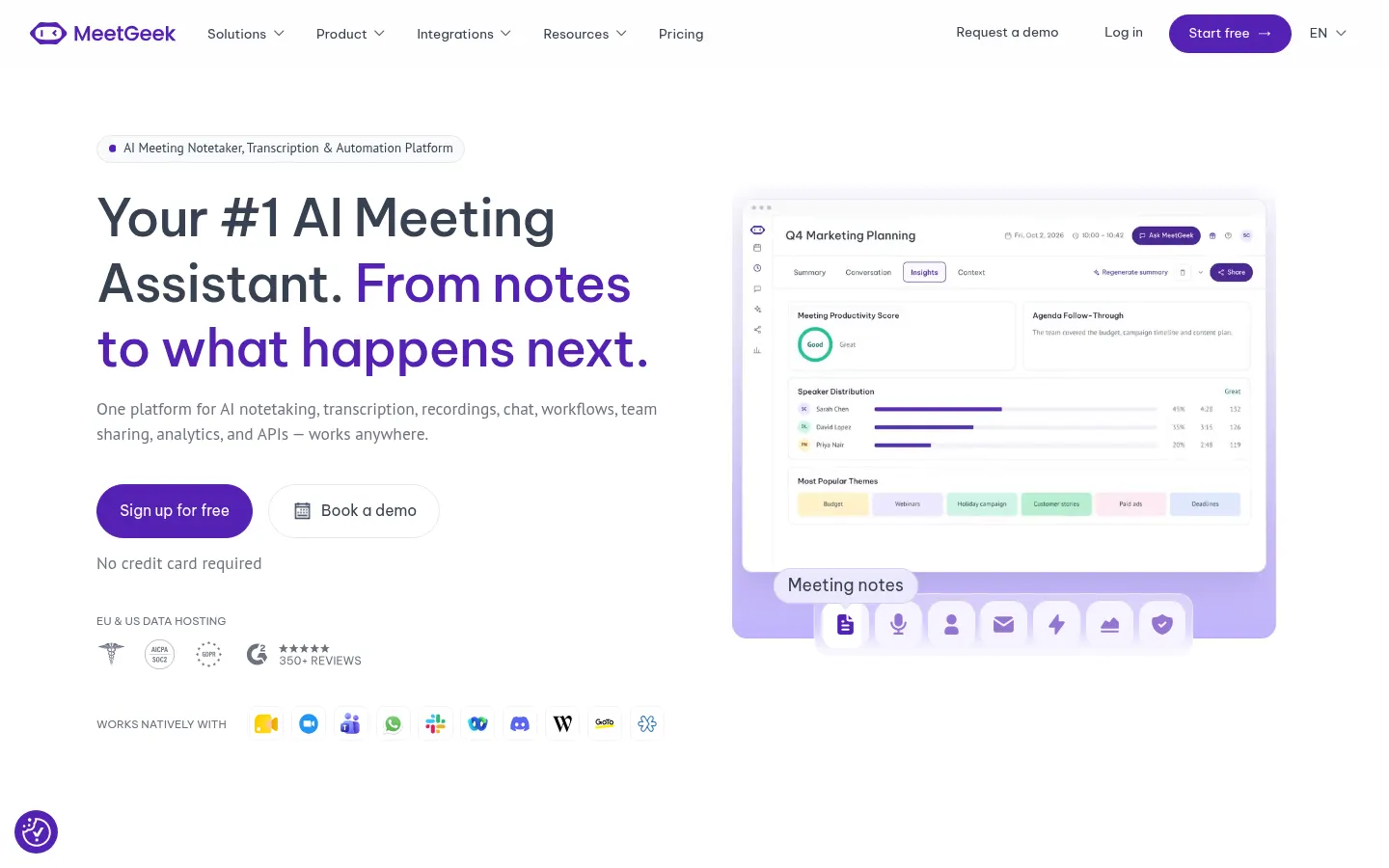
MeetGeek is an AI meeting assistant that records, transcribes and summarizes your calls, then takes care of the work that comes after. It works with Google Meet, Zoom and Microsoft Teams, in hybrid and in-person meetings, and more than 50,000 teams across 100+ countries use it.
How does MeetGeek record meetings?
You can choose a bot that joins your meetings automatically or record without a bot from the desktop app, the browser extension or the iOS and Android app. There's also Wave, a hardware device for recording phone calls and in-person conversations. Transcription auto-detects 100+ languages, identifies speakers and comes with 30+ summary templates matched to the meeting type.
What does MeetGeek automate after the call?
Its Meeting Skills are agents triggered when a meeting ends, when a keyword comes up or when a pattern shows across calls: they update your CRM, create tasks, draft emails, send churn-risk alerts to Slack or open tickets in Jira. On top of that, voice agents can coach you live or handle inbound calls on their own. With AI chat you can ask about a single meeting or every meeting your team has had.
Which tools does it integrate with?
It connects to Salesforce, HubSpot, Pipedrive, Zoho CRM, Slack, Notion, Asana, Confluence and Google Drive, plus Zapier, Make, n8n, a public API and an MCP server for Claude and ChatGPT.
MeetGeek pros and cons
It stands out for flexible recording with or without a bot, EU or US data hosting, a pledge not to train on your data and an interface in five languages. On the downside, the basic tier caps transcription hours and storage time, and the most advanced automations sit in higher tiers.
MeetGeek features and use cases
How to use MeetGeek
MeetGeek FAQ
How much does MeetGeek cost?
There's a free tier, and Pro costs $15.99 per user per month billed monthly (see pricing).
Does MeetGeek work with Zoom, Meet and Teams?
Yes, it records and transcribes Zoom, Google Meet and Microsoft Teams meetings, among other platforms.
Can I use MeetGeek without a bot joining the meeting?
Yes, you can record bot-free from the desktop app, browser extension or mobile app.
Which languages does MeetGeek transcribe?
It transcribes 100+ languages with automatic detection, Spanish included.
Can MeetGeek record in-person meetings?
Yes, with the mobile app or Wave, its device for in-person conversations and phone calls.
What are Meeting Skills?
They're agents that act after meetings: updating your CRM, creating tasks, drafting emails or sending Slack alerts.
Does MeetGeek integrate with my CRM?
Yes, it integrates with Salesforce, HubSpot, Pipedrive, Zoho CRM and Attio, plus Zapier, Make and n8n.
Does MeetGeek train AI on my data?
No, it says it doesn't train models on your data, and it offers EU or US hosting.
Does MeetGeek have an API?
Yes, there's a public API and an MCP server to connect your meetings to Claude, ChatGPT and other assistants.
What are some MeetGeek alternatives?
In our directory you can compare Fireflies.ai, tl;dv and Fathom, which are also AI meeting assistants.
MeetGeek pricing and plans
Reference price: 15.99 USD / month. Source · Verified: November 11, 2026
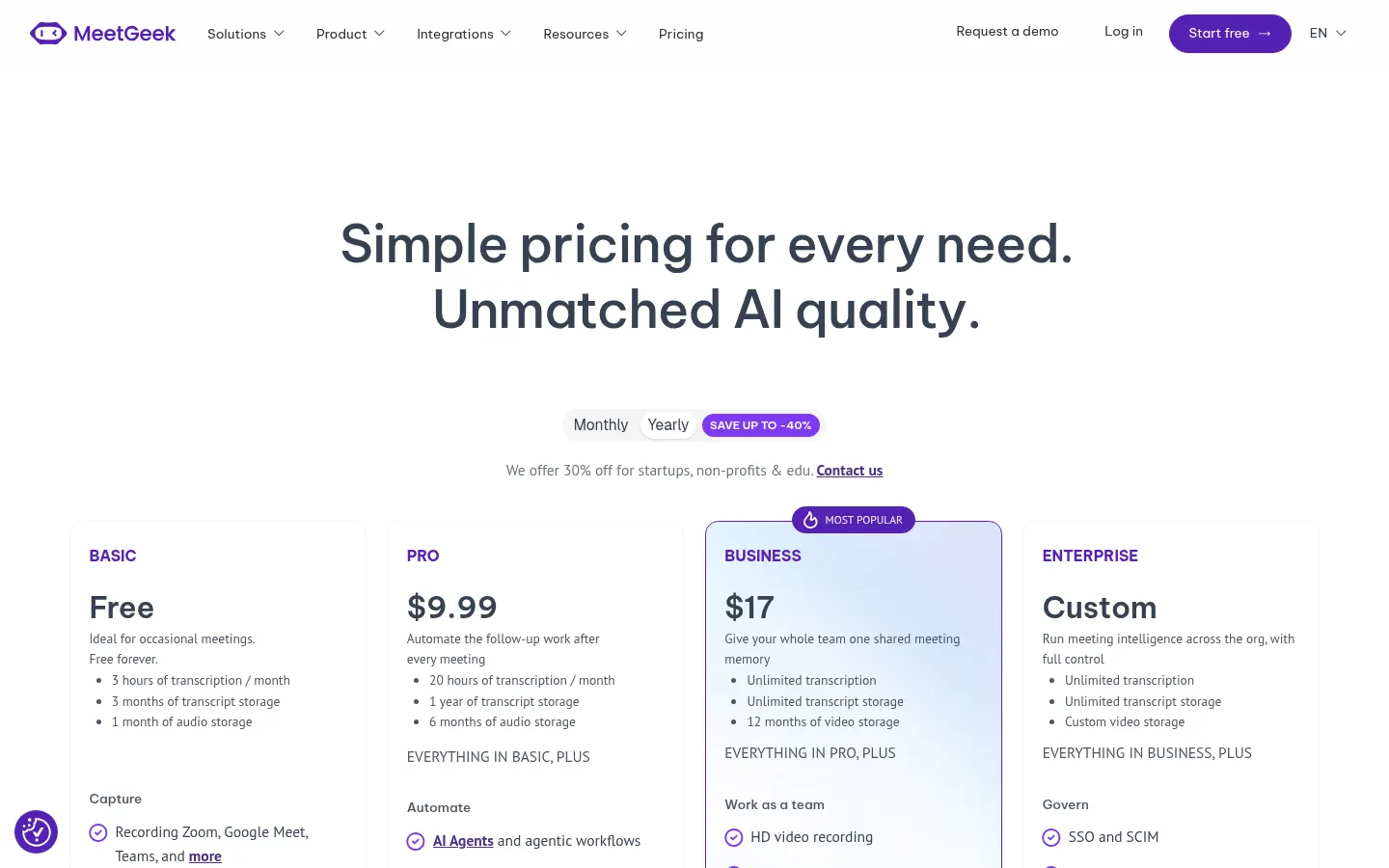
MeetGeek pricing (Checked on: 11/11/2026), per user per month billed monthly; yearly billing saves up to 40%:
- Basic: free. 3 hours of transcription a month, transcripts kept for 3 months.
- Pro: $15.99/user/month ($9.99 billed yearly). 20 hours a month, AI agents and workflows, unlimited integrations; $0.50 per extra hour.
- Business: $27/user/month ($17 billed yearly). Unlimited transcription, HD video, team spaces and analytics; 14-day trial.
- Enterprise: custom pricing, with SSO, SCIM and custom retention and storage options.
30% off for startups, non-profits and education on request.
MeetGeek Screenshots
MeetGeek user reviews
Write a review
Checking your session...
MeetGeek Reviews
Loading reviews...
MeetGeek alternatives




Spark Mail
Spark Mail is an AI email client that filters out noise, summarizes threads, drafts replies and lets teams collaborate on emails across devices.