
Share
What is VoiceCap?
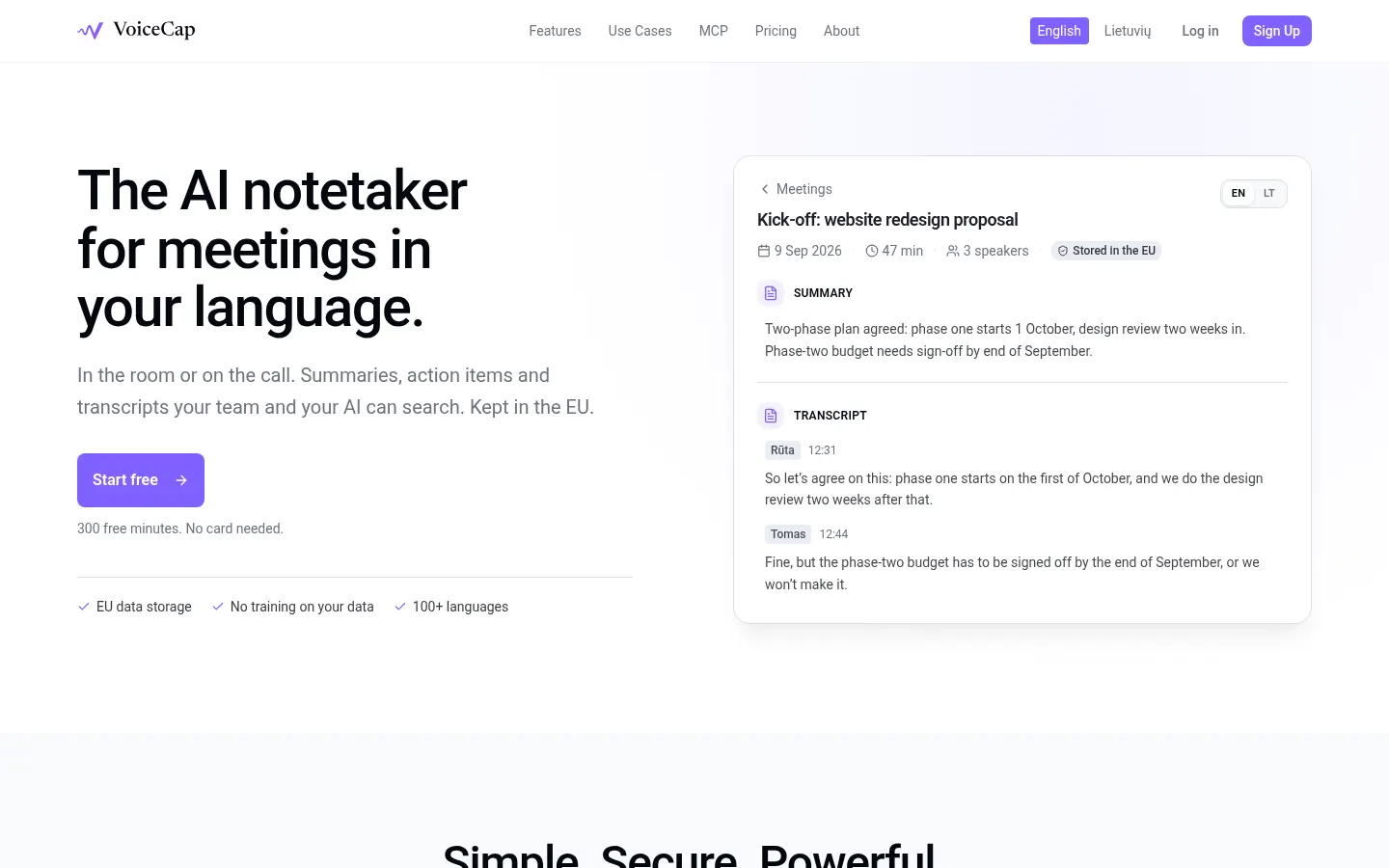
VoiceCap is an AI meeting notetaker for in-person and online meetings that turns every conversation into a transcript, summary, decisions and action items with an owner and due date. It's built by a company in Vilnius, Lithuania, for European businesses that want meetings stored in the EU and never used to train models.
What is VoiceCap used for?
It replaces manual note-taking and gives your team a shared memory. You can record in the room from the browser or the iOS and Android apps, upload MP3, M4A, WAV, MP4 or MOV files, or send a bot to Zoom, Google Meet, Microsoft Teams or Webex that joins automatically once you connect Google or Outlook calendars. The AI separates speakers, transcribes in 100+ languages with auto-detection and writes the summary in whichever language you pick. Meetings file themselves into projects based on what was discussed.
How does search work, and can I use it from Claude or ChatGPT?
You can search transcripts, summaries and decisions across every meeting at once, and each hit links to the exact second it was said. VoiceCap also plugs in as an MCP server, so Claude, ChatGPT or another client can answer questions like "what did we promise this client in the last three calls?" with a link to the moment; access is read-only and respects your permissions. Meetings can stay private, be shared with a group or opened to the workspace, and export to Markdown or plain text.
Who is VoiceCap for?
- Teams that spend much of the week in client meetings.
- European companies with GDPR and data residency requirements.
- Boards and in-room meetings that never touch a video call.
VoiceCap pros and cons
On the plus side: encryption in transit and at rest, permanent deletion, unlimited viewers at no charge and strong accuracy in European languages, Lithuanian included. On the minus side: SSO, SAML, SCIM and configurable retention are still on the roadmap, and recording meetings requires participants' consent under local law.
VoiceCap features and use cases
How to use VoiceCap
VoiceCap FAQ
Is VoiceCap free?
There's a free plan with 300 recording minutes and every feature, no card required; paid per-seat plans let you keep recording (see pricing).
Does VoiceCap join Zoom, Meet or Teams calls?
Yes, its bot joins Zoom, Google Meet, Microsoft Teams and Webex, automatically if you connect your calendar.
Can I record in-person meetings?
Yes, from the browser or the iOS and Android apps, with no video call needed.
Which languages does VoiceCap support?
It transcribes in 100+ languages with auto-detection and writes summaries in the language you choose.
Where does VoiceCap store data?
In EU data centers; when a non-EU provider is involved, Standard Contractual Clauses keep processing GDPR compliant.
Does VoiceCap train AI on my meetings?
No. Audio and transcripts are never used to train models, and providers only process them to return the transcript and summary.
Can I ask Claude or ChatGPT about my meetings?
Yes, by adding VoiceCap as an MCP server; access is read-only and only sees what you can see.
Do I need consent to record meetings?
Generally yes: tell attendees and follow local recording laws before using any AI notetaker.
Can I export VoiceCap notes?
Yes, meetings export to Markdown or plain text, and the original recording is kept.
What are some VoiceCap alternatives?
In our directory you can compare Fireflies.ai, tl;dv and Bluedot, which also take meeting notes with AI.
VoiceCap pricing and plans
Reference price: 29 EUR / month. Source · Verified: November 11, 2026
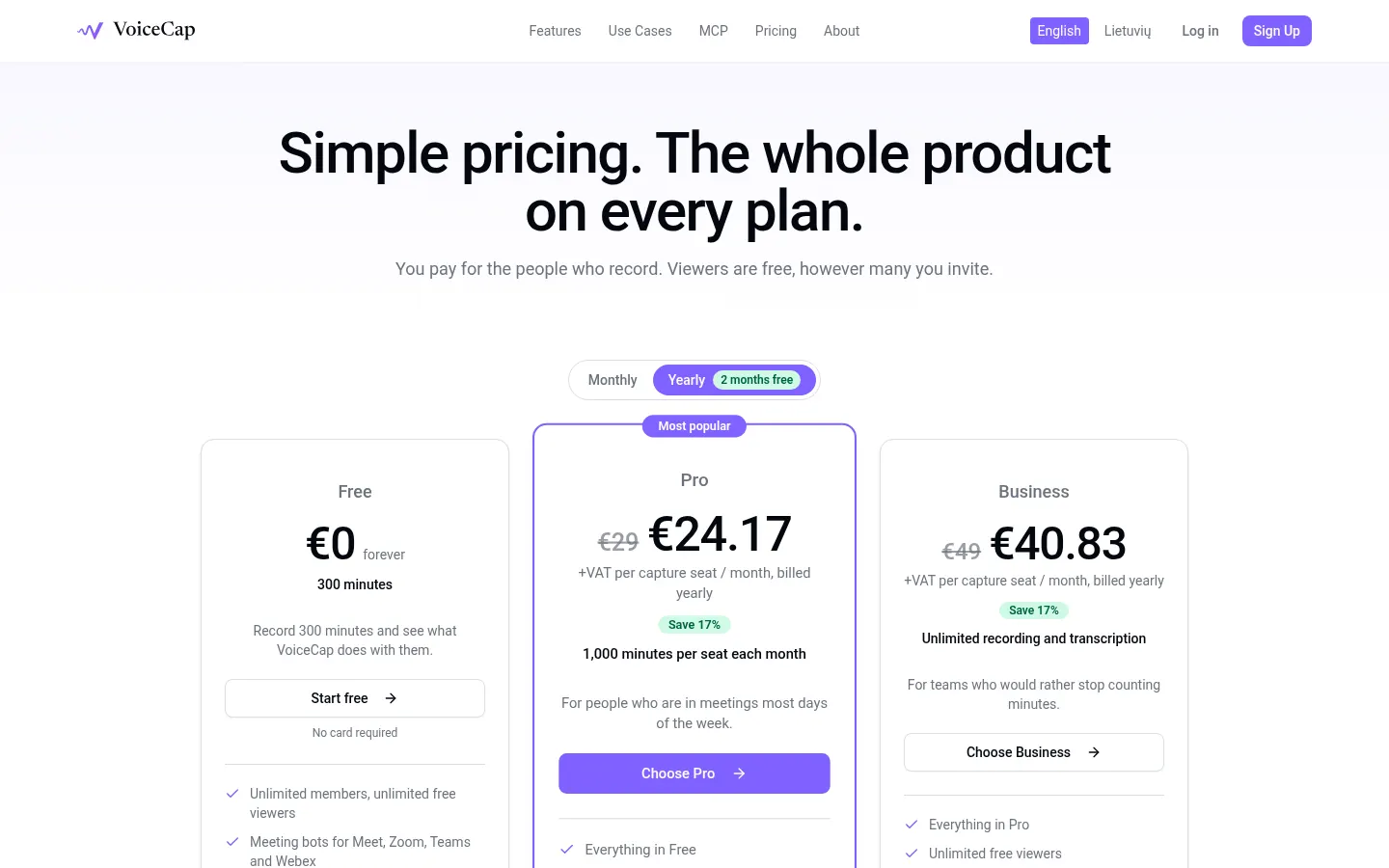
Prices in euros, excluding VAT, from the official website (Checked on: 11/11/2026). You pay per capture seat (owners, admins and members); viewers are free and unlimited. Yearly plans cost 10 months and give you 2 free.
Free: 300 minutes to try it, no card. Unlimited members and viewers, meeting bots, calendar auto-recording, summaries, decisions and action items, 100+ languages and MCP access.
Pro: €29/month per seat or €290/year (€24.17/month). 1,000 minutes per seat each month, flexible seats, advanced permissions with groups, roles and share links.
Business: €49/month per seat or €490/year (€40.83/month). Unlimited recording and transcription, owner oversight, audit log, team activity and priority support.
Every plan includes the iOS and Android apps, exports and storage of original recordings in the EU.
VoiceCap Screenshots
VoiceCap user reviews
Write a review
Checking your session...
VoiceCap Reviews
Loading reviews...
VoiceCap alternatives




Spark Mail
Spark Mail is an AI email client that filters out noise, summarizes threads, drafts replies and lets teams collaborate on emails across devices.