Share
Convert voice and text into structured notes and to-do lists with AI. Automatically categorize ideas by topic and sync with calendars and reminders.
What is Mumble Note?
Mumble Note is an AI-powered note-taking app designed to capture scattered thoughts and transform them into structured, actionable information. This tool allows users to record ideas via voice, text, or a combination of both, using AI technology to automatically organize content into thematic collections. Its primary goal is to facilitate the transition from informal thoughts to functional notes that are easy to retrieve and manage from a mobile device or Apple Watch.
Mumble Note's technology goes beyond simple audio transcription. The system processes natural language to generate summaries, extract key insights, and automatically identify pending tasks within the speech. In addition to voice input, the app allows users to attach images, add voice annotations to them, and extract text via OCR. The AI also acts as an advanced editor, allowing users to request rewrites, translations into other languages, or the generation of visual covers to better organize their note library.
These are the tool's core capabilities:
- Smart transcription of voice notes and meetings in real time.
- AI-generated summaries and insights to synthesize long recordings.
- Automatic task detection to create structured to-do lists.
- Automatic organization of entries into AI collections based on the content's context.
- Direct synchronization with productivity tools like Apple Calendar, Google Calendar, Reminders, Things 3, and WhatsApp.
- Multilingual support and integrated translation features powered by language models.
- Interface equipped with dark mode to improve visibility in different environments.
The Mumble Note workflow is optimized for mobility, allowing users to capture ideas on the go and sync them across iPhone and Apple Watch, with a desktop version for Mac coming soon. This ability to connect scattered notes helps users generate creative results and maintain an organized workflow without the need for manual tagging.
In terms of security, the app prioritizes user privacy. All information and audio files remain encrypted during the transcription and processing stages, ensuring that personal and professional data stay protected. It is a practical solution for anyone seeking an AI voice assistant that converts verbal improvisation into useful, well-structured work documents.
Mumble Note features and use cases
How to use Mumble Note
Mumble Note FAQ
What exactly is Mumble Note, and how can it help me?
Mumble Note is an AI-powered note-taking app that automatically transforms your spoken or written thoughts into structured, organized notes.
How does Mumble Note turn my voice recordings into structured text?
The tool uses AI to transcribe your words, identify key ideas, and generate summaries, to-do lists, or actionable notes from your casual speech.
Can I add images to my notes in the app?
Yes, you can add images to your notes, extract text from them, and even record voice memos to comment on or describe them.
How does Mumble Note organize all the information I capture?
The app uses smart collections to automatically group your notes based on their content, making it easy to browse and retrieve your ideas.
Can I sync my Mumble Note tasks with other apps?
Absolutely. You can sync your to-do lists with services like Apple Calendar, Google Calendar, Reminders, and Things 3, or even send them via WhatsApp.
What devices is Mumble Note currently available on?
The app is available for iPhone and Apple Watch, and a dedicated Mac version is coming soon.
What is Mumble Note’s pricing model?
The app follows a freemium model, with a paid subscription option of $3 per month to access all advanced features.
Are my data and recordings secure within the app?
Privacy is a top priority, so all information and transcriptions are encrypted to ensure user security.
Does Mumble Note support note-taking in multiple languages?
Yes, the app offers multilingual support and allows you to use AI to easily translate your voice notes into other languages.
How does the AI identify to-do items in my recordings?
The AI analyzes the content of your voice notes to detect specific action items and automatically generate manageable to-do lists.
Mumble Note pricing and plans
Free Version (Freemium)
Price: Free.
- Capture thoughts via voice, text, or both.
- Transform informal thoughts into structured, organized notes.
- Automatic note organization into collections using AI.
- Access to basic editing features and to-do list creation.
- Available for iPhone and Apple Watch.
Monthly Plan
Price: 3 $ per month.
- Full transcription of voice notes and meetings.
- Generate summaries, insights, and results based on specific use cases.
- Automatic task identification and to-do list creation.
- Advanced integration with Apple Calendar, Google Calendar, Reminders, Things 3, and WhatsApp.
- AI-powered voice note translation and multilingual support.
- AI image cover generation and text extraction from images.
- Identification of frequently used speech patterns and dark mode.
- Restriction: Image annotations may be limited.
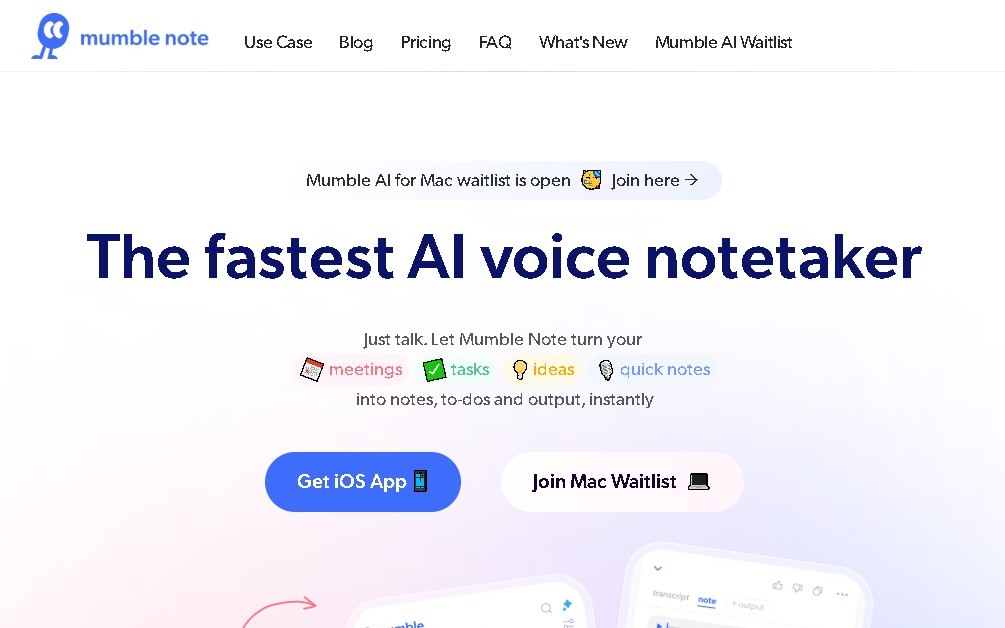
Mumble Note Screenshots
Mumble Note user reviews
Write a review
Checking your session...
Mumble Note Reviews
Loading reviews...
Mumble Note alternatives

ProWritingAid
AI grammar checker and style editor for novelists, with in-depth writing reports, chapter critiques, manuscript analysis and a virtual beta reader.



NeuronWriter
NeuronWriter is an SEO content editor that studies search results with NLP, scores your drafts and keeps an eye on your visibility in AI search.