Share
Turn voice messages from messaging apps into structured notes, tasks, and summaries. Sync everything with Notion to automate your daily workflow.
What is Notis?
Notis is an AI assistant designed to act as a task and note manager integrated directly into the most popular messaging apps. Its main function is to transform voice notes and unstructured messages into organized information, such as meeting summaries, document drafts, or to-do lists. This tool is specifically designed for founders, entrepreneurs, and professionals who need to delegate administrative organization without leaving their usual workflow on mobile or computer.
The operation of Notis is based on natural language processing to interpret the context of voice recordings. Upon receiving audio via WhatsApp, Telegram, iMessage, or email, the AI analyzes the content and converts it into structured text with high precision. One of its greatest strengths is its native synchronization with Notion, allowing every note or task to be automatically archived in the user's workspace, maintaining the coherence and order of the pre-existing digital ecosystem.
The functional capabilities of this tool allow for the optimization of daily productivity through the following key features:
- Multi-platform integration: Works seamlessly across common communication channels like Slack, WhatsApp, Telegram, and iMessage.
- Workflow automation: Capability to connect with over 800 applications, facilitating data transfer between different management systems.
- Voice-to-structured-text transcription: Converts informal audio into professional drafts and actionable task lists.
- Quick setup: The implementation process is completed in just a few minutes, allowing for immediate use without the need for complex hardware installations.
- Security by design: The system architecture is protected to ensure the confidentiality of information handled in professional environments.
The utility of Notis lies in its ability to eliminate operational friction. By allowing the user to simply speak to delegate or record ideas, the tool frees up productive time and prevents important details from getting lost in chat threads. It is an AI-based productivity solution that does not require deep technical learning, focusing on turning the noise of routine work into useful and centrally accessible information. Although it requires an initial onboarding process and depends on an internet connection to function, its ability to integrate into the daily life of the dynamic professional makes it an efficient resource for project management and smart note-taking.
Notis features and use cases
How to use Notis
Notis FAQ
What is Notis and how can it help me in my daily routine?
Notis is an AI assistant that lives in your messaging apps to turn voice messages into structured notes and tasks synced with Notion.
Which messaging apps can I use Notis with?
You can use the tool directly in WhatsApp, iMessage, Telegram, Slack, and also via email.
Is there a free version to try Notis?
We don't currently offer a permanent free version, but we do provide a free trial so you can experience all its features before subscribing.
How much does a Notis subscription cost?
The service starts at thirteen dollars a month with a monthly billing cycle.
Is it hard to set up Notis with my current apps?
Setup is very fast and can be completed in just a few minutes, allowing you to easily connect with over eight hundred external apps.
Does Notis work without an internet connection?
No, the tool requires an active internet connection to process your messages and sync information with your workspace.
Is my data protected when using Notis?
Yes, the tool is designed with strict security principles to ensure that all your information and notes are protected at all times.
How does Notis sync with my Notion account?
The tool connects directly to your workspace to transfer your summaries and drafts with total precision and no manual intervention required.
Notis pricing and plans
Free Trial
Available (based on the pricing model shown)
* Initial access to test voice conversion and syncing features before subscribing.
Paid Plan
Starting at 13 $ per month
- Connects with WhatsApp, iMessage, Telegram, Slack, and email.
- Converts voice into notes, structured tasks, meeting summaries, and drafts.
- Syncs with Notion and over 800 external apps.
- Quick setup in just minutes.
- Requires an initial onboarding process.
- No offline functionality.
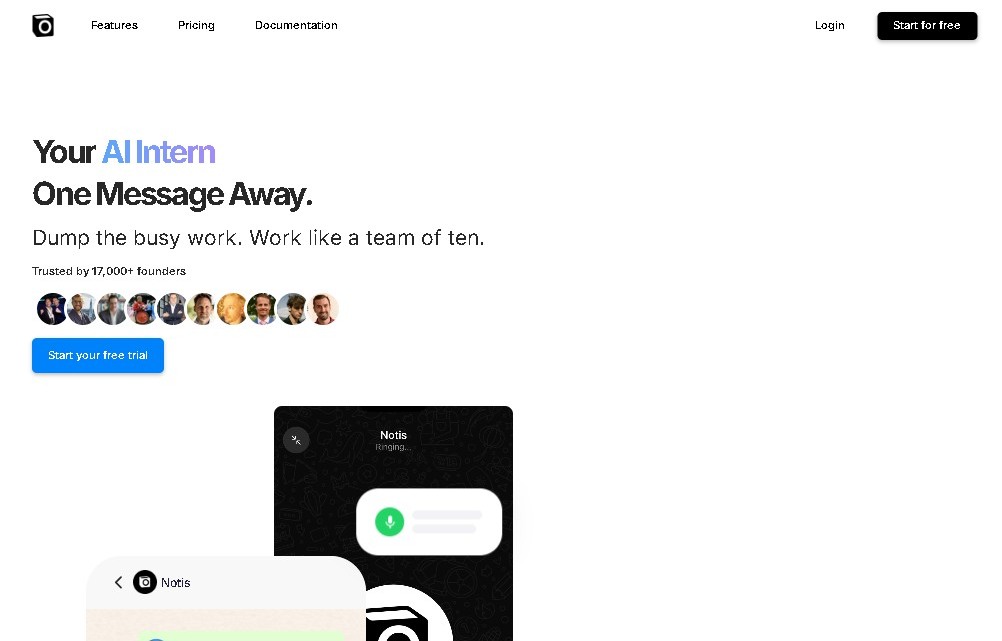
Notis Screenshots
Notis alternatives


OpenWhispr
OpenWhispr is open-source voice dictation for Mac, Windows and Linux: transcribe locally or in the cloud, type into any app and take meeting notes without a bot.
Assindo iOS
AI agent that makes and answers calls, manages social media, and organizes tasks. It searches the web, books appointments, and automates your daily schedule—all serverless.