
Share
Local Windows chatbot that privately analyzes your files and photos. Uses RTX graphics power for fast answers based on your own data.
What is NVIDIA ChatRTX?
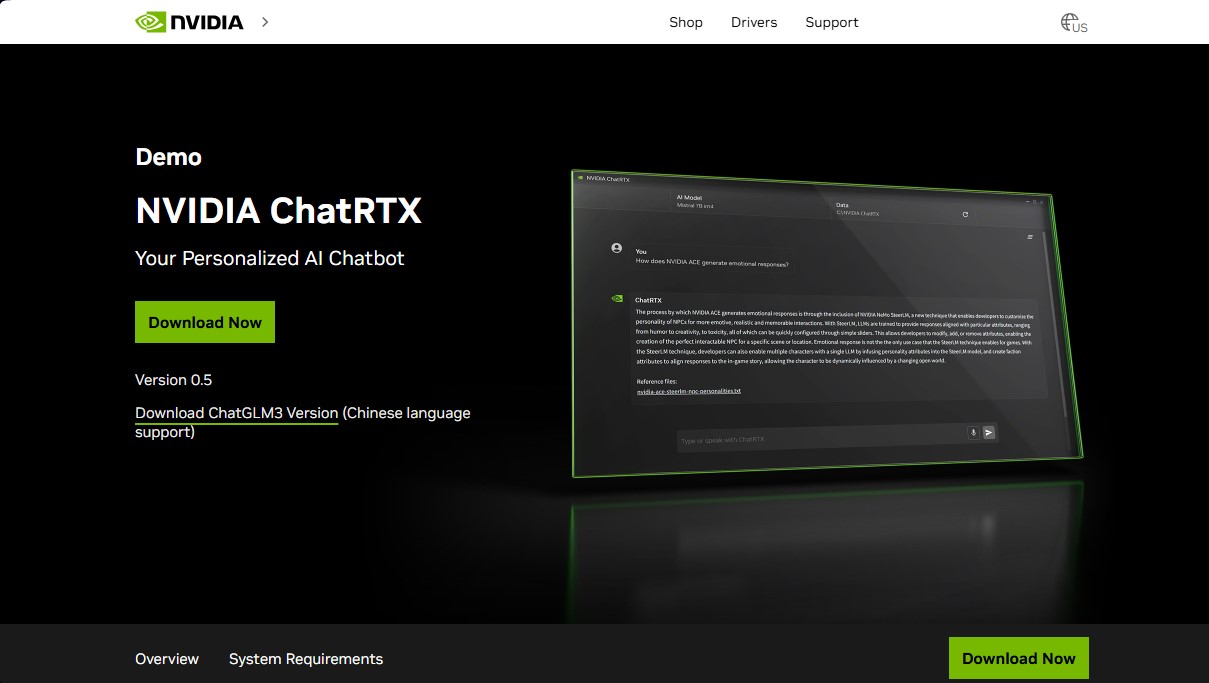
NVIDIA ChatRTX is a technical demo application that allows you to personalize a large language model (LLM) by connecting it directly to your local content, such as documents, notes, and images. Unlike conventional cloud-based solutions, this tool runs entirely locally on a Windows PC, ensuring high processing speeds and maximum data privacy since no external connection is required to analyze information.
The technological foundation of NVIDIA ChatRTX combines Retrieval-Augmented Generation (RAG) with NVIDIA RTX GPU acceleration. By utilizing TensorRT-LLM and NVIDIA NIM microservices, the application optimizes AI model performance to deliver contextually relevant answers based on the specific information provided by the user.
Its core capabilities and practical functions include:
- Local File Queries: The tool is compatible with multiple formats, including TXT, PDF, DOC/DOCX, and XML. Users simply point to the folder containing their files, and the library loads in seconds, making it ready for AI processing.
- Smart Image Search: Thanks to the integration of advanced models, users can locate photos in JPG, PNG, and GIF formats using text or voice descriptions, making it easier to organize personal albums without manual tagging.
- Automatic Speech Recognition (ASR): It incorporates a spoken language processing system that allows users to interact with the chatbot via voice, providing text responses in various languages.
- Developer Customization: As an open-source reference project, it serves as a platform for developers to create and deploy their own generative AI applications optimized for RTX hardware.
To ensure smooth performance, NVIDIA ChatRTX requires specific hardware. You must have an NVIDIA GeForce RTX 30, 40, or 50 series graphics card with a minimum of 8 GB of VRAM. Additionally, the system must run Windows 11 and have at least 16 GB of RAM and approximately 70 GB of free hard drive space to host the models and processing data.
This tool is ideal for users who need a personalized AI assistant capable of securely analyzing large volumes of private data. By leveraging the power of dedicated Tensor Cores on RTX cards, it transforms your computer into an efficient AI computing hub, allowing you to automate workflows and improve productivity without compromising the confidentiality of personal or professional information.
NVIDIA ChatRTX features and use cases
How to use NVIDIA ChatRTX
NVIDIA ChatRTX FAQ
What exactly is NVIDIA ChatRTX?
It is a demo application that allows you to personalize a GPT large language model by connecting it to your own content, such as documents, notes, and images.
What file types does NVIDIA ChatRTX support?
The tool is compatible with various formats, including TXT, PDF, DOC, DOCX, JPG, PNG, GIF, and XML.
Is my data secure when using this tool?
Yes, it offers complete privacy because all processing runs locally on your own Windows RTX PC without sending any data to the cloud.
What are the hardware requirements to install NVIDIA ChatRTX?
You need a PC running Windows 11, a GeForce RTX 30, 40, or 50 series graphics card with at least 8GB of VRAM, and a minimum of 16GB of RAM.
Can I interact with the chat using my voice?
Yes, the app features an automatic speech recognition system that allows you to speak directly to it to receive text responses in multiple languages.
How does image search work in NVIDIA ChatRTX?
You can find specific photos in your personal folders by using simple text or voice queries, powered by AI acceleration.
Do I need a specific driver version for NVIDIA ChatRTX?
Yes, for the application to function correctly, you must have driver version 572.16 or higher installed on your system.
How much free hard drive space is required for installation?
Approximately 70GB of free disk space is required, though the exact size may vary depending on your system configuration and the specific models installed.
NVIDIA ChatRTX pricing and plans
Free Version (Tech Demo) - Free
- Personalize Large Language Models (LLMs) with your own content: documents, notes, images, and other data.
- Local on-device processing to ensure privacy and fast results.
- Powered by RAG (Retrieval-Augmented Generation) technology, TensorRT-LLM, and NVIDIA NIM microservices.
- Support for multiple file formats: TXT, PDF, DOC/DOCX, JPG, PNG, GIF, and XML.
- Automatic speech recognition for voice-based queries via microphone.
- Intelligent photo and image search using text or voice.
- Access to RTX-optimized models and developer tools to build RAG-based applications.
- Limits and Technical Requirements: Requires an NVIDIA GeForce RTX 30, 40, or 50 series GPU (8GB VRAM minimum), 16GB RAM or more, Windows 11, and 70GB of free disk space.
NVIDIA ChatRTX Screenshots
NVIDIA ChatRTX alternatives
PortuguesePal
Practice Brazilian or European Portuguese with an AI tutor. Improve your fluency and pronunciation with real conversations and instant corrections.


rabbit OS3
Agentic OS that automates tasks and manages files, connecting your computers with AI models to run workflows using natural language.
Agentkit: AI Automations
Automate customer support on Instagram, WhatsApp, and the web with AI agents trained on your content to answer questions and capture leads 24/7.