OHarness
Share
Local AI agent platform for in-session model switching. Seamlessly manage tools, permissions, and context without vendor lock-in.
What is OHarness?
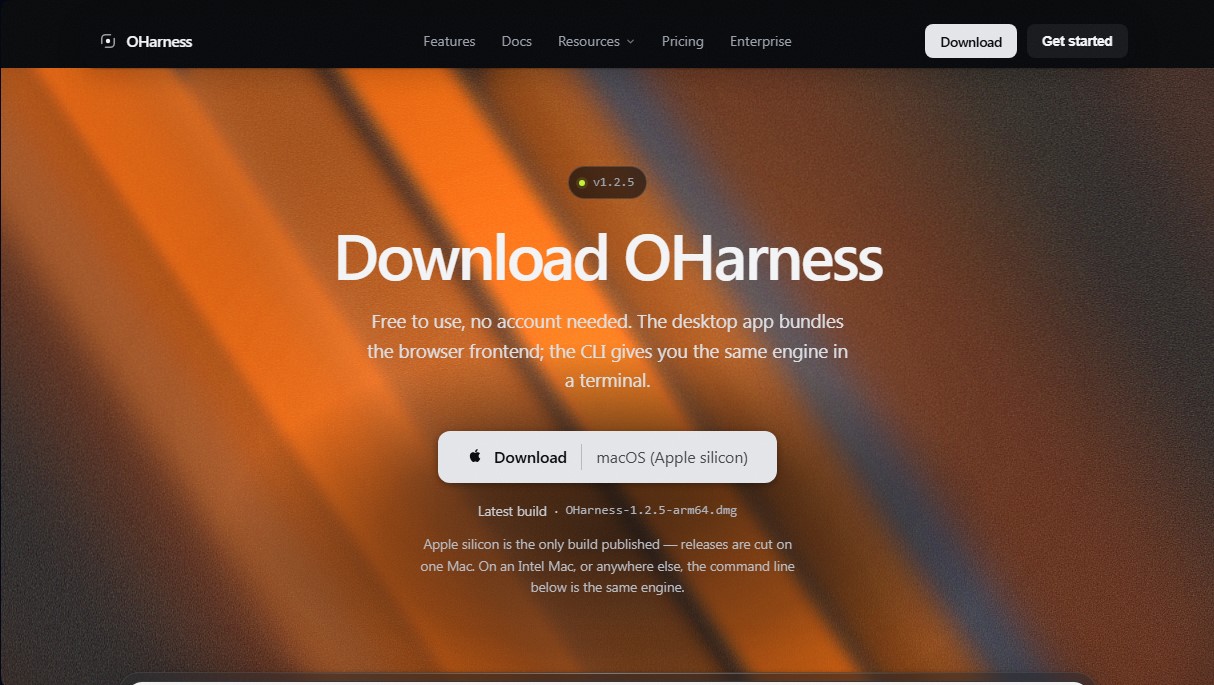
OHarness is a local-first harness designed for the transparent execution and management of AI agents. Unlike other platforms tied to a single provider, this tool functions as an independent infrastructure that enables the orchestration of various language models without vendor lock-in. Its architecture focuses on maintaining control over tools, memory, artifacts, and task history on the user's computer, ensuring that session states remain persistent and completely independent of the chosen model provider.
The operation of OHarness is powered by a unified engine that drives multiple interfaces, including a command-line interface (CLI), a desktop application, and a browser frontend. One of its primary operational advantages is the ability to switch models mid-session—for instance, toggling between Anthropic, OpenAI, Google Gemini, or DeepSeek—without losing the conversation thread or accumulated results. It is compatible with over 30 providers and facilitates the execution of local models via Ollama, LM Studio, or vLLM, bolstering data privacy by ensuring requests never leave the local machine.
From a technical and functional perspective, the tool stands out for the following capabilities:
- Native MCP (Model Context Protocol) Integration: It acts as a built-in JSON-RPC client that automatically discovers servers and tools, enabling interoperability across different AI ecosystems without complex configurations.
- Tool Definition with Validation: It utilizes schemas to generate JSON Schemas and precisely validate arguments, managing tool calls both in parallel and in sequence.
- Granular Permission System: It offers five configuration modes where "deny" rules take absolute priority, ensuring that automated executions do not perform unauthorized actions.
- Sub-agent Management: It allows for the delegation of specific tasks to isolated contexts that work in parallel, returning only the final conclusion to optimize main context usage.
- Smart Memory Compaction: It manages session history by performing truncations at logical conversation points, preventing the loss of critical information due to token limits.
OHarness is particularly valuable for developers seeking an inspectable and auditable agent loop rather than opaque autonomy. It is also an ideal solution for teams requiring durable local states and strict permission management. Since it is compatible with any OpenAI-compatible endpoint, it offers total flexibility for professionals in need of a language model orchestration tool that is local, private, and adaptable to advanced technical workflows.
OHarness features and use cases
How to use OHarness
OHarness FAQ
What exactly is OHarness, and what is it used for?
It’s a transparent, local environment for agents that lets you manage tools, permissions, and memory independently of the language model you choose to use.
Is OHarness free to use?
Yes, the environment is free to use if you use your own provider keys or local models, though optional subscription plans are available that include credits for hosted models.
Can I switch AI models in OHarness without restarting my session?
Yes, you can switch between providers like Anthropic, OpenAI, or Gemini mid-conversation without losing your history or tool context.
Can I run local models with OHarness?
Yes, the tool natively supports local execution via Ollama, LM Studio, and vLLM without requiring an external connection or API keys.
Where are my API keys and code stored when using OHarness?
Your keys and code are stored locally on your machine with restricted permissions, so requests go directly from your device to your chosen provider.
Which operating systems support the OHarness command-line interface?
The CLI works on any system that can run Node 22.6 or higher, including macOS, Linux, and Windows.
What is the difference between OHarness and alternatives like Claude Code?
Unlike other options tied to a single provider, this tool acts as a universal engine where the model is an interchangeable component that won't lock you into a specific workflow.
How does OHarness manage tool permissions?
The system uses a permission model where denial takes precedence over authorization, allowing you to set strict rules to ensure automated executions are secure.
OHarness pricing and plans
Free Harness
0 $
Free use of the tool (including commercial use).
No account required.
Requires bringing your own provider API keys or running local models (Ollama, LM Studio, vLLM).
Limited cloud memory synchronization.
Cloud connectors limited to a maximum of two applications.
Plus
8 $ / month
Designed for users who bring their own API keys.
Includes 700 monthly credits for testing hosted models.
Cloud memory synchronization without the limits of the free plan.
Unlimited cloud connectors.
Image and video generation included (GPT Image 2.5, Seedance 2.5).
Starter
10 $ / month (or 120 $ / year)
1,000 monthly credits.
Light usage without the need to set up your own keys.
Image and video generation included.
Unrestricted cloud memory synchronization and connectors.
Pro
20 $ / month (or 216 $ / year)
2,000 monthly credits.
Tier designed for daily use.
Allows for additional credit top-ups if the monthly balance is depleted.
Includes all synchronization features and unlimited connectors.
Max
100 $ / month (or 960 $ / year)
10,000 monthly credits.
For heavy daily use, long autonomous runs, and large-scale models.
No need to constantly monitor your balance.
Ultra
200 $ / month (or 1,920 $ / year)
20,000 monthly credits.
The highest credit allocation for an individual account.
Designed for agents running autonomously for extended periods.
Team
40 $ per user / month (or 384 $ per user / year)
4,000 monthly credits per seat, pooled into a shared team balance.
Shared session history with no capacity limits.
Members access via their own individual accounts.
Business
100 $ per user / month (or 960 $ per user / year)
10,000 monthly credits per seat.
Detailed usage tracking and visibility for each team member.
Includes all Team plan features with a higher credit capacity.
Enterprise
Custom pricing (See official website)
Support for a high volume of users.
Invoicing and formal contracts.
Options for self-hosted and dedicated deployment.
Top-up
20 $ (one-time payment)
2,000 additional credits added to your current balance.
Auto-top-up option when balance falls below 200 credits.
Available exclusively for paid plan subscribers.
OHarness Screenshots