

AgentGit
Share
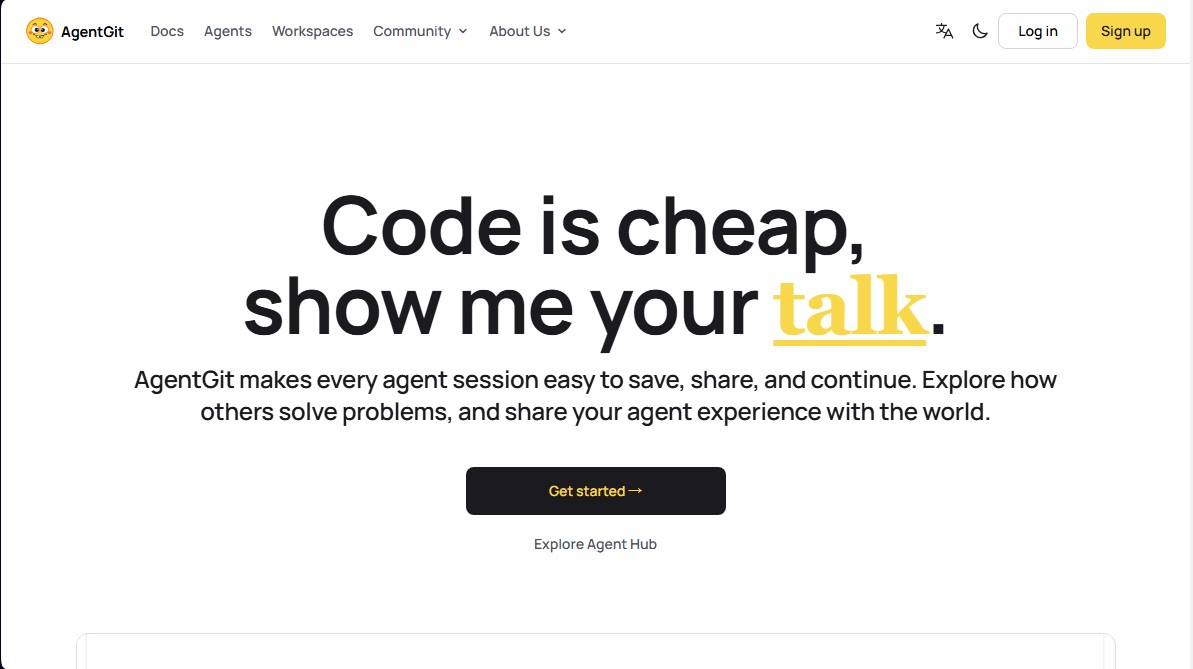
Save, share, and resume AI agent sessions. Facilitate remote collaboration and preserve the full history of reasoning, attempts, and technical decisions.
What is AgentGit?
AgentGit is a version control platform for AI agent sessions, specifically designed to fully capture, share, and continue technical workflows. Unlike traditional code repositories that only store the final file, this tool preserves the entire reasoning process, user instructions, failed attempts, and decisions made by the agent during a session. Its primary purpose is to prevent context loss when a developer needs to switch devices, change agents, or collaborate with teammates on the same task.
AgentGit operates through a local and remote storage system that uses Git repositories to manage interaction history. It does not require a persistent background process (daemon) to run; instead, sessions are integrated into version control using hooks installed via the agit setup command. Data is stored locally on the user's computer (under the ~/.agit/ directory) and can be synced with the Agent Hub to facilitate collaboration. The tool's technology enables session handoffs through specific prompts that instruct the new agent on how to resume the previous work.
Key functional capabilities and benefits of this tool include:
- Session Continuity: Allows you to save an agent's full state and resume it later from the exact same point, eliminating the need to re-explain the project context.
- Remote Collaboration: Facilitates access to an active session from a mobile device or another remote computer, allowing you to invite third parties to monitor progress or approve changes.
- Multi-Platform Compatibility: Offers native support for environments such as Claude Code, Codex, OpenCode, OpenClaw, Hermes, and WorkBuddy, while also allowing the import of Cursor sessions in read-only mode.
- Reasoning History: Provides full visibility into tool calls, command results, and logical decisions, which is essential for code auditing and technical learning.
- Security and Control: Users can review and remove sensitive information before generating a secure read-only link to share their work with the community or clients.
AgentGit is positioned as a productivity tool for developers who use artificial intelligence intensively. By treating agent sessions as versionable assets, it optimizes the AI-assisted workflow, ensuring that knowledge generated during problem-solving is not lost when the terminal is closed. Deployment is fast using the npx -y create-agit command, providing a robust infrastructure for those looking to professionalize the use of autonomous agents in software development.
AgentGit features and use cases
How to use AgentGit
AgentGit FAQ
What exactly is AgentGit?
It is a platform designed to save, share, and resume AI agent sessions, functioning as a version control system for your work.
Which agents can I currently use with AgentGit?
The tool offers native support for Claude Code, Codex, OpenCode, OpenClaw, Hermes, and WorkBuddy, while also allowing you to import Cursor sessions.
Where is my work session data stored?
Your sessions are saved locally on your machine and synced to git repositories within the platform's hub for easy access and collaboration.
How can I share an AgentGit session with someone else?
You can generate a read-only link so others can view the entire process, or provide a handoff command so a teammate can pick up the task right where you left off.
What happens to passwords or sensitive data in sessions?
Since secrets may appear in the command history, it is essential to manually review and remove any confidential information before publishing or sharing your sessions.
Does AgentGit allow for remote collaboration with other users?
Yes, through the remote control feature, you can invite team members to join the session, send instructions, and manage approvals in real time.
Is it possible to edit the history of a session that has already been published?
Published history is append-only and does not allow for rewrites, but you can create a new branch from a previous point in the session to resume work from there.
Do I need to have a process always running in the background?
No, the tool does not require a permanently active daemon, as sessions are updated via hooks that trigger at the end of each user turn.
AgentGit pricing and plans
Check the official website for detailed information on available plans and pricing, as subscription tiers and costs are not specified in the information provided.
AgentGit Screenshots
AgentGit alternatives

Confident AI
LLM evaluation platform to test AI workflows, measure quality metrics, and automate testing in the development cycle without relying on engineering.



StellarFirm
AI agents for founders to plan, build, and launch apps or websites. Automate technical and management tasks under your direct supervision and approval.


Image to 3D
Convert 2D images and sketches into textured 3D models using AI. Export in GLB, STL, or USDZ for video games, 3D printing, and augmented reality.