OVR IT
Share
OVR IT
Extracts tasks from syllabi and prioritizes the next action based on grade impact and available time. Ideal for students with ADHD or academic overwhelm.
General Information about OVR IT
OVR IT is an AI-powered academic planning tool specifically designed for students who struggle with task initiation and overwhelm paralysis. Unlike conventional task managers that present endless lists, this app uses principles geared toward users with ADHD or executive function challenges to simplify decision-making, offering a single next step to follow at any given time.
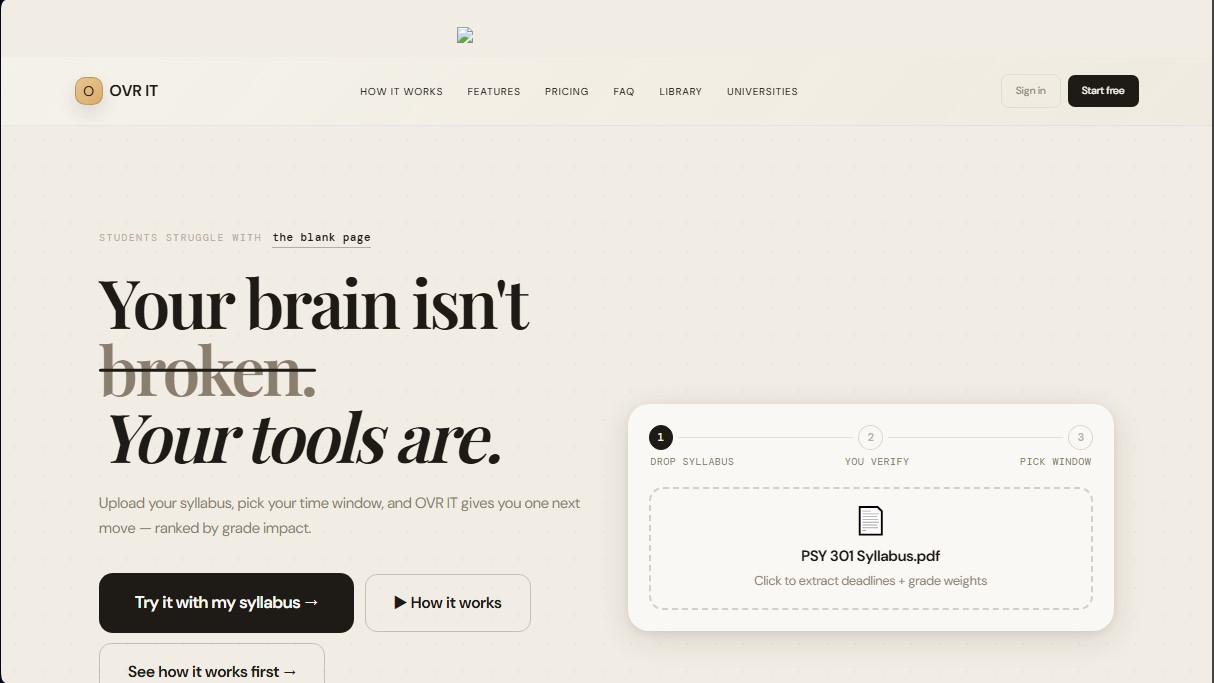
The platform's operation is based on a structured three-stage process. First, the user uploads their syllabus in PDF format or through integration with systems like Canvas. The app's technology analyzes the document to automatically extract deadlines, assignment types, and grade weighting. A fundamental aspect of its approach is human verification: the student validates the extracted data before it is saved, eliminating errors or AI hallucinations in the academic calendar.
One of OVR IT’s most functional capabilities is its grade-impact prioritization system. The algorithm ranks tasks based on their relevance to the final grade, preventing the user from wasting energy on low-value activities. The tool integrates practical features to combat time blindness and mental blocks:
- "I’m Overwhelmed" Mode: Allows the entire to-do list to collapse into a single concrete action, removing the friction of deciding where to start.
- Time Window Adjustment: The user indicates how much time they have available on their computer or mobile device, and the AI selects a task that fits exactly into that interval, avoiding the inefficient fragmentation of long projects.
- Recovery Paths: If the student stops using the app for a while, the system automatically recalibrates the study plan. It identifies which tasks are no longer priorities and maps out a recovery path without guilt-tripping messages or penalties for breaking usage streaks.
- Grade Predictor: Allows for simulations regarding the impact of each submission on the final grade before it is turned in.
This technological solution learns from the user's actual productivity patterns, identifying their peak performance windows. By focusing on single-task execution and recovery over perfection, OVR IT acts as a time management assistant that reduces cognitive load and facilitates consistency in demanding university environments. It is an ideal option for those looking to transform a complex syllabus into a manageable, stress-free roadmap.
Features and Use Cases of OVR IT
How OVR IT Works
Frequently Asked Questions about OVR IT
What is OVR IT and how does it help organize studying?
It’s a tool that analyzes your syllabus to provide a single, prioritized next step based on its impact on your grade and your available time.
How do I add courses to the OVR IT app?
You just need to upload your syllabus as a PDF. The system will extract the dates and grade weights, which you can review and confirm before saving.
Do I have to pay anything to use OVR IT’s basic features?
No, the app offers a free-forever version that doesn't require a credit card or pressure you with daily streak systems.
What are the "Recovery Paths" offered by the tool?
They are action plans that activate if you fall behind on your assignments, allowing you to recalibrate your schedule guilt-free and focus on what matters most.
How does OVR IT help if I feel stuck because I have too many pending tasks?
You can activate "Overwhelmed Mode," which collapses your entire to-do list and shows you only one small, achievable task so you can get started without the stress.
Is OVR IT exclusively for students with an official ADHD diagnosis?
No. While it is designed using principles helpful for ADHD, any student who struggles with task paralysis or poor time management can use it successfully.
What file formats does the OVR IT scanner support?
It supports PDF syllabi and offers direct integration with Canvas to automatically extract all deadlines and grading criteria for your courses.
How does the app calculate which task is the most important?
The system uses an algorithm that ranks your tasks based on their weight in your final grade, ensuring you focus your energy on what has the biggest impact on passing.
OVR IT Pricing
Free — Forever
$0 (no credit card required, no time limit)
- One "next move" available at any time.
- Task prioritization based on actual grade impact.
- "I'm Overwhelmed" mode limited to 3 uses per month.
- Limit of 2 syllabus uploads.
- Productivity pattern profile (Lite version).
- 3 body doubling sessions per week.
Pro — Most Students
$19.99 per semester (approx. $4/mo) or $39.99 per year (approx. $3.33/mo)
- Everything in the Free plan.
- Unlimited syllabus uploads.
- Full pattern profile and productivity predictions.
- Unlimited grade predictor.
- Recovery path builder tool.
- Weekly AI-generated insights report.
- Unlimited body doubling sessions.
- "What-If" grade simulator.
- Includes a 14-day free trial.
Study Group Organizer
$69.99 per study group per semester or $129.99 per year
- Everything in the Pro plan.
- Shared group study sessions.
- Group accountability tools.
- Capacity for study groups of up to 20 people.
- Dashboard for the study group organizer.
OVR IT Screenshots